Перейти к основному содержанию
Присоединяйся к сообществу ремонтников - Создай аккаунт

Sony ICF-CS15iP Disassembly

Рекомендуемый документ

  1. Sony ICF-CS15iP Disassembly, Remove all 18 screws from the device’s outer shell.: шаг 1, изображение 1 из 2 Sony ICF-CS15iP Disassembly, Remove all 18 screws from the device’s outer shell.: шаг 1, изображение 2 из 2
    • All of these damned screws are approx. a PH1 size.

  2. Sony ICF-CS15iP Disassembly, Remove back and base covers.: шаг 2, изображение 1 из 3 Sony ICF-CS15iP Disassembly, Remove back and base covers.: шаг 2, изображение 2 из 3 Sony ICF-CS15iP Disassembly, Remove back and base covers.: шаг 2, изображение 3 из 3
    • Pull on the back to ease it off, and there will be some wires that will need to be disconnected. (Green circled wire not necessary to remove but recommended)

  3. Sony ICF-CS15iP Disassembly, Remove power and antenna board.: шаг 3, изображение 1 из 1
    • Unfasten the 4 screws holding in the board.

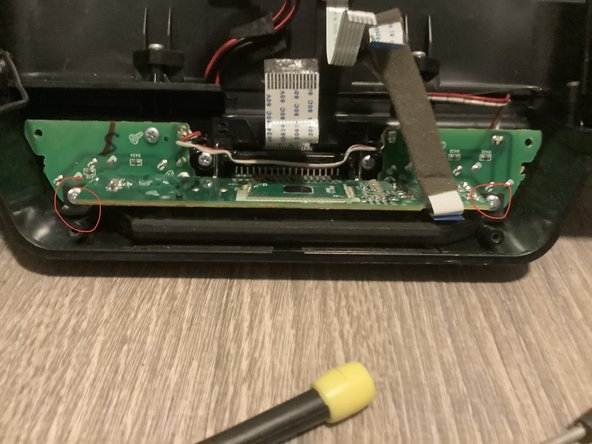
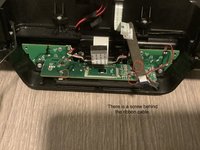
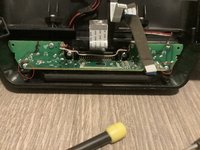
  4. Sony ICF-CS15iP Disassembly, Remove display.: шаг 4, изображение 1 из 2 Sony ICF-CS15iP Disassembly, Remove display.: шаг 4, изображение 2 из 2
    • Remove the following screws:

  5. Sony ICF-CS15iP Disassembly, Remove dock: шаг 5, изображение 1 из 1
    • Remove the following screws and be careful with the dock connector, as it has springs that can fly to oblivion.

  6. Sony ICF-CS15iP Disassembly, Remove speaker assembly.: шаг 6, изображение 1 из 1
    • Remove the following screws:

  7. Sony ICF-CS15iP Disassembly, Take a break (optional): шаг 7, изображение 1 из 1
    • I chose to eat pretzels, you can have a 10 course meal prepared by Gordon Ramsay

  8. Sony ICF-CS15iP Disassembly, Remove speakers.: шаг 8, изображение 1 из 1
    • These are some good 4 ohm 5 watt speakers.

  9. Sony ICF-CS15iP Disassembly, Remove top buttons.: шаг 9, изображение 1 из 1
    • My specific board has some damage from the previous owner, and I only made it worse lol.

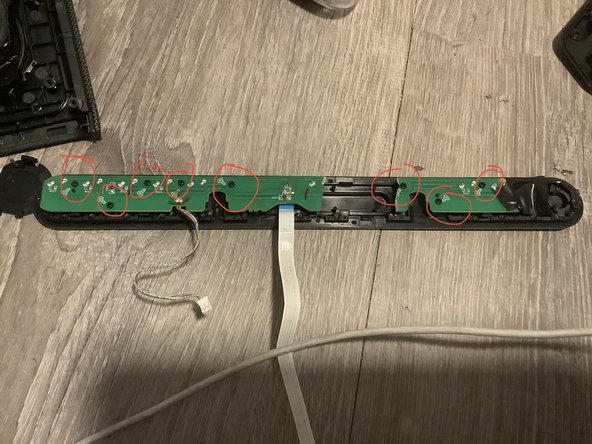
  10. Sony ICF-CS15iP Disassembly, Remove rear buttons.: шаг 10, изображение 1 из 1
    • This is definitely all the screws that need to be unfastened.

    • I used a PH1 and PH0 screwdriver.

Заключение

To reassemble your device, follow these instructions in reverse order.

Еще один человек закончил это руководство.

Прикрепленные документы

Adrian Lopez

Участник с: 01/14/21

527 Репутация

Автор 3 руководств

2 Комментарии к руководству

Buen día y muchas gracias por tomarse el tiempo de documentar el proceso de desarmar un CS15iPN. Tengo una pregunta por favor: ¿Cómo pudo desconectar los ribbons (que se observan en la foto del paso 4) de sus conectores en la tarjeta? Yo desarmé mi equipo y no me atreví a desconectar los ribbons porque me parecía que estaban "soldados" permanentemente en los conectores.

Luis - Ответить

I disconnected them by just pulling the cables out gently by the blue tab. Take your time and be careful.

Los desconecté simplemente tirando de los cables con cuidado por la pestaña azul. Tómate tu tiempo y ten cuidado.

Adrian Lopez -

Добавить комментарий

Статистика просмотров:

За последние 24 часов: 1

За последние 7 дней: 10

За последние 30 дней: 56

За всё время: 998