Введение
This guide will demonstrate how to replace your devices Fans. This guide is quick and simple. It will only take you 15-20 min and only uses a few tools. You might need to replace your devices fans if you can't hear them and your device is getting hot.
If the fans are spinning under load, use an ESD-safe brush to clean out the blades and remove any built-up debris.
Выберете то, что вам нужно
-
Инструмент, используемый на этом этапе:Tweezers$4.99
-
Remove the rubber cosmetic strip along the outside edge of the back plate with tweezers.
 Спросите у FixBot
-
-
-
Remove the two rubber feet on the lower case with an opening tool.
-
-
-
-
Remove the seven screws securing the lower case with a T3 Torx screwdriver.
-
-
-
Disconnect the battery cable by lifting the pull tab until it "clicks."
-
-
-
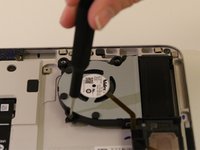
Remove the screws securing both of the fans with a T3 Torx screwdriver.
-
-
-
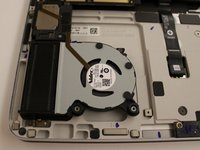
Flip up the ZIF locking flap on each socket.
-
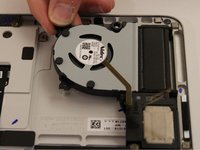
Disconnect the ribbon cables attached to each fan.
-


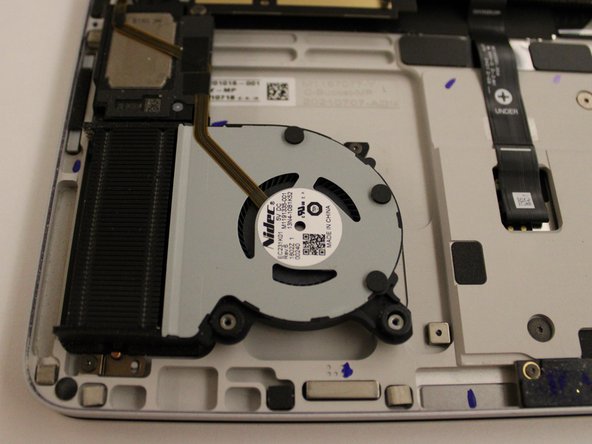



To reassemble your device, follow these instructions in reverse order.
Отменить: Я не выполнил это руководство.
2 человек успешно провели ремонт по этому руководству.

Команда

Western Carolina University, Team 1-3, Virtue Spring 2023 Участник Western Carolina University, Team 1-3, Virtue Spring 2023
WCU-VIRTUE-S23S1G3
4 членов
Автор 14 руководств
6 Комментарии к руководству
Any idea where to buy the parts?
Any luck in getting the fan replacement part?
Same question, where I can buy those cover plastic stuff.
I am also looking for the fan parts
Hi, i am looking also for fan parts. If anybody knows, that would be awesome!
