Перейти к основному содержанию
Присоединяйся к сообществу ремонтников - Создай аккаунт

Unibody MacBook Pro 15" Glass Replacement

Выберете то, что вам нужно

  1. Unibody MacBook Pro 15" Glass Replacement, Prepare a Workspace: шаг 1, изображение 1 из 1
    • Set up a clean workspace and gather all supplies. You will need your Macbook Pro, a new screen, a hair dryer, a screen cleaning cloth, and a suction cup.

    Спросите у FixBot
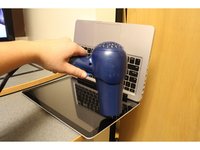
  2. Unibody MacBook Pro 15" Glass Replacement, Heat the Edges of the Screen: шаг 2, изображение 1 из 2 Unibody MacBook Pro 15" Glass Replacement, Heat the Edges of the Screen: шаг 2, изображение 2 из 2
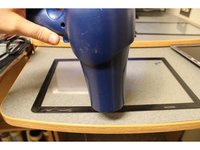
    • Use a hair dryer to heat the adhesive around the edges of the screen you are removing.

    Спросите у FixBot
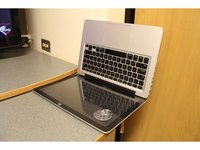
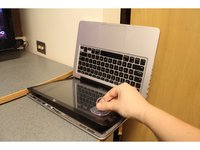
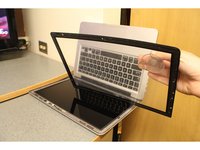
  3. Unibody MacBook Pro 15" Glass Replacement, Use suction to remove the Screen: шаг 3, изображение 1 из 3 Unibody MacBook Pro 15" Glass Replacement, Use suction to remove the Screen: шаг 3, изображение 2 из 3 Unibody MacBook Pro 15" Glass Replacement, Use suction to remove the Screen: шаг 3, изображение 3 из 3
    • Attach the suction cup found in the iFixit repair kit to the corner of your screen, by gently pressing down until it seals. Lift screen away by pulling up on the suction cup key ring.

    Спросите у FixBot
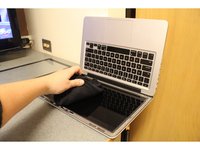
  4. Unibody MacBook Pro 15" Glass Replacement, Preparing for the New Screen: шаг 4, изображение 1 из 2 Unibody MacBook Pro 15" Glass Replacement, Preparing for the New Screen: шаг 4, изображение 2 из 2
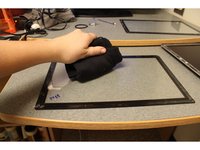
    • Use a screen cleaning cloth to buff out any marks on your Macbook Pros screen surface.

    • Use a screen cleaning cloth to buff out any marks on the inside of new glass that will be applied.

    Спросите у FixBot
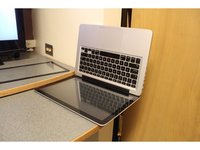
  5. Unibody MacBook Pro 15" Glass Replacement, Preparing Screen Adhesive: шаг 5, изображение 1 из 2 Unibody MacBook Pro 15" Glass Replacement, Preparing Screen Adhesive: шаг 5, изображение 2 из 2
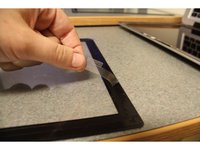
    • Remove the strips covering the adhesive on the new screen.

    • Heat the new adhesive strips evenly using the hair dryer.

    Спросите у FixBot
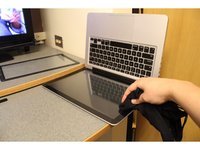
  6. Unibody MacBook Pro 15" Glass Replacement, Applying the New Screen: шаг 6, изображение 1 из 2 Unibody MacBook Pro 15" Glass Replacement, Applying the New Screen: шаг 6, изображение 2 из 2
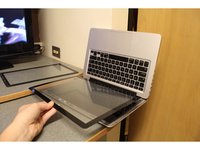
    • Place the new screen in position. Confirm that the new screen is properly aligned with the edges of the Macbook Pro.

    Спросите у FixBot
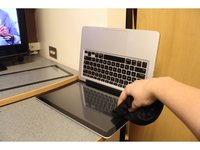
  7. Unibody MacBook Pro 15" Glass Replacement, Attaching the New Screen: шаг 7, изображение 1 из 2 Unibody MacBook Pro 15" Glass Replacement, Attaching the New Screen: шаг 7, изображение 2 из 2
    • Using the screen cleaning cloth carefully press the edges of the screen to seal the adhesive.

    Спросите у FixBot
  8. Unibody MacBook Pro 15" Glass Replacement, Remove Cover: шаг 8, изображение 1 из 1
    • Peel the protective covering off the new screen.

    Спросите у FixBot
  9. Unibody MacBook Pro 15" Glass Replacement, Reheat the Adhesive: шаг 9, изображение 1 из 3 Unibody MacBook Pro 15" Glass Replacement, Reheat the Adhesive: шаг 9, изображение 2 из 3 Unibody MacBook Pro 15" Glass Replacement, Reheat the Adhesive: шаг 9, изображение 3 из 3
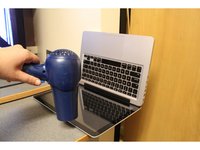
    • To insure the seal of the adhesive, reheat it again with the hair drying.

    Спросите у FixBot
  10. Unibody MacBook Pro 15" Glass Replacement, Final Press: шаг 10, изображение 1 из 1
    • Finally, use the screen cleaning cloth and carefully press the edges of the screen one more time.

    Спросите у FixBot
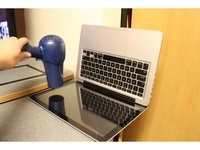
  11. Unibody MacBook Pro 15" Glass Replacement, You did it!: шаг 11, изображение 1 из 1
    • Enjoy your laptop with it's brand new Glass!

    Спросите у FixBot
Заключение

This guide provides all instructions necessary to dismantle and replace a Macbook Pro Screen.

44 человек успешно провели ремонт по этому руководству.

Akh1913

Участник с: 10/16/15

1 345 Репутация

1 руководство автора

Команда

PIRL Gadget Garage Участник PIRL Gadget Garage

Community

9 членов

Автор 10 руководств

20 Комментарии к руководству

How did you know the correct part number for your specific MacBook? Where did you source the glass?

frightanic.com - Ответить Поделиться

I sourced my glass this eBay seller: http://www.ebay.com/usr/beetstech?_trksi...

To find the correct part, I followed iFixit's "ID your Mac" prompts in the parts store, then selected the glass panel from the list of compatible parts.

Hope this helps!

Noah Smith - Ответить Поделиться

Is it useful for internal crack

tiffanyts - Ответить Поделиться

FYI, OWC (Other World Computing, aka macsales.com) has the 15-inch glass for $25, and the 13-inch for $24:

https://eshop.macsales.com/item/Apple/MB... (15-inch)

https://eshop.macsales.com/item/Apple/MB... (13-inch)

…and I just discovered they even have the 17-inch:

https://eshop.macsales.com/item/Apple/MB...

One last comment: get the glass as hot as you can!

jiclark - Ответить Поделиться

Does this work for the Late-2013 Retina MacBook Pro (15-inch)?

Brian Shiau - Ответить Поделиться

Добавить комментарий

Статистика просмотров:

За последние 24 часов: 4

За последние 7 дней: 41

За последние 30 дней: 237

За всё время: 137,812