Перейти к основному содержанию

iPhone 14 Screen Protector Replacement

Выберете то, что вам нужно

  1. iPhone 14 Screen Protector Replacement, Screen Protector: шаг 1, изображение 1 из 1
    • Power the phone off.

  2. iPhone 14 Screen Protector Replacement: шаг 2, изображение 1 из 2 iPhone 14 Screen Protector Replacement: шаг 2, изображение 2 из 2
    • Remove the old screen protector.

  3. iPhone 14 Screen Protector Replacement: шаг 3, изображение 1 из 1
    • Clean the phone screen.

  4. iPhone 14 Screen Protector Replacement: шаг 4, изображение 1 из 1
    • Remove any dust with a dust removal sticker.

  5. iPhone 14 Screen Protector Replacement: шаг 5, изображение 1 из 1
    • Peel off the screen protector adhesive film.

  6. iPhone 14 Screen Protector Replacement: шаг 6, изображение 1 из 1
    • Carefully place new screen protector on the phone.

    • Ensure that all edges are properly aligned.

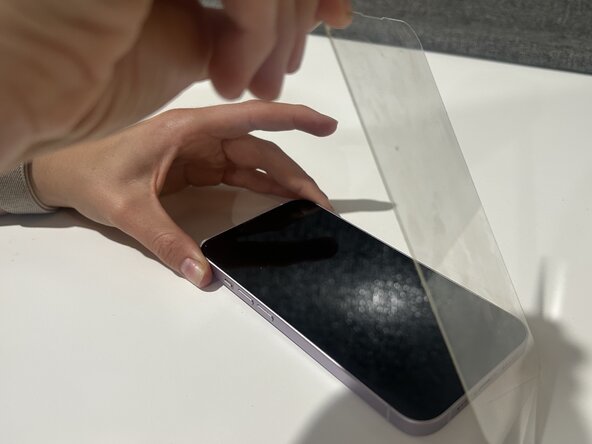
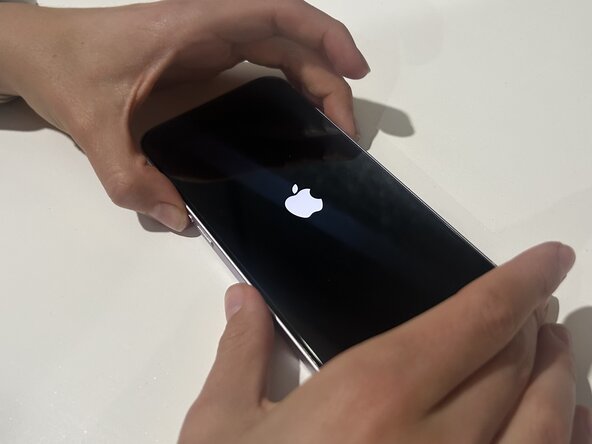
  7. iPhone 14 Screen Protector Replacement: шаг 7, изображение 1 из 2 iPhone 14 Screen Protector Replacement: шаг 7, изображение 2 из 2
    • Remove any air bubbles on the screen, then turn the phone back on.

Заключение

After following these steps you should be able to fix the screen protector on your iPhone 14!

Еще один человек закончил это руководство.

Kaitlyn

Участник с: 03/12/25

177 Репутация

1 руководство автора

Команда

Austin Community College, Team 2-3, Kapoor Spring 2025 Участник Austin Community College, Team 2-3, Kapoor Spring 2025

AUSTINCC-KAPOOR-S25S2G3

1 член

Автор 3 руководств

0 Комментарии к руководству

Добавить комментарий

Статистика просмотров:

За последние 24 часов: 4

За последние 7 дней: 29

За последние 30 дней: 92

За всё время: 779