Перейти к основному содержанию
Присоединяйся к сообществу ремонтников - Создай аккаунт

iPhone 15 Pro Max Battery Disconnection

Абсолютно необходимое руководство
Это руководство только для предварительной подготовки! Этот гайд является частью другой процедуры и не предназначен для самостоятельного использования.
  1. iPhone 15 Pro Max Battery Disconnection, Swing open the screen: шаг 1, изображение 1 из 3 iPhone 15 Pro Max Battery Disconnection, Swing open the screen: шаг 1, изображение 2 из 3 iPhone 15 Pro Max Battery Disconnection, Swing open the screen: шаг 1, изображение 3 из 3
    • Gently swing open the screen to the left of the phone.

    • If the screen feels stuck, go back around the perimeter to check for missed sections of adhesive or stuck clips.

    • Rest the screen against a box or similar object so it doesn't strain the cables.

  2. iPhone 15 Pro Max Battery Disconnection, Unfasten the logic board cover: шаг 2, изображение 1 из 2 iPhone 15 Pro Max Battery Disconnection, Unfasten the logic board cover: шаг 2, изображение 2 из 2
    Инструмент, используемый на этом этапе:
    FixMat
    $36.95
    • Throughout this repair, keep track of each screw and make sure it goes back exactly where it came from.

    • Use a tri-point Y000 driver to remove the six screws securing the logic board cover:

    • One 2.1 mm‑long screw

    • Five 1.5 mm‑long screws

  3. iPhone 15 Pro Max Battery Disconnection, Remove the logic board cover: шаг 3, изображение 1 из 3 iPhone 15 Pro Max Battery Disconnection, Remove the logic board cover: шаг 3, изображение 2 из 3 iPhone 15 Pro Max Battery Disconnection, Remove the logic board cover: шаг 3, изображение 3 из 3
    Инструмент, используемый на этом этапе:
    Tweezers
    $4.99
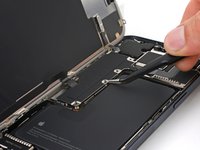
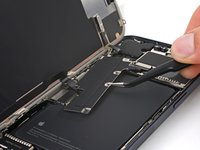
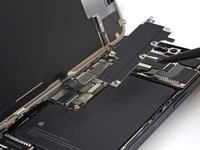
    • Use tweezers or your fingers to grab and slide the logic board cover toward the bottom of the phone to clear the sensor cable.

    • Remove the cover.

  4. iPhone 15 Pro Max Battery Disconnection, Disconnect the battery: шаг 4, изображение 1 из 3 iPhone 15 Pro Max Battery Disconnection, Disconnect the battery: шаг 4, изображение 2 из 3 iPhone 15 Pro Max Battery Disconnection, Disconnect the battery: шаг 4, изображение 3 из 3
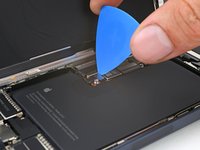
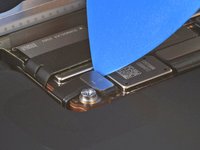
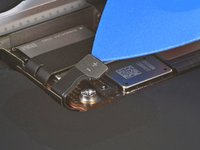
    • Use the tip of an opening pick to pry up and disconnect the battery press connector.

    • To reconnect a press connector, align it over its socket and gently press down on one side until it clicks into place, then press down on the other side. Make sure it sits flat, as the insulating rubber around the sockets might prevent it from connecting fully.

Заключение

To reassemble your device, follow these instructions in reverse order.

Clay Eickemeyer

Участник с: 09/19/22

96 910 Репутация

Автор 471 руководств

Команда

Guide Team Участник Guide Team

Staff

10 членов

Автор 15 998 руководств

0 Комментарии к руководству

Добавить комментарий

Статистика просмотров:

За последние 24 часов: 0

За последние 7 дней: 0

За последние 30 дней: 2

За всё время: 75