Перейти к основному содержанию

iPhone 7 Plus Display Assembly Replacement

Абсолютно необходимое руководство
Это руководство только для предварительной подготовки! Этот гайд является частью другой процедуры и не предназначен для самостоятельного использования.

Выберете то, что вам нужно

  1. iPhone 7 Plus Display Assembly Replacement, Display Assembly: шаг 1, изображение 1 из 3 iPhone 7 Plus Display Assembly Replacement, Display Assembly: шаг 1, изображение 2 из 3 iPhone 7 Plus Display Assembly Replacement, Display Assembly: шаг 1, изображение 3 из 3
    • Make sure the battery is disconnected before you disconnect or reconnect the cables in this step.

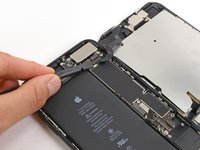
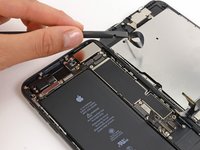
    • Use the flat end of a spudger or a fingernail to disconnect the two lower display connectors by prying them straight up from their sockets on the logic board.

    • To re-attach press connectors, press down on one end until it clicks into place, then repeat on the other end. Do not press down on the middle. If the connector is even slightly misaligned, the connector can bend, causing permanent damage.

    • If you have a blank screen, white lines on the display, or partial or complete lack of touch response after reassembling your phone, try disconnecting and carefully reconnecting both of these cables and make sure they are fully seated.

  2. iPhone 7 Plus Display Assembly Replacement: шаг 2, изображение 1 из 3 iPhone 7 Plus Display Assembly Replacement: шаг 2, изображение 2 из 3 iPhone 7 Plus Display Assembly Replacement: шаг 2, изображение 3 из 3
    • Remove the three tri-point Y000 screws securing the bracket over the front panel sensor assembly connector:

    • One 1.3 mm screw

    • Two 1.0 mm screws

    • Remove the bracket.

  3. iPhone 7 Plus Display Assembly Replacement: шаг 3, изображение 1 из 2 iPhone 7 Plus Display Assembly Replacement: шаг 3, изображение 2 из 2
    • Disconnect the front panel sensor assembly connector from its socket on the logic board.

    • This press connector should also be reconnected one end at a time to minimize the risk of bending.

  4. iPhone 7 Plus Display Assembly Replacement: шаг 4, изображение 1 из 1
Заключение

To reassemble your device, follow these instructions in reverse order.

10 человек успешно провели ремонт по этому руководству.

Paige Reisman

Участник с: 04/07/14

24 094 Репутация

Автор 15 руководств

0 Комментарии к руководству

Добавить комментарий

Статистика просмотров:

За последние 24 часов: 0

За последние 7 дней: 1

За последние 30 дней: 3

За всё время: 5,561