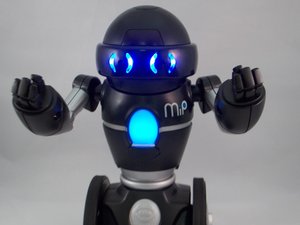
How do I restart my MiP Robot?
My MiP Robot is not responding properly to my hand gestures or to the downloadable app. What is the first thing I should do to fix this problem?
Это хороший вопрос?
Счет
3

Репутация: 257
 10
10
 9
9
 2
2
My MiP Robot is not responding properly to my hand gestures or to the downloadable app. What is the first thing I should do to fix this problem?
Это хороший вопрос?

Репутация: 175
8
1
Hi Moira,
Simply restarting your MiP robot is the best solution to this issue. Although it may not necessarily fix the problem, it is best to start with a solution this simple so you can weed out what could be causing the problem. Lucky for you, we have a troubleshooting page addressing this! Feel free to check it and any other pages that you may need!
Bets of luck,
Sydney
Был ли этот ответ полезен?
Where is the troubleshooting page smart aleck
Here is the link to the troubleshooting page

За последние 24 часов: 0
За последние 7 дней: 1
За последние 30 дней: 9
За всё время: 7,243
