Перейти к основному содержанию
Присоединяйся к сообществу ремонтников - Создай аккаунт

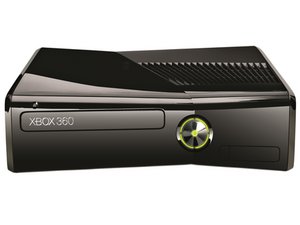
The slim edition of the classic Xbox 360 with a 250GB HDD and built-in Wi-Fi. Repair requires intricate prying and special tools.

XBox 360 S does not (start/complete) boot sequence.

Got the console from someone who claimed the unit would work and then freeze up after a few minutes.

He needed the original power supply for his replacement console, so I bought one to use for myself. One plug tested at 5V. The other tested at 12V. I don't remember measuring current. The console AC adapter was plugged into a surge protector sharing a TV, an HDTV antenna receiver, and a laptop AC adapter.

I used an HDMI cable which was working on an original XBox 360 console and then an OEM component cable.

I can open and close the disc tray with an audible beep.

Hitting the power button gets me a green light and I'm forgetting whether there was a beep.

Using an original XBox 360 wireless controller, when I pressed the XBox Guide button to power it up, all four quadrants on that button started blinking. I replicated the same results using an original XBox 360 wired controller over several USB ports, but not all of them.

I believe the fan was spinning in all instances.

The TV still has yet to receive a signal (whether on HDMI or component).

I also noticed ... an X-clamp! ... in the teardown guide. After fixing several original XBox 360 consoles, I really want to get rid of the 360S' X-clamp and replace it (and perhaps the thermal grease).

What else should I try and examine in order to repair this console?

Thanks for reading!

Ответ на этот вопрос У меня та же проблема

Это хороший вопрос?

Счет 0
Добавить комментарий

9 Ответов

I think it's totaled

Был ли этот ответ полезен?

Счет 0
Добавить комментарий

did you try replacing the RAM drive or the motherboard?

Был ли этот ответ полезен?

Счет 0

1 Комментарий:

I agree replacing the motherboard will "fix" the problem. I am still interesting in working with the original motherboard. As for drives and RAM, I am only familiar with the HDD and the motherboard's internal RAM.

из

Добавить комментарий

that may fix the freezing

Был ли этот ответ полезен?

Счет 0
Добавить комментарий

and for the connectivity try replacing the HDMI output that is on the back of the X-box 360 S

Был ли этот ответ полезен?

Счет 0
Добавить комментарий

I hope this will be helpful

Был ли этот ответ полезен?

Счет 0
Добавить комментарий

sorry that all of my answers were all separate

Был ли этот ответ полезен?

Счет 0
Добавить комментарий

im actually not entirely shore if it uses RAM sticks/drives or if it's built into the motherboard of the xbox

Был ли этот ответ полезен?

Счет 0
Добавить комментарий

this type of problem is also more commonly know to happen to PCs as well. and generally how you fix it is by re-installing the OS of the PC, so if you can figure out a way to get a copy the OS of the xbox and then re-install the OS you may be abal to fix the problem. I had a similar problem with my laptop and a friend of mine fixed it by re-installing the OS, so I think it my be possible to do it with your xbox

Был ли этот ответ полезен?

Счет 0
Добавить комментарий

Make shore not both the componant and hdmi are plugged in

Был ли этот ответ полезен?

Счет 0
Добавить комментарий

Добавьте свой ответ

lkvee буду вечно благодарен.
Статистика просмотров:

За последние 24 часов: 1

За последние 7 дней: 8

За последние 30 дней: 23

За всё время: 4,006

