
Перейти к основному содержанию
Присоединяйся к сообществу ремонтников - Создай аккаунт

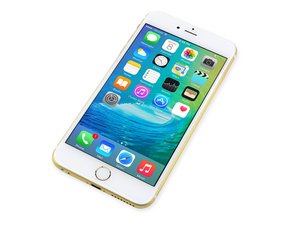
Дата выхода 25 сентября 2015 г. Модель A1687 / A1634. Ремонт данного устройства схож с предыдущими моделями, требующий отвертки и инструменты для вскрытия. Доступен в версиях GSM или CDMA; с 16, 64 или 128 ГБ памяти; в цветах: Серебристый, Золотой, «Серый космос» и «Розовое золото».

Screen is black after replacement and..

So , we tried to replace the iphone screen because its very cracked. At first it turned on but looked glitchy but the touch screen didnt want to register. After that it just wouldn't turn on. We checked everything and nothing was damaged. Put the old screen back on but no dice, still nothing. I have it plugged into the computer and ive tried hard rests and dfu. Itunes recognizes the device and i'm doing a reset/ restore but it still won't turn on. Was it broken somehow while trying to switch screens? how come it worked and then suddenly worse off without doing anything?

Отвечено! Посмотреть ответ У меня та же проблема

Это хороший вопрос?

Счет 0
1 Комментарий

Did you unplug or plug in the screen while the battery was connected?

из

Добавить комментарий

1 ответ

Выбранное решение

As Ben suggested, not disconnecting the battery first can cause the backlight circuit to fail. Seeing as how both your original and replacement screen do not work, the problems seems to be on the logic board.

Do what you normally would to "turn on" your phone. The check your display with a flashlight. If you can see a very dim image on your screen, then it is the backlight circuit. This will require a micro-soldering repair.

Был ли этот ответ полезен?

Счет 3

2 Комментариев:

can i do the micro soldering on my own? how? thank you

из

also there is no dim image when i turn it on its just black, no display, nothing what should i do?

из

Добавить комментарий

Добавьте свой ответ

iloveanimebye буду вечно благодарен.
Статистика просмотров:

За последние 24 часов: 0

За последние 7 дней: 0

За последние 30 дней: 1

За всё время: 157
