Перейти к основному содержанию

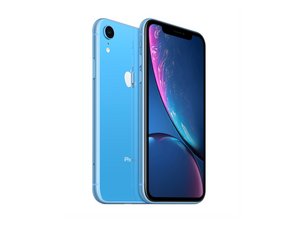
Смартфон был выпущен 26 октября 2018 года с разными модулями связями и количеством SIM-карт. Модели A1984, A2105, A2106, A2108 были доступны с GSM или CDMA/eSIM, nano-SIM или dual-SIM. Объём памяти варьируется в пределах: 64, 128, 256 Гб. И, конечно, iPhone XR увидел свет в различных оттенках корпуса: черном, белом, синем, желтом, Coral и красном.

How to shut off iPhone XR with a broken screen

So I was trying to replace my broken screen, and in the process I accidentally broke it further. No big deal I thought, since i’m replacing it anyway. Then before I got all the adhesive off, I accidentally turned it on. Is there a way to either shut it off without the screen or safely disconnect the battery? Or do I have to wait for the phone to die

Отвечено! Посмотреть ответ У меня та же проблема

Это хороший вопрос?

Счет 2
Добавить комментарий

2 Ответов

Выбранное решение

Press vol up, then volume down then press and hold power button.

Do this until you see the screen go off, then on again then off. Usually this makes the phone stay off without itself turning on again.

Был ли этот ответ полезен?

Счет 2

1 Комментарий:

this dosent work it turns back on in minuntes, esentally restarteding the phone

из

Добавить комментарий

So it’s actually to press up down and hold power button until screen shuts down, and then push up and power together and hold until it shuts down again and there you go!

Был ли этот ответ полезен?

Счет 0
Добавить комментарий

Добавьте свой ответ

Christian буду вечно благодарен.
Статистика просмотров:

За последние 24 часов: 0

За последние 7 дней: 10

За последние 30 дней: 50

За всё время: 22,607