
Перейти к основному содержанию
Присоединяйся к сообществу ремонтников - Создай аккаунт

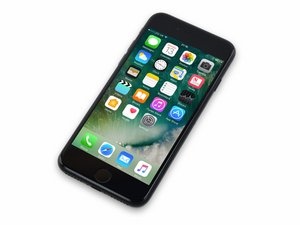
Выпущен 16 сентября 2016 года. Модель 1660, 1778. Стандарты связи GSM или CDMA. Память 32, 128 или 256 ГБ. Цвета: розовое золото, золотой, серебристый, черный и глянцевый черный.

Home button dead after battery replacement

Hi, I replaced the battery of my iPhone 7 which worked fine. But now the homebutton is completely dead. No touch id no button functionality. I already disconnected all 3 screen cables and the home button connector on the screen assembly but no luck. Still not working. Hard reset via power and volumen down button also didnt help. No errors from iOS did pop up. It is running iOS 14.4. Any further ideas? Thanks.

Отвечено! Посмотреть ответ У меня та же проблема

Это хороший вопрос?

Счет 2
1 Комментарий

I "HAD" same problem after replacing the battery in my wife's iPhone 7.)

SOLUTION: Reseat the flex cable connectors into circuit board sockets.

SCENARIO: I knew I had been very careful with the flex cables, so I doubted that I damaged them as was implied above. And the cable connectors "appeared" to be seated okay but the Home button would not work. I discovered that I apparently not FULLY seated the flex cables connectors back to the logic board sockets.

FIX: I removed the metal connector bracket that covers the connectors, carefully lifted the connectors out of their circuit board sockets and very carefully repositioned them slightly (again) and pressed firmly until they "clicked" in place. Yureka! The Home Button began functioning. Saved $70-150 for a new screen!

из

Добавить комментарий

2 Ответов

Выбранное решение

You have damaged the home button flex while removing or replacing the screen. This is the flex cable that goes from the screen to the logic board. They usually develop a small tear at the 90 degree bend and sometimes will require magnification to see.

You will need to purchase another screen.

Был ли этот ответ полезен?

Счет 1

3 Комментариев:

That sounds pretty legit. I assume the flex cable is not available as spare part or is not replacable separatly?

из

Unfortunately they are not replaceable.

из

WAIT! TRY THIS FIRST! (I "HAD" same problem after replacing the battery in my wife's iPhone 7.)

SOLUTION: Reseat the flex cable connectors into circuit board sockets.

SCENARIO: I knew I had been very careful with the flex cables, so I doubted that I damaged them as was implied above. And the cable connectors "appeared" to be seated okay but the Home button would not work. I discovered that I apparently not FULLY seated the flex cables connectors back to the logic board sockets.

FIX: I removed the metal connector bracket that covers the connectors, carefully lifted the connectors out of their circuit board sockets and very carefully repositioned them slightly (again) and pressed firmly until they "clicked" in place. Yureka! The Home Button began functioning. Saved $70-150 for a new screen!

из

Добавить комментарий

If it’s a battery issue then try using the old battery to see if your home button is working, if it still does not work you will need to change the home button since the cable is very Delicate. But if you change it you will have no touch id.

Был ли этот ответ полезен?

Счет 0
Добавить комментарий

Добавьте свой ответ

alio буду вечно благодарен.
Статистика просмотров:

За последние 24 часов: 0

За последние 7 дней: 1

За последние 30 дней: 10

За всё время: 285