
Перейти к основному содержанию

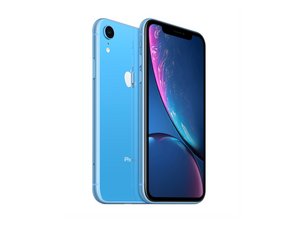
Смартфон был выпущен 26 октября 2018 года с разными модулями связями и количеством SIM-карт. Модели A1984, A2105, A2106, A2108 были доступны с GSM или CDMA/eSIM, nano-SIM или dual-SIM. Объём памяти варьируется в пределах: 64, 128, 256 Гб. И, конечно, iPhone XR увидел свет в различных оттенках корпуса: черном, белом, синем, желтом, Coral и красном.

Boot loop when plugged in

A few weeks ago my iphone’s screen was cracked to the point where i couldn’t use it anymore, about 4-5 days ago i dropped it with an otterbox defender case on and it gets stuck in a boot loop after being plugged in. I have tried plugging it in to my pc and using 3u tools, but it wont even power on when plugged in. anybody know how to fix this?

Отвечено! Посмотреть ответ У меня та же проблема

Это хороший вопрос?

Счет 0
1 Комментарий

The same exact thing happened to me it the screen wont turn on unless it’s plugged in but it stays on the apple logo and just resets and then when I try to plug it into a pc nothing works at all it only happened after I dropped my phone which I don’t understand because I never even cracked it

из

Добавить комментарий

2 Ответов

Выбранное решение

Your description is not clear. Did you replace the screen and everything was working? Than you dropped it again and it started behaving like this? You are also saying it is boot looping but it won’t even power on?

The most common causes for the phone to boot loop after a drop are.

·         Damaged front flex assembly. Disconnect this and see if the phone fully boots.

·         Faulty battery. Check the battery connector is sitting flush. You may need to try another battery.

·         Faulty charge port assembly.

·         Faulty screen.

·         Needs a software update.

It will most likely be a parts problem I would start with the front flex assembly.

Был ли этот ответ полезен?

Счет 3

10 Комментариев:

So sorry it wasn't clear, It won't boot to the os but the screen powers on but only displays the apple logo for 10 seconds then turns off and repeats that cycle. As soon as you unplug it, it shuts off and it won't do anything when plugged in to my pc. Hope this clears up anything

из

@chorles Disconnect the front flex and try.

из

Sorry i'm not really educated when it comes to phones, could you dumb it down for me?

из

@chorles iPhone XR Screen Replacement

Follow to step 14 and disconnect battery. Head to step 18 than 19. Reconnect battery and try booting with that flex disconnected.

из

Much appreciated, i will try tomorrow when i get my tools.

из

Показать ещё 5 комментариев

Добавить комментарий

Try and Force Restart your iPhone exactly as shown below and see whether that resolves the issue. Press and quickly release Volume UP button. Press and quickly release Volume DOWN button. Press and Hold the SIDE button until an Apple logo appears then release the Side button (Can take up to 20 seconds)

Был ли этот ответ полезен?

Счет 0

1 Комментарий:

Hm, that didn't work for me

из

Добавить комментарий

Добавьте свой ответ

Charles Adamski буду вечно благодарен.
Статистика просмотров:

За последние 24 часов: 0

За последние 7 дней: 12

За последние 30 дней: 45

За всё время: 3,904
