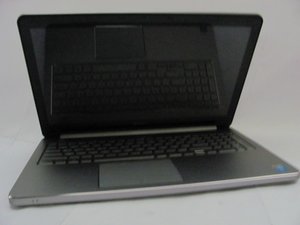
Dell Inspiron 15 5558 — это ноутбук на базе Windows 10 Home с дисплеем диагональю 15,6 дюйма и разрешением 1366x768 пикселей. Он оснащен процессором Core i5 и 8 ГБ оперативной памяти. Dell Inspiron 15 5558 комплектуется жестким диском объемом 1 ТБ.
Графическая подсистема представлена встроенным видеоадаптером Intel HD Graphics 5500. Возможности подключения включают Wi-Fi 802.11 ac, Bluetooth, Ethernet. Ноутбук оснащен тремя портами USB (2 x USB 2.0, 1 x USB 3.0), портом HDMI, входом для микрофона и портом RJ45 (LAN).
Прокрутите эту тему, чтобы найти подходящее место для этого комментария. Затем нажмите "Прикрепить комментарий к этому сообщению", чтобы переместить его.
This is an issue with the backlight circuits not getting adequate power to come on all the way.
This could be a cable problem if the cable were pinched or slightly torn going through the hinge. Does the screen behavior change at all if you move the display? If so, it’s more likely to be the screen in my opinion. Can you confirm the exact model of the unit so we can verify how the screen works?
Прокрутите эту тему, чтобы найти подходящее место для этого комментария. Затем нажмите "Прикрепить комментарий к этому сообщению", чтобы переместить его.
1 Комментарий:
Hello,
Model is: InnoLux N156BGE -E42
Now I can’t see anything on the screen anymore. The screen is very dark
With the laptop turned on, try shining a torch at an angle close to the screen and check if you can see any images at all.
They will be very faint if they are there so try this in a darkened room to help.
If there are images then it is a backlight problem.
Where the problem is i.e. motherboard, cable or screen has to be determined.
If you have a DMM (digital multimeter) check what voltage is measured on the LVDS cable pins 38-40.
These are the pins used for the backlight power supply from the motherboard.
Also check if there is a voltage on pin 36.
This is the backlight enable lead. There is always power being supplied to the backlight circuit, BUT it is turned on and off in the screen by a signal on the backlight enable lead. Usually the voltage value on this lead is 3V-5V DC.
If there is voltage on the power and enable pins (pins 36, 38-40 - check at the screen end if possible) then the problem is in the screen.
If there is no voltage at the screen end of the cable on the pins 36, 38-40, then check the motherboard end of the cable. If there is voltage there on all of the pins, then it is the cable.
It needs to be on all of them. If one or more is missing it won't work correctly.
Прокрутите эту тему, чтобы найти подходящее место для этого комментария. Затем нажмите "Прикрепить комментарий к этому сообщению", чтобы переместить его.

 1
1 


 57
57  44
44 
