Перейти к основному содержанию
Присоединяйся к сообществу ремонтников - Создай аккаунт

Nexus 6P Charging Board Replacement

Просмотров: 2,7 тыс.

Просмотр статистики:

За последние 24 часа:
1
За последние 7 дней:
9
За последние 30 дней:
56
За все время:
2 661
Комментарии: 32

30 комментариев к шагам, 2 комментариев к инструкции.

Перейти к комментариям инструкции
Завершено: 11

11 пользователей отметили эту инстркукцию как "завершенное". Вы будете следующим?

Избранные: 1

1 человек поставил лайк на эту инструкцию (и подписался на нее). Вы будете следующим?

Необходимое время: 1 - 2 часов
Сложность: Сложно
Nexus 6P Charging Board Replacement

Use this guide to replace the charging board in your Nexus 6P smartphone. When reassembling your phone apply new adhesive where it is necessary.

Выберете то, что Вам нужно

Запчасти

Инструменты

    1. Nexus 6P Charging Board Replacement, Back Cover: шаг 1, изображение 1 из 3 Nexus 6P Charging Board Replacement, Back Cover: шаг 1, изображение 2 из 3 Nexus 6P Charging Board Replacement, Back Cover: шаг 1, изображение 3 из 3
      • It is possible to remove the back cover with an iOpener as seen in this guide but it's a lengthy and difficult procedure. We recommend a heat gun or something similar. The adhesive in the Nexus 6P is extremely sticky and especially the glass and plastic cover on the backside break or bend most of the time whilst doing this repair.

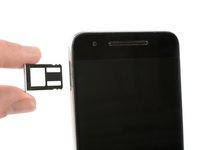
      • Use a SIM card eject tool, to pop out and remove the SIM card tray.

      • Use an iOpener to loosen the adhesive underneath the small plastic cover at the bottom of the phone.

      Спросите у FixBot

      Добавить комментарий

    2. Nexus 6P Charging Board Replacement: шаг 2, изображение 1 из 3 Nexus 6P Charging Board Replacement: шаг 2, изображение 2 из 3 Nexus 6P Charging Board Replacement: шаг 2, изображение 3 из 3
      • The knife is really sharp. Take care, not to cut yourself or your phone.

      • Insert a knife between the phone and the plastic cover. Pry up the plastic cover until you can insert an opening pick.

      • Slide the opening pick underneath the plastic cover to cut the adhesive.

      Спросите у FixBot

      Добавить комментарий

    3. Nexus 6P Charging Board Replacement: шаг 3, изображение 1 из 2 Nexus 6P Charging Board Replacement: шаг 3, изображение 2 из 2
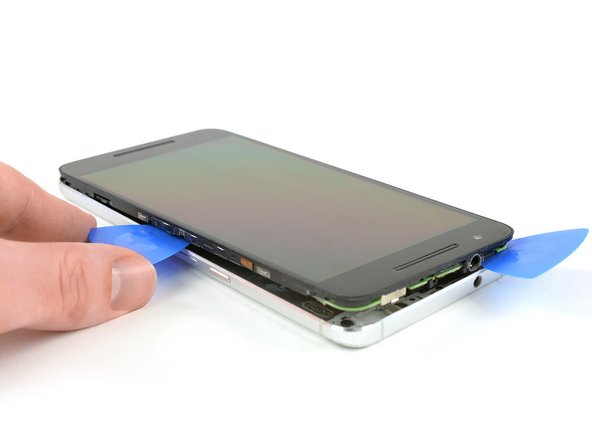
      • Use an iOpener to loosen the adhesive underneath the glass cover at the top of the phone.

      • Insert a knife between the phone and the glass cover. Pry up the glass cover until you can insert an opening pick.

      Спросите у FixBot

      Добавить комментарий

    4. Nexus 6P Charging Board Replacement: шаг 4, изображение 1 из 3 Nexus 6P Charging Board Replacement: шаг 4, изображение 2 из 3 Nexus 6P Charging Board Replacement: шаг 4, изображение 3 из 3
      • Glass may break. Wear protective glasses and protective gloves.

      • Slide the opening pick underneath the glass cover and use it to cut the adhesive underneath.

      • Pry off the glass cover.

      Спросите у FixBot

      Добавить комментарий

    5. Nexus 6P Charging Board Replacement: шаг 5, изображение 1 из 3 Nexus 6P Charging Board Replacement: шаг 5, изображение 2 из 3 Nexus 6P Charging Board Replacement: шаг 5, изображение 3 из 3
      Инструмент, используемый на этом этапе:
      Tweezers
      $4.99
      • Remove the six Phillips #00 screws.

      • Use tweezers to remove any stickers covering the screw to allow better seating for the driver.

      Спросите у FixBot

      Добавить комментарий

    6. Nexus 6P Charging Board Replacement: шаг 6, изображение 1 из 3 Nexus 6P Charging Board Replacement: шаг 6, изображение 2 из 3 Nexus 6P Charging Board Replacement: шаг 6, изображение 3 из 3
      • Insert a razor knife between the metal back cover and the front glass to create a gap. Insert an opening pick into the gap and slide it to the top right corner.

      • The knife is really sharp, be careful, not to cut yourself or your phone.

      • Insert a second opening pick and slide it to the top left corner.

      • Slide the opening picks along the edges to seperate the plastic clips, holding back cover and midframe together.

      • Remove the rear cover.

      Спросите у FixBot

      Добавить комментарий

    1. Nexus 6P Charging Board Replacement, Battery Disconnection: шаг 7, изображение 1 из 3 Nexus 6P Charging Board Replacement, Battery Disconnection: шаг 7, изображение 2 из 3 Nexus 6P Charging Board Replacement, Battery Disconnection: шаг 7, изображение 3 из 3
      Инструмент, используемый на этом этапе:
      Tweezers
      $4.99
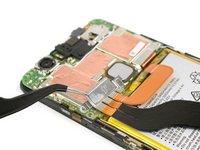
      • Remove the Philipps #000 screw.

      • Use tweezers to remove the metal plate.

      • Use the flat end of a spudger, to disconnect the battery flex cable.

      Спросите у FixBot

      Добавить комментарий

    1. Nexus 6P Charging Board Replacement, Charging Board: шаг 8, изображение 1 из 3 Nexus 6P Charging Board Replacement, Charging Board: шаг 8, изображение 2 из 3 Nexus 6P Charging Board Replacement, Charging Board: шаг 8, изображение 3 из 3
      Инструмент, используемый на этом этапе:
      Tweezers
      $4.99
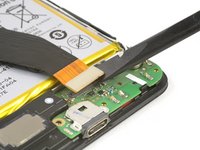
      • Disconnect the main flex cable with a spudger.

      • Use tweezers to unplug the antenna cable.

      • Remove the Phillips #000 screw.

      Спросите у FixBot

      Добавить комментарий

    2. Nexus 6P Charging Board Replacement: шаг 9, изображение 1 из 2 Nexus 6P Charging Board Replacement: шаг 9, изображение 2 из 2
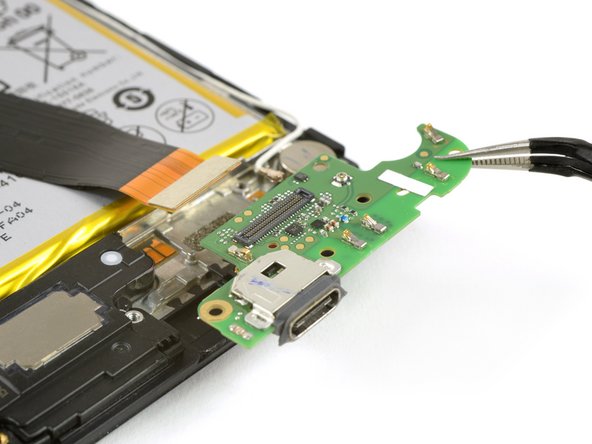
      • Pry out the charging board with a spudger.

      • Remove the charging board.

      Спросите у FixBot

      Добавить комментарий

Заключение

To reassemble your device, follow these instructions in reverse order. When reassembling your phone apply new adhesive where it is necessary.

Отменить: Я не выполнил это руководство.

11 человек успешно провели ремонт по этому руководству.

Dominik Schnabelrauch

Участник с: 11/23/16

266 618 Репутация

Автор 682 руководств

Команду

iFixit Участник iFixit

Staff

121 членов

Автор 72 907 руководств

2 Комментарии к руководству

Thanks for this guide. I'm happy that it wasn't as difficult as I imagined. I replaced the battery and the chargingboard. I destroyed only my iopener in the microwave oven. Then switched to a hairdryer for the heat. The phone works fine even with fast charging :-)

SAC-01 - Ответить Поделиться

Hello geniuses, I will be very grateful if anyone could help me out on this, I have a nexus 6p I am having a unique issue, in which when I am connecting my charger it's showing a charging sign but the charging percentage isn't increasing a bit, I have changed chargers, batteries and even the charging port, but the issue is still there and when I am going on the battery section through settings it's showing "charger connected, can't charge right now".

Please help me out.

m_m_wajih - Ответить Поделиться

Добавить комментарий

Статистика просмотров:

За последние 24 часов: 1

За последние 7 дней: 9

За последние 30 дней: 56

За все время: 2,661