Перейти к основному содержанию
Присоединяйся к сообществу ремонтников - Создай аккаунт

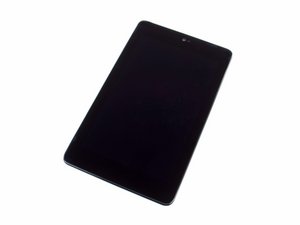
Google-branded tablet with a 7" screen. The device needs only prying tools and screwdrivers to fix. Model number: ME370T.

I want to replace micro-usb

Hi all,

I have an issue when I plug usb cable on my device, battery doesn't charge. I don't see icon with storm inside. If I move the plug I see/doesn't see, icon with storm inside.

I think the problem is in the micro-usb.

If I replace the micro-usb/daughterboard, I must recalibrate something ? like is write on ASUS web site : http://www.asusparts.eu/en/Asus-90NK0080...

Thx for tour feedback

Sorry for my bad english

Vincent

Ответ на этот вопрос У меня та же проблема

Это хороший вопрос?

Счет 0
Добавить комментарий

2 Ответов

Наиболее полезный ответ

Vincenet PONS, not sure where the "re-calibration" fits in. I would suggest that you get the part from here. Take a look at the stories below the part description. It appears that calibration was never necessary for the successful completion of the repair.

Replace a corroded, damaged, or malfunctioning LCD daughter board containing the micro USB socket. This part is compatible with a model ME571K Nexus 7. Изображение

Товар

Nexus 7 (2nd Gen Wi-Fi) LCD Board

$34.99

Был ли этот ответ полезен?

Счет 1

2 Комментариев:

Ok oldturkey03, thx for your answer.

I'll buy this spare part, and I hope, issue will be fixed.

из

I've done hundreds of this exact repair on this model tablet, I can confirm that OldTurkey is correct when he says there is no calibration needed (not even sure what that would mean in this circumstance).

из

Добавить комментарий

Hi Vincent,

you could try this:

The loss of connectivity may be caused by the build up of dust in the socket.

The good news is that it is very easy to clean the USB-socket. First remove the battery in order to avoid any short circuiting during the procedure. Then take a needle and pick out all dust and dirt from the USB socket. You'll be amazed how much will come out. A magnifying glass may be helpful. Once the socket is clean, reinstall the battery.

Был ли этот ответ полезен?

Счет 0

3 Комментариев:

Hi @sytsypytsy ,

Suggest that maybe a vacuum cleaner may be a better first option then if necessary try with a needle, although a wooden toothpick may be better as it saves taking out the battery. ;-)

из

Hi Jayeff,

Thanks for your comment. I wish i had a vacuum cleaner small enough to use in a micro USB, that would be awesome. Since the dust is pushed in many many times and thus compacted, it is often too solid to pick out with a wooden tooth pick. Nevertheless your idea is worth trying. Thanks again

из

Hi @sytsypytsy ,

I just use the tapered nozzle that is usually provided with most vacuums. It mostly does the job as it covers the whole port

из

Добавить комментарий

Добавьте свой ответ

Vincent PONS буду вечно благодарен.
Статистика просмотров:

За последние 24 часов: 2

За последние 7 дней: 8

За последние 30 дней: 28

За всё время: 317

