
Перейти к основному содержанию
Присоединяйся к сообществу ремонтников - Создай аккаунт

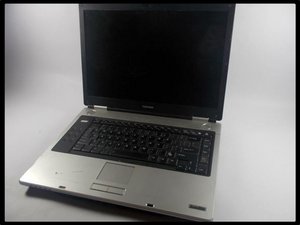
The Toshiba Satellite M45 Laptop is designed for powerful, portable, multimedia computing. It features a 15.4” WXGA Display running Microsoft Windows XP, with 1.6GHz Processor, 512MB RAM, and 80GB Hard Drive.

Laptop doesn't power on!

Battery went bad, by the time we got a replacement installed and charged. When I push power button to turn on, all I get is 4 beeps! Does this 3 times, then shut off the power indicator light. Nothing shows up on the screen. Any ideas? Thanks in advance for any help! Les G

Ответ на этот вопрос У меня та же проблема

Это хороший вопрос?

Счет 0
Добавить комментарий

2 Ответов

Possible that your memory needs to be re-seated in the slot. Try and re-seat the memory and then reboot.

If that doesn't work..

Check to see if any lights flash/light up in a certain order. Look up Toshiba Satellite M45 error codes and try to figure it out from there.

Был ли этот ответ полезен?

Счет 0

1 Комментарий:

I tried this after seeing your reply- didn't work. Other than two lights under the F10 & F11 keys that come on for a second, when the beep code begins, nothing comes to mind. I'll return to Toshiba's website in a bit to check out that search. Thank you!

из

Добавить комментарий

Take the battery off your laptop and put on power and see if it works then and if it does its the battery as mine was the same and mine was a brand new battery, ? Good luck

Был ли этот ответ полезен?

Счет 0

1 Комментарий:

Thanks CoCo for the reply, had tried that before posting, actually even before ordering the new battery. This is a very old laptop, software resets aren't even available from toshiba anymore. I'm an OS X user, but I needed a Windows machine to see if I could help out a friend get some pics off of her old HD.

из

Добавить комментарий

Добавьте свой ответ

Les буду вечно благодарен.
Статистика просмотров:

За последние 24 часов: 1

За последние 7 дней: 15

За последние 30 дней: 34

За всё время: 257

