Перейти к основному содержанию
Присоединяйся к сообществу ремонтников - Создай аккаунт

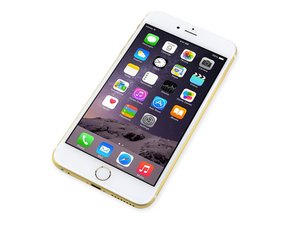
Дата выхода 19 сентября 2014 года. Это большая версия iPhone 6 с 5.5-дюймовый экраном.

Reboot Screen after drop

I have an iphone 6 plus running ios 11.4 I dropped it kinda hard on the pavement yesterday but the screen was not damaged, it wasnt until this morning that after having it charged it started to loop the apple logo, however this morning it only did it for less then 30 sec.. it has now been more then 4-5 hrs that its been looping. I have a mac laptop and tried plugging it in but the phone does not register and it does not vibrate. I cant hard reset because the home button doesnt work so I really dont know what to do. Right now I got the screen to go black but as soon as I press the power button it goes back to looping. Im going to try and get the battery to die completely and see if charging it from the laptop could maybe register it and I can restore it from there, any help would be greatly appreciated!

Отвечено! Посмотреть ответ У меня та же проблема

Это хороший вопрос?

Счет 0
Добавить комментарий

2 Ответов

Выбранное решение

It's better _not_ to let it boot loop, it might corrupt data irreversably if that hasn't happened yet. It might be just a battery issue but might very well be the hard hit created microfractures on some IC. It possibly needs the help of a specialized lab where they perform microsoldering reliably and can get to understand what got damaged.

However, if you feel like it, you can buy a battery and try to replace it yourself to rule that out as a possible cause. In the interim, better leave the phone aside and turned off.

Был ли этот ответ полезен?

Счет 3

1 Комментарий:

but the thing is, itll boot loop and then work like normal. so for that period that it works like normal should I try and restore it from my laptop?

из

Добавить комментарий

Do not restore--that will lead to a bricked phone. You can't fix hardware problems (a drop) with a software solution.

Your first step is to rule out a poor connection to the battery. Open it up and then reseat the battery connector. This is waaaay at the top of the MOST LIKELY fault list here.

Jessa of iPad Rehab

Был ли этот ответ полезен?

Счет 1
Добавить комментарий

Добавьте свой ответ

Rosario Ruiz-ruiz буду вечно благодарен.
Статистика просмотров:

За последние 24 часов: 0

За последние 7 дней: 0

За последние 30 дней: 4

За всё время: 109