Перейти к основному содержанию
Присоединяйся к сообществу ремонтников - Создай аккаунт

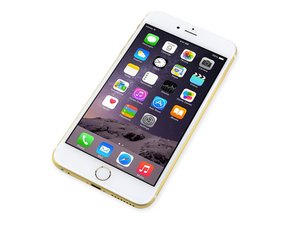
Дата выхода 19 сентября 2014 года. Это большая версия iPhone 6 с 5.5-дюймовый экраном.

WIFI issues after screen replacement

I dropped my phone a few weeks ago and it shattered the screen, lost functionality of the home button but it still operated fine up until the screen was replaced. I did it myself to save on costs. Removal went pretty smooth, i was able to get the old screen out and the replacement came with the parts already installed so i didn’t have to bother with swapping over the existing pieces. I did lose the ability to use the touch id but i can live with that. I decided to re install the os and start fresh after the repair work. Once i got to the part where i needed to connect it to my WIFI i noticed it could not locate the signal from my room.. But if i stood near the router it worked flawlessly.

I had no issues with the wifi antenna before i replaced the screen but now it seems as if the antenna has become unplugged or has been damaged.

Отвечено! Посмотреть ответ У меня та же проблема

Это хороший вопрос?

Счет 0
1 Комментарий

I started taking the phone apart today as the new parts should be arriving tomorrow. While taking the phone apart i noticed that the cable connecting the logic board to the 5GHz antenna was severed right after the logic board connection. I recon i probably broke the cable while i was removing the front panel assembly cable bracket for the screen repair. This would explain why the wifi still worked, but not at a reasonable distance away from the router.

из

Добавить комментарий

2 Ответов

Выбранное решение

Replacing the 5GHz antenna solved my issues. I no longer have to be in the same room as the router; full signal across the house.

Был ли этот ответ полезен?

Счет 0
Добавить комментарий
Наиболее полезный ответ

I’ve had this antenna rip once but only when taking the logic board out of it’s housing on the iPhone 6 plus:

There are roughly 3 screws on that antenna but they usually don’t get touched at worse the screws for it may be a bit loose and need to be tightened after the phone getting dropped over time. Then the other part is the antenna cable.

That part is for the 5.0 GHz side. I’m not exactly sure where the 2.4 GHz one is but I think it’s the one that connects from housing to back of board top left.

iPhone 6 Plus 5GHz Wi-Fi Antenna Replacement

iPhone 6 Plus 5GHz Wi-Fi Antenna

Replace a torn or missing Wi-Fi antenna compatible with the iPhone 6 Plus model #A1522, A1524, A1593. Fix unreliable connectivity to Wi-Fi service. Изображение

Товар

iPhone 6 Plus 5GHz Wi-Fi Antenna

$23.99

Был ли этот ответ полезен?

Счет 2
Добавить комментарий

Добавьте свой ответ

DKM802 буду вечно благодарен.
Статистика просмотров:

За последние 24 часов: 2

За последние 7 дней: 13

За последние 30 дней: 34

За всё время: 4,903