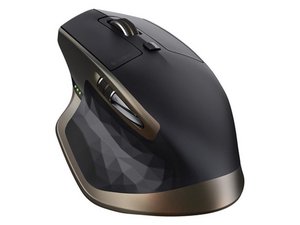

Left click doesn't work all the time
The left click doesn't work properly,
Это хороший вопрос?
Счет
4
Репутация: 85
 4
4
 2
2
The left click doesn't work properly,
Это хороший вопрос?
Репутация: 619
14
5
 4
4
these clicky, micro buttons can often do well after applying a drop of lubricant. You can remove the top case of the mouse, exposing the guts. Disassembly often requires removing screws which are hidden beneath the low friction Teflon stickers. Remove these with the edge of a blade. Try hard to pull them off without bending or curling them. Try hard to not touch the glue surface.
Sometimes the glue is ruined and you will need to re-glue them seeing that they fall off sometimes. Which is annoying. Don't be tempted to use superglue. Choose something flexible which sets rubbery, so we might be able to pull them off again one day.
You will see clearly the micro button mechanisms for left/right, perhaps others. Take some WD40 and apply a single drop onto each micro switch.
Leave the mouse be for a about an hour. Occasionally press the buttons a few times. We're giving time for the oil to seep inside and coat the teeny tiny mechanism. It will get inside, it just takes some time. Do not apply more oil.
Reassemble the mouse and use it normally. It may take a day to achieve the full effect of the oil. It may work almost immediately. If it doesn't seem to have made any difference at all, do not repeat the procedure.
No mater the outcome, this will not damage or harm your mouse in anyway.
Был ли этот ответ полезен?
This worked! But only for a few weeks, then the problems came back :(
Advice for anyone trying this: don't make the same mistake I did and cut the low friction pads in half lengthways and not be able to find the screws under the second layer - you've got to dig with the blade slightly as the pads are a little recessed.
Opening the case of the mouse is difficult as well, you need to slide a flat tool around the edge to release several small catches before it will pull apart without breaking, and it still takes a fair amount of force even then.
Because it was quite a fiddly fix and the results didn't last long, I'm not going to try it again and will instead have to look for a new mouse.
Репутация: 13
1
Blowing air under the button seems to help too. I think it's dust accumulation, since it sometimes works and sometimes not (or only when you push it hard).
Source and more details:
Был ли этот ответ полезен?
I've tried both methods, using lubricant on the micro buttons inside the mouse and blowing air inside, but neither worked.
I also noticed that if I use the mouse without the cover, the left click and double-click work fine, so the problem isn't with the buttons inside but with the buttons on the cover.
Был ли этот ответ полезен?
За последние 24 часов: 44
За последние 7 дней: 391
За последние 30 дней: 1,769
За все время: 45,599





2 Комментариев
My left mouse button double clicks all of the time on 2 of these mice. Will this procedure fix that issue?
из USN_Retired
It may.
if you follow what I have written you will not damage your mouse. It's low risk with a large chance of working out for you. Frankly I am surprised why such a technique is not more popular.
из Jade