
Перейти к основному содержанию
Присоединяйся к сообществу ремонтников - Создай аккаунт

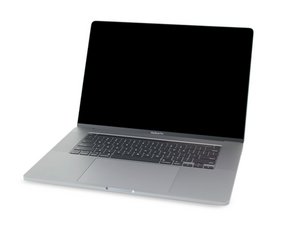
Repair guides and disassembly information for the MacBook Pro 16'' released in November of 2019. Model A2141, EMC 3347.

Replacement battery not recognized

I just replaced my battery in my 16-inch 2019 MBP. I've reset SMC and PRAM. Device only stays on while adaptor is plugged in. Coconut battery shows no battery installed. TG Pro shows fans running at max with nominal temps. Battery doesn't show up in control center. Is this a bad iFixit battery?

Block Image
Block Image
Block Image
Отвечено! Посмотреть ответ У меня та же проблема

Это хороший вопрос?

Счет 1
Добавить комментарий

1 ответ

Выбранное решение

It sounds like the BMU cable is not connected or is damaged. Review Steps 10 - 14 in this guide MacBook Pro 16" 2019 Battery Replacement. Make sure the ZIF connector latches are set and the ribbon cable is fully and squarely inserted.

If you need to replace the cable the Apple P/N is 923-03932 - BMU Flex Cable

Был ли этот ответ полезен?

Счет 0

2 Комментариев:

Looks like a damaged connector on the BMU cable, thanks for the help.

из

@clnearing - Sometimes the latch comes off flying to the winds. See if you can find it as it’s easy to snap back on, otherwise you’ll need to get a replacement connector to steal the latch from to put on your systems connector.

из

Добавить комментарий

Добавьте свой ответ

clnearing буду вечно благодарен.
Статистика просмотров:

За последние 24 часов: 0

За последние 7 дней: 3

За последние 30 дней: 25

За всё время: 295
