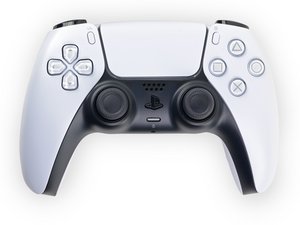
PS Button not working?
OKAY, so I figured out why the button isnt working and its because the button is acting as if uts constantly held down? Idk if theres a way to fix thos so any advice would help.

Это хороший вопрос?
Счет
0

OKAY, so I figured out why the button isnt working and its because the button is acting as if uts constantly held down? Idk if theres a way to fix thos so any advice would help.
Это хороший вопрос?

Репутация: 44,9к
 20
20
 18
18
 30
30
Hi!
Alright, first of all I would clean the circuit membrane ribbon cable!
Clean it with isopropyl alcohol completely and see if that fixes it. If not, then it need to be replaced.
When it need to be replaced, make sure you have 100% the correct model! There are many of them.
Guide: Sony DualSense Controller Buttons Replacement - iFixit Repair Guide (till step 32, the circuit membrane is stuck to the black frame, that is the one you need to clean).
Please keep us posted!
Был ли этот ответ полезен?
What's the circuit membrane? Is it the rubbery part or the film itself? I tried cleaning it with rubbing alcohol but ut still doesn't render any other results.
Ill try it again though!
It's the film ribbon cable!
Example: https://www.aliexpress.us/item/325680556...
If cleaning doesn't work, then you probably need to replace it.
За последние 24 часов: 2
За последние 7 дней: 25
За последние 30 дней: 97
За всё время: 671
