Введение
Replacing the RAM (Random-Access Memory) is one of the easiest operations to perform on this device. The only tools you need are plastic opening tools and a Phillips screwdriver to remove the back panel.
Выберете то, что вам нужно
-
-
-
Remove the grey scuff guard at the bottom of the PC by pressing down on it, and pulling it away.
-
Lift the hinge and remove the grey rubber tabs on either side of the PC’s model information.
-
Remove the two 7.62mm Phillips #1 screws beneath the rubber tabs under the hinge and the four 7.62mm Phillips #1 screws where the scuff guard was removed.
-
Remove the two 4.74mm Phillips #1 screws under the hinge (near the hinge joints) and a 4.74mm Phillips #1 screw under the handle.
 Спросите у FixBot
-
-
-
Use 1-2 plastic opening tools or nylon spudgers to firmly pry open the back panel.
-
-
-
-
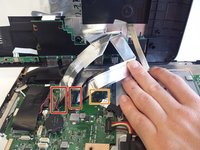
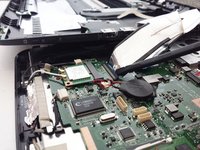
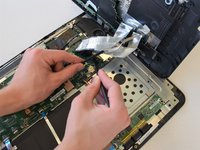
Disconnect the three cables connecting the back panel ports to the motherboard.
-
Flip up the locking latch holding the two ribbon cables with a plastic opening tool and pull the cables out.
-
Gently wiggle the third connector out of its socket.
-
-
-
-
-
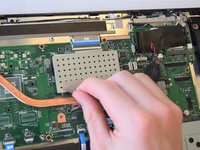
Peel off the tape attaching the metal enclosure to the heat sink.
-
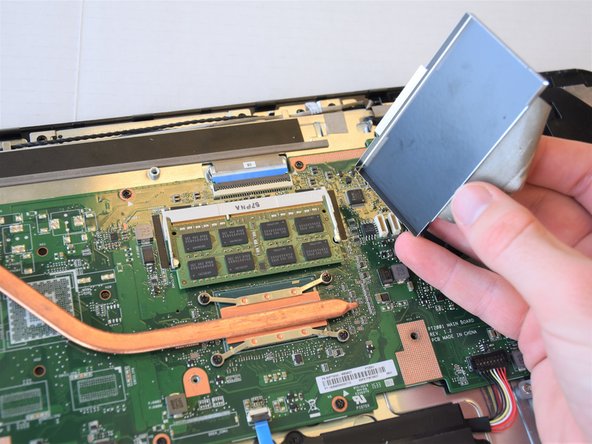
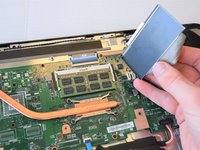
Lift the metal enclosure off of the motherboard.
-
-
-
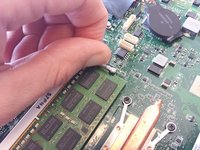
Pull the jaws of the white plastic frame apart. This will pop the front of the RAM up.
-
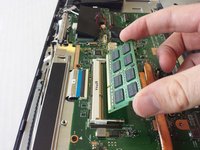
Gently lift the front edge of the RAM.
-
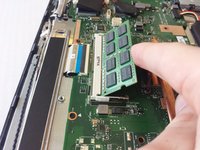
Pull the RAM out and up.
-
-





To reassemble your device, follow these instructions in reverse order.
Отменить: Я не выполнил это руководство.
3 человек успешно провели ремонт по этому руководству.

Команда

Cal Poly, Team S17-G5, Livingston Spring 2018 Участник Cal Poly, Team S17-G5, Livingston Spring 2018
CPSU-LIVINGSTON-S18S17G5
4 членов
Автор 72 руководств
