Перейти к основному содержанию
Присоединяйся к сообществу ремонтников - Создай аккаунт

Aiptek DZO-V58N Lens Protector Replacement

Выберете то, что вам нужно

    1. Aiptek DZO-V58N Lens Protector Replacement, Battery: шаг 1, изображение 1 из 1
      • Locate the battery compartment on the back of the camera. It is the panel with the plastic ridges for simple removal.

      • Slide the battery compartment cover down off of the camera body.

      Спросите у FixBot

      Добавить комментарий

    2. Aiptek DZO-V58N Lens Protector Replacement: шаг 2, изображение 1 из 1
      • Pry up the battery from the bottom using a finger and remove the batter from the case.

      Спросите у FixBot

      Добавить комментарий

    1. Aiptek DZO-V58N Lens Protector Replacement, Lens Protector: шаг 3, изображение 1 из 1
      • Remove the lanyard by pulling the grey lace through the black string loop.

      • Pull black string loop through the silver bracket.

      Спросите у FixBot

      Добавить комментарий

    2. Aiptek DZO-V58N Lens Protector Replacement: шаг 4, изображение 1 из 1
      • Use a plastic opening tool to pry off the black control cover.

      • The face plates are glued, so use force to pry the face plates from the camera body.

      Спросите у FixBot

      Добавить комментарий

    3. Aiptek DZO-V58N Lens Protector Replacement: шаг 5, изображение 1 из 1
      • Use a plastic opening tool to pry off the ridged back face plate and the black button.

      • The face plates are glued, so use force to pry the face plates from the camera body.

      • The button is loose and should come off with little or no effort.

      Спросите у FixBot

      Добавить комментарий

    4. Aiptek DZO-V58N Lens Protector Replacement: шаг 6, изображение 1 из 1
      • Use a plastic opening tool to pry off the silver face plate.

      • The face plates are glued, so use force to pry the face plates from the camera body.

      Спросите у FixBot

      Добавить комментарий

    5. Aiptek DZO-V58N Lens Protector Replacement: шаг 7, изображение 1 из 3 Aiptek DZO-V58N Lens Protector Replacement: шаг 7, изображение 2 из 3 Aiptek DZO-V58N Lens Protector Replacement: шаг 7, изображение 3 из 3
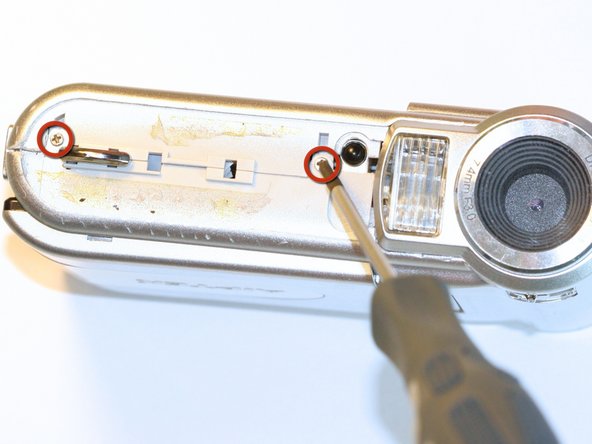
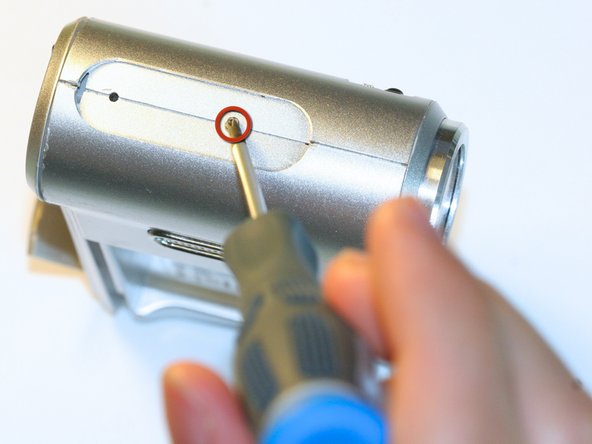
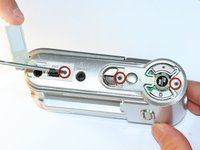
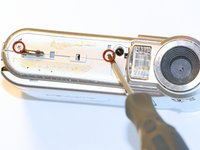
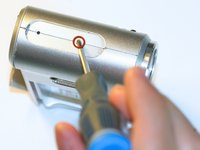
      • Open the USB cover to expose the small machine screw.

      • Use the Phillips #00 screwdriver to unscrew the six 0.5cm machine case screws (distributed around the camera body).

      • These small screws are easy to lose. Place the removed screws in an organized container to avoid losing them.

      Спросите у FixBot

      Добавить комментарий

    6. Aiptek DZO-V58N Lens Protector Replacement: шаг 8, изображение 1 из 1
      • Pull off the side control panel.

      Спросите у FixBot

      Добавить комментарий

    7. Aiptek DZO-V58N Lens Protector Replacement: шаг 9, изображение 1 из 2 Aiptek DZO-V58N Lens Protector Replacement: шаг 9, изображение 2 из 2
      Инструмент, используемый на этом этапе:
      Tweezers
      $4.99
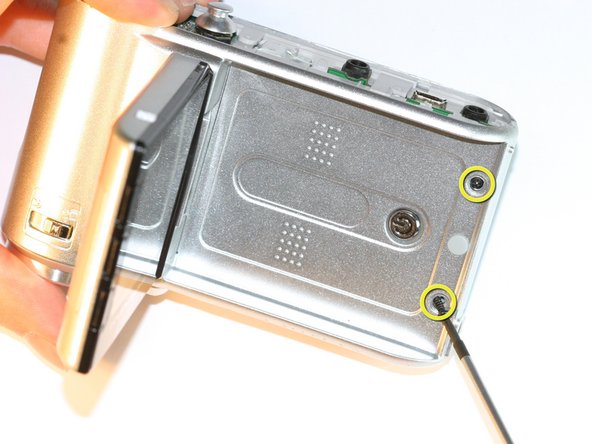
      • Flip open the screen by pulling the loose end of the screen away from the case.

      • Use tweezers to remove the two outside rubber dots to reveal the two 0.5cm machine screws.

      • Use the #00 Phillips Screwdriver to remove both screws.

      Спросите у FixBot

      Добавить комментарий

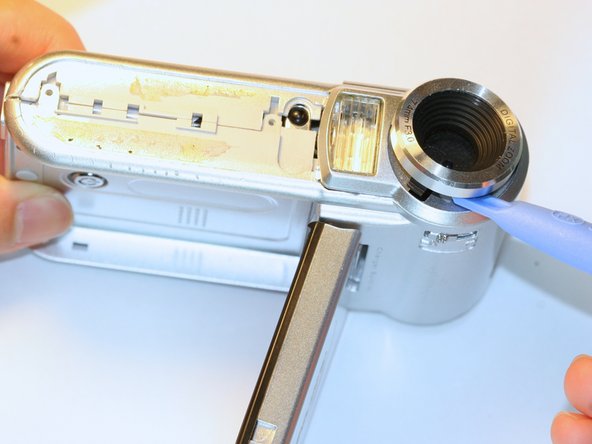
    8. Aiptek DZO-V58N Lens Protector Replacement: шаг 10, изображение 1 из 2 Aiptek DZO-V58N Lens Protector Replacement: шаг 10, изображение 2 из 2
      • Pull the body apart from the bottom of device just enough to make space to remove the silver plastic strap holder.

      • Use tweezers to remove the silver plastic strap holder.

      • Use a plastic opening tool to pry off the lens protector.

      Спросите у FixBot

      Добавить комментарий

Заключение

To reassemble your device, follow these instructions in reverse order.

Отменить: Я не выполнил это руководство.

Еще один человек закончил это руководство.

Zachary Yun

Участник с: 04/03/12

28 Репутация

Автор 5 руководств

Команда

Cal Poly, Team 5-5, Forte Spring 2012 Участник Cal Poly, Team 5-5, Forte Spring 2012

CPSU-FORTE-S12S5G5

5 членов

Автор 10 руководств

0 Комментарии к руководству

Добавить комментарий

Статистика просмотров:

За последние 24 часов: 2

За последние 7 дней: 8

За последние 30 дней: 33

За всё время: 933