Перейти к основному содержанию
Присоединяйся к сообществу ремонтников - Создай аккаунт

Alcatel Pop 4 Plus Motherboard Replacement

Выберете то, что вам нужно

    1. Alcatel Pop 4 Plus Motherboard Replacement, Battery: шаг 1, изображение 1 из 2 Alcatel Pop 4 Plus Motherboard Replacement, Battery: шаг 1, изображение 2 из 2
      • Remove the back cover by sliding your fingernail in the grove around the edge of the phone and prying it off.

      Спросите у FixBot

      Добавить комментарий

    2. Alcatel Pop 4 Plus Motherboard Replacement: шаг 2, изображение 1 из 2 Alcatel Pop 4 Plus Motherboard Replacement: шаг 2, изображение 2 из 2
      • Remove seventeen 3mm Phillips #000 screws from the mid-frame.

      Спросите у FixBot

      Добавить комментарий

    3. Alcatel Pop 4 Plus Motherboard Replacement: шаг 3, изображение 1 из 1
      • Use the flat end of the spudger, or your fingernail, to pry off the mid-frame.

      Спросите у FixBot

      Добавить комментарий

    4. Alcatel Pop 4 Plus Motherboard Replacement: шаг 4, изображение 1 из 2 Alcatel Pop 4 Plus Motherboard Replacement: шаг 4, изображение 2 из 2
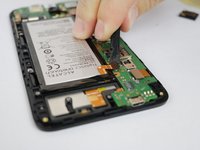
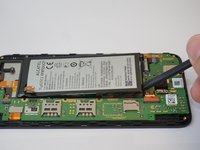
      • Use the flat end of the spudger disconnect the battery from the motherboard.

      • Use the flat end of the spudger tool to pry out the battery.

      Спросите у FixBot

      Добавить комментарий

    1. Alcatel Pop 4 Plus Motherboard Replacement, Motherboard: шаг 5, изображение 1 из 2 Alcatel Pop 4 Plus Motherboard Replacement, Motherboard: шаг 5, изображение 2 из 2
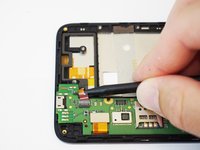
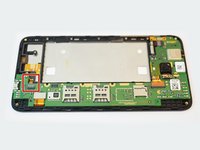
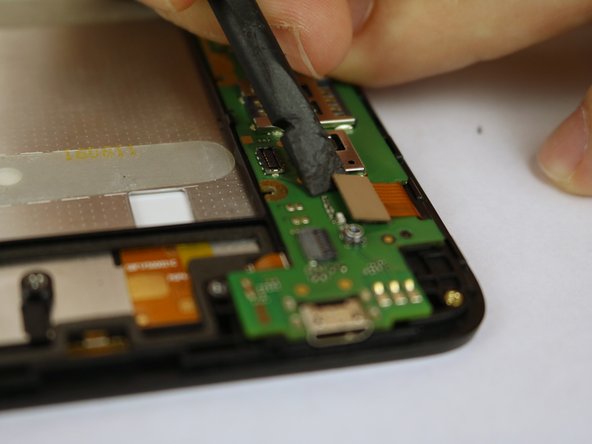
      • Use a spudger to flip up the retaining flap on the USB ribbon cable ZIF socket.

      • Slide the ribbon cable out of the socket.

      Спросите у FixBot

      Добавить комментарий

    2. Alcatel Pop 4 Plus Motherboard Replacement: шаг 6, изображение 1 из 2 Alcatel Pop 4 Plus Motherboard Replacement: шаг 6, изображение 2 из 2
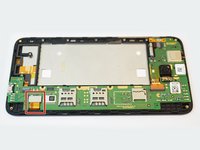
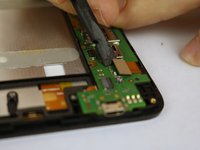
      • Use the flat end of a spudger to disconnect the ribbon cable.

      Спросите у FixBot

      Добавить комментарий

    3. Alcatel Pop 4 Plus Motherboard Replacement: шаг 7, изображение 1 из 2 Alcatel Pop 4 Plus Motherboard Replacement: шаг 7, изображение 2 из 2
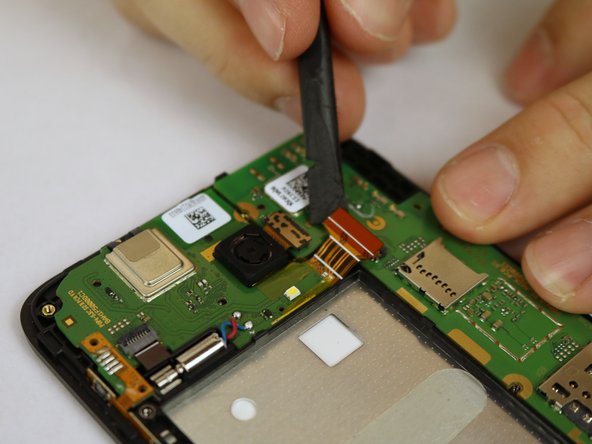
      • Using the flat end of the spudger to disconnect the ribbon cable.

      Спросите у FixBot

      Добавить комментарий

    4. Alcatel Pop 4 Plus Motherboard Replacement: шаг 8, изображение 1 из 2 Alcatel Pop 4 Plus Motherboard Replacement: шаг 8, изображение 2 из 2
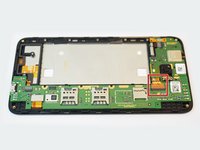
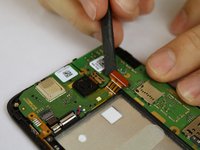
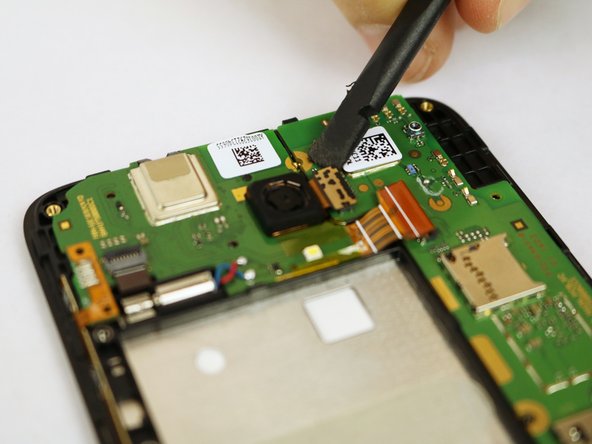
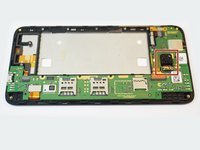
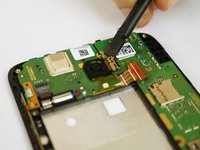
      • Using the flat end of the spudger, disconnect the camera from the motherboard.

      Спросите у FixBot

      Добавить комментарий

    5. Alcatel Pop 4 Plus Motherboard Replacement: шаг 9, изображение 1 из 1
      • Use the flat end of the spudger to pry off the motherboard.

      Спросите у FixBot

      Добавить комментарий

Заключение

To reassemble your device, follow these instructions in reverse order.

Отменить: Я не выполнил это руководство.

2 человек успешно провели ремонт по этому руководству.

Pieter Molenaar

Участник с: 01/25/18

253 Репутация

1 руководство автора

Команда

USF Tampa, Team S20-G6, Passmore Spring 2018 Участник USF Tampa, Team S20-G6, Passmore Spring 2018

USFT-PASSMORE-S18S20G6

4 членов

Автор 48 руководств

1 Комментарий к руководству

Hi

I got my Alcatel Pop 4+ checked and it's Power IC was faulty. How can I replace it

I'm looking for the specific IC used in it if I can get any help regarding it.

NINJA WARRIORS - Ответить Поделиться

Добавить комментарий

Статистика просмотров:

За последние 24 часов: 1

За последние 7 дней: 10

За последние 30 дней: 29

За всё время: 1,403