Этот перевод был сделан машиной и пока не проверен человеком. Говорите на этом языке? Просмотрите его.
Введение
В этом руководстве показано, как заменить аккумулятор в Amazon Kindle DX. Аккумуляторы Kindle могут служить долгие годы, но замена может потребоваться, если их производительность упала до неприемлемого уровня. С любыми перезаряжаемыми аккумуляторами могут возникнуть сложности, и существует множество причин ухудшения их состояния.
Некоторые из этих причин могут включать перезаряд или недозаряд. Перезаряд может возникнуть из-за частого использования устройства, а недозаряд — из-за длительного периода времени без доступа к зарядному устройству. Другие возможные проблемы могут быть вызваны слишком частой зарядкой аккумулятора до полной емкости, а также регулярной разрядкой до нуля. Однако работа аккумуляторов все еще изучена не до конца, поэтому часто бывает непросто точно определить причины ухудшения их состояния.
Выберете то, что вам нужно
-
-
-
Прижмите инструмент для открывания к краю нижней крышки устройства. Проведите инструментом по периметру нижней пластиковой детали, чтобы отщелкнуть ее.
-
-
-
-
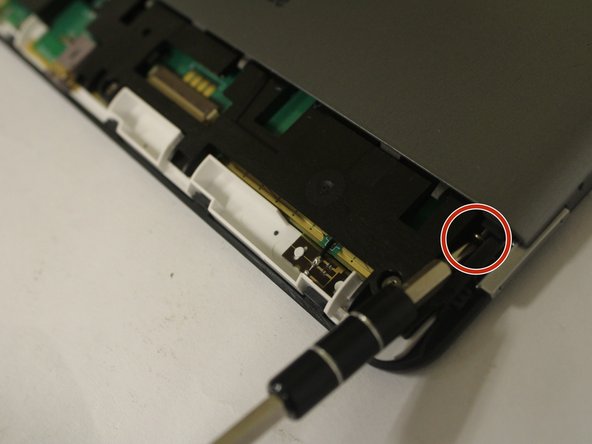
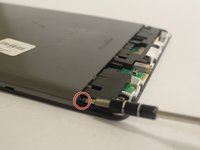
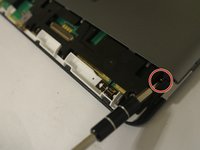
Открутите два винта длиной 40 мм (по одному в каждом углу) с помощью отвертки Phillips #00.
-
-
-
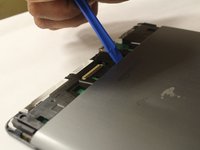
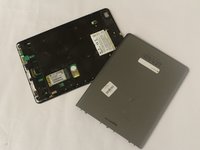
Используя края инструмента для открывания, вставьте его в зазор между передней и задней панелями, а затем с его помощью отделите части корпуса друг от друга. Когда панели разъединятся, снимите заднюю крышку с устройства.
-
-
-
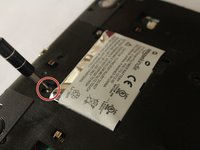
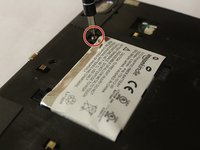
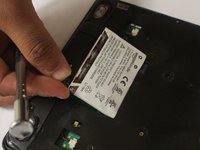
Выкрутите два винта длиной 30 мм, крепящих аккумулятор, с помощью отвертки Phillips #00.
-

 Спросите у FixBot








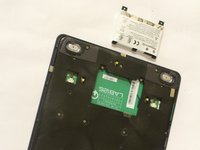
Для сборки устройства выполните эти инструкции в обратном порядке.
Отменить: Я не выполнил это руководство.
14 человек успешно провели ремонт по этому руководству.

Команду

USF Tampa, Team 1-5, Cagle Fall 2016 Участник USF Tampa, Team 1-5, Cagle Fall 2016
USFT-CAGLE-F16S1G5
3 членов
Автор 48 руководств
4 Комментарии к руководству
In Step 5, you actually can insert the tool into the 2 holes on side, slide along the edge to loose the back cover, then slide the cover down to remove it. No need to pry on the edge, which is quite difficult.
Thank you very much for a comprehensive guide. Especially the measurements for where to insert the screwdrivers were very helpful! Kind regards - Jakob
Anybody got a working link to a battery that fits?
@mzandrew https://ebay.io/m/BYxk8c worked for me. I found that prying from near the power slide switch is easier than from the back.
