Перейти к основному содержанию
Присоединяйся к сообществу ремонтников - Создай аккаунт

AmazonBasics B0050BPWBQ On/Off Switch Replacement

Выберете то, что вам нужно

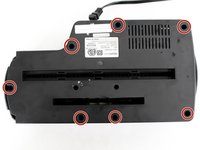
  1. AmazonBasics B0050BPWBQ On/Off Switch Replacement, Front and Back Panel Disassembly: шаг 1, изображение 1 из 2 AmazonBasics B0050BPWBQ On/Off Switch Replacement, Front and Back Panel Disassembly: шаг 1, изображение 2 из 2
    • The unit head needs to be switched to the off position and unplugged before any disassembly.

    • When removing screws in the following steps, make sure the unit is resting on a flat surface because pieces will easily come apart.

    • Remove seven 11 mm Phillips #1 screws from the underside of the head unit.

    Спросите у FixBot
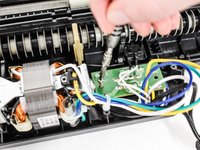
  2. AmazonBasics B0050BPWBQ On/Off Switch Replacement: шаг 2, изображение 1 из 2 AmazonBasics B0050BPWBQ On/Off Switch Replacement: шаг 2, изображение 2 из 2
    • Upon removal of the next screws, the front panel and the shredding component attached to it will fall apart from the back panel so have the unit resting on a flat surface.

    • Remove two 50 mm Phillips #1 screws from the middle of the underside of the head unit.

    Спросите у FixBot
  3. AmazonBasics B0050BPWBQ On/Off Switch Replacement: шаг 3, изображение 1 из 1
    • Lay the back panel away from the front panel on a flat surface.

    • The back panel will be light because it is only the plastic, while the front panel will be heavy with the shredding component attached to it.

    Спросите у FixBot
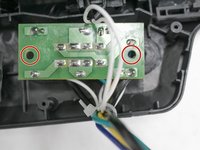
  4. AmazonBasics B0050BPWBQ On/Off Switch Replacement: шаг 4, изображение 1 из 2 AmazonBasics B0050BPWBQ On/Off Switch Replacement: шаг 4, изображение 2 из 2
    • Find the green control board that is located next to the shredding motor.

    • Remove two 11 mm Phillips #1 screws located on opposite sides of the control board.

    • You may need to move wires over to find the screws.

    Спросите у FixBot
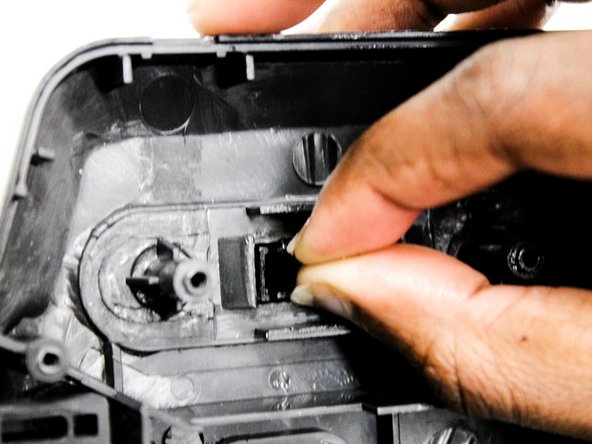
  5. AmazonBasics B0050BPWBQ On/Off Switch Replacement, On/Off Switch: шаг 5, изображение 1 из 3 AmazonBasics B0050BPWBQ On/Off Switch Replacement, On/Off Switch: шаг 5, изображение 2 из 3 AmazonBasics B0050BPWBQ On/Off Switch Replacement, On/Off Switch: шаг 5, изображение 3 из 3
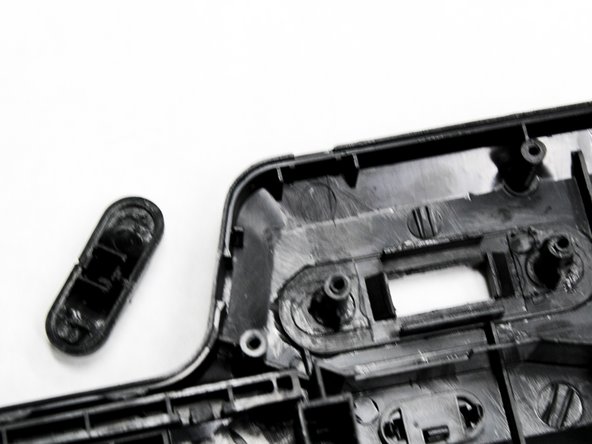
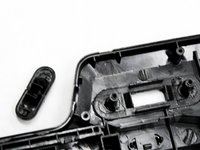
    • Pull the front panel away from the shredding unit.

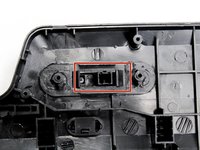
    • Locate the black On/Off switch attached to the front panel where the control board was once attached.

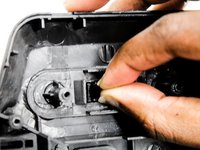
    • Squeeze the wings of the On/Off switch from the inside of the front panel to detach it from its slot in the panel.

    Спросите у FixBot
Заключение

To reassemble your device, follow these instructions in reverse order.

Еще один человек закончил это руководство.

Natalie Meert

Участник с: 02/11/16

741 Репутация

Автор 4 руководств

Команда

IUPUI, Team 2-4, Baechle Spring 2016 Участник IUPUI, Team 2-4, Baechle Spring 2016

IUPUI-BAECHLE-S16S2G4

4 членов

Автор 8 руководств

1 Комментарий к руководству

Does anyone know where to buy a replacement switch?

Shawn - Ответить Поделиться

Добавить комментарий

Статистика просмотров:

За последние 24 часов: 0

За последние 7 дней: 13

За последние 30 дней: 59

За всё время: 2,869