Перейти к основному содержанию
Присоединяйся к сообществу ремонтников - Создай аккаунт

AmazonBasics B00Q3KFX8U Power Cable Replacement

Выберете то, что вам нужно

  1. AmazonBasics B00Q3KFX8U Power Cable Replacement, Drive Gear: шаг 1, изображение 1 из 1
    • Remove the shredder assembly from the paper scrap bin.

    Спросите у FixBot
  2. AmazonBasics B00Q3KFX8U Power Cable Replacement: шаг 2, изображение 1 из 1
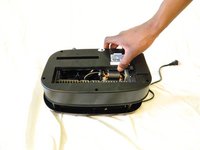
    • Remove the two 10mm PH1 screws holding the small black panel in place.

    Спросите у FixBot
  3. AmazonBasics B00Q3KFX8U Power Cable Replacement: шаг 3, изображение 1 из 2 AmazonBasics B00Q3KFX8U Power Cable Replacement: шаг 3, изображение 2 из 2
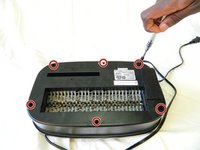
    • Remove the six 14mm PH1 screws holding the bottom cover in place.

    • Remove the cover by lifting straight upwards.

    • One of the screws will be hidden beneath a warranty sticker. Simply push the head of the screwdriver through the sticker to access the screw.

    Спросите у FixBot
  4. AmazonBasics B00Q3KFX8U Power Cable Replacement: шаг 4, изображение 1 из 1
    • Remove the blade/motor assembly from the top cover by lifting straight upwards. Do not disconnect any wiring just yet.

    • The blades are sharp. Coming into contact with them may result in injury.

    Спросите у FixBot
  5. AmazonBasics B00Q3KFX8U Power Cable Replacement: шаг 5, изображение 1 из 2 AmazonBasics B00Q3KFX8U Power Cable Replacement: шаг 5, изображение 2 из 2
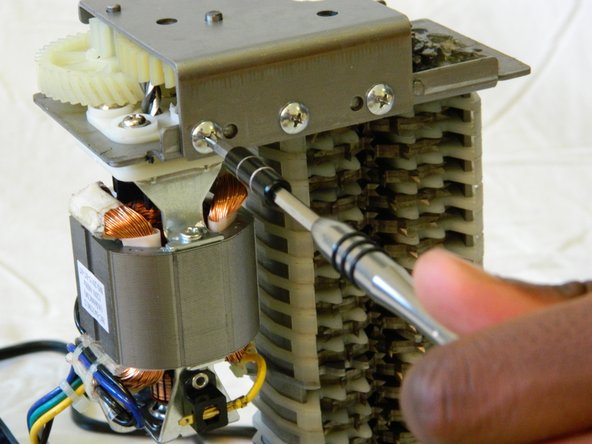
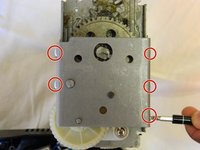
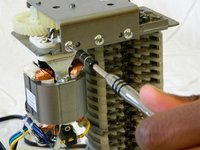
    • Remove the five 8mm PH2 screws from the bracket holding the gears in place.

    Спросите у FixBot
  6. AmazonBasics B00Q3KFX8U Power Cable Replacement: шаг 6, изображение 1 из 1
    • Use a metal spudger to pry the bracket from the main shredder assembly.

    • If the bracket is attached too tightly for the spudger, carefully use a metal screwdriver to pry it loose.

    Спросите у FixBot
  7. AmazonBasics B00Q3KFX8U Power Cable Replacement: шаг 7, изображение 1 из 2 AmazonBasics B00Q3KFX8U Power Cable Replacement: шаг 7, изображение 2 из 2
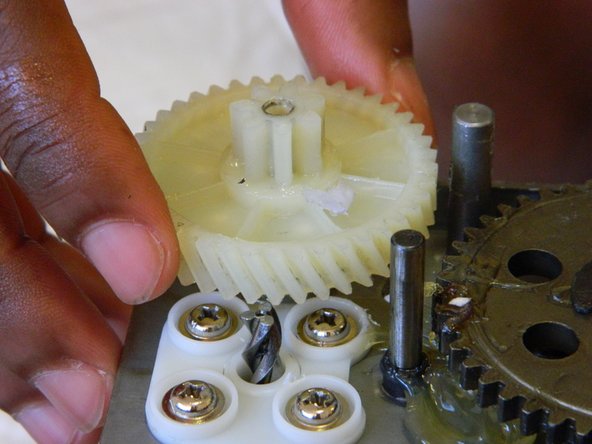
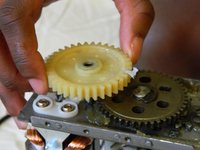
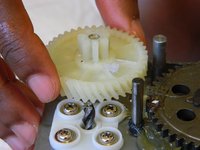
    • Remove the two plastic drive gears from the shredder assembly by lifting straight upwards.

    Спросите у FixBot
  8. AmazonBasics B00Q3KFX8U Power Cable Replacement, Motor: шаг 8, изображение 1 из 1
    • Remove the four 18mm PH2 screws holding the motor to the main shredder assembly.

    Спросите у FixBot
  9. AmazonBasics B00Q3KFX8U Power Cable Replacement: шаг 9, изображение 1 из 1
    • Disconnect the motor from the motherboard by either clipping the wires, or using a soldering iron to disconnect the wires directly at the board.

    • To reattach the motor, solder the wires back together, or to the motherboard depending on how you removed them.

    Спросите у FixBot
  10. AmazonBasics B00Q3KFX8U Power Cable Replacement, Power Cable: шаг 10, изображение 1 из 1
    • Remove the two 8mm PH1 screws holding the IR sensor wire in place. This will give you more room to work with later on.

    Спросите у FixBot
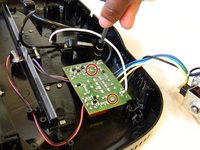
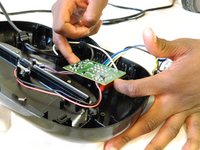
  11. AmazonBasics B00Q3KFX8U Power Cable Replacement: шаг 11, изображение 1 из 2 AmazonBasics B00Q3KFX8U Power Cable Replacement: шаг 11, изображение 2 из 2
    • Remove the two 10mm PH1 screws holding the motherboard in place.

    • Remove the motherboard by lifting straight upwards from the top cover.

    Спросите у FixBot
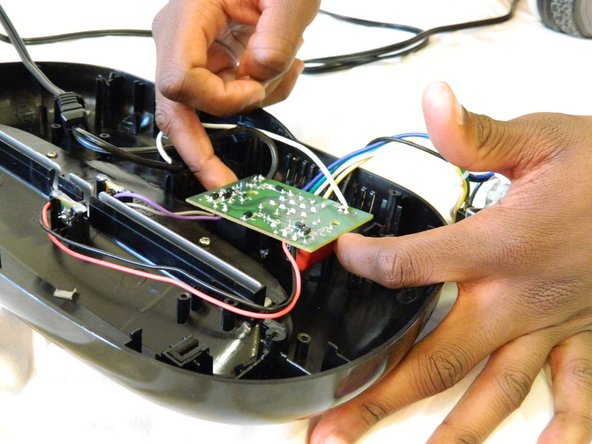
  12. AmazonBasics B00Q3KFX8U Power Cable Replacement: шаг 12, изображение 1 из 1
    • To disconnect the power wire, remove the black and white wires on the far edges of the motherboard.

    • To reassemble, solder the wires back to the motherboard in the same location as they previously were.

    • When reassembling, be sure to replace the wires in the correct locations. Reversing the wires will short circuit the motherboard and may damage the device or injure yourself.

    Спросите у FixBot
Заключение

To reassemble your device, follow these instructions in reverse order.

William Foley

Участник с: 03/25/16

548 Репутация

Автор 4 руководств

Команда

UMass Dartmouth, Team 1-3, Miles Spring 2016 Участник UMass Dartmouth, Team 1-3, Miles Spring 2016

UMASSD-MILES-S16S1G3

2 членов

Автор 4 руководств

0 Комментарии к руководству

Добавить комментарий

Статистика просмотров:

За последние 24 часов: 3

За последние 7 дней: 12

За последние 30 дней: 50

За всё время: 899