Перейти к основному содержанию
Присоединяйся к сообществу ремонтников - Создай аккаунт

Apple Studio Display M7649 Inverter Replacement

Выберете то, что вам нужно

  1. Apple Studio Display M7649 Inverter Replacement, Stand: шаг 1, изображение 1 из 2 Apple Studio Display M7649 Inverter Replacement, Stand: шаг 1, изображение 2 из 2
    • Lay the display facing down with the stand away from you.

    • Remove the three size 2.0 hex screws on the swing arm and remove the swing arm as well as the plastic shield under it.

    Спросите у FixBot

    Добавить комментарий

  2. Apple Studio Display M7649 Inverter Replacement, Panels: шаг 2, изображение 1 из 1
    • Remove the size 2.5 hex screws from each corner that connects the panels to the display and remove them.

    Спросите у FixBot

    Добавить комментарий

  3. Apple Studio Display M7649 Inverter Replacement: шаг 3, изображение 1 из 1
    • Rotate the display so the legs of the display are now facing you

    • Grip the top of the clear panel and lift it upwards, and pull the ADC cable through the hole.

    Спросите у FixBot

    Добавить комментарий

  4. Apple Studio Display M7649 Inverter Replacement: шаг 4, изображение 1 из 1
    • Remove the grey back panel by lifting the bottom and pulling the ADC cable through the hole.

    Спросите у FixBot

    Добавить комментарий

  5. Apple Studio Display M7649 Inverter Replacement, Metal EMI Shield: шаг 5, изображение 1 из 1
    • The next layer will be a shiny metal panel, which might have some stickers. Make sure to remove these stickers.

    Спросите у FixBot

    Добавить комментарий

  6. Apple Studio Display M7649 Inverter Replacement: шаг 6, изображение 1 из 1
    • Now locate and remove the lone Phillips screw holding the EMI shield to the display

    Спросите у FixBot

    Добавить комментарий

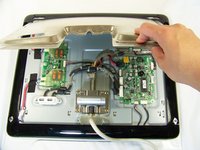
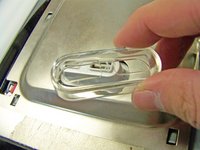
  7. Apple Studio Display M7649 Inverter Replacement: шаг 7, изображение 1 из 2 Apple Studio Display M7649 Inverter Replacement: шаг 7, изображение 2 из 2
    • Now that the screw has been removed, slide the panel towards your body and lift it out.

    • You may need to remove the clear USB port cover to remove the metal EMI shield.

    Спросите у FixBot

    Добавить комментарий

  8. Apple Studio Display M7649 Inverter Replacement, Inverter: шаг 8, изображение 1 из 1
    • Remove these three screws holding the board to the display

    Спросите у FixBot

    Добавить комментарий

  9. Apple Studio Display M7649 Inverter Replacement: шаг 9, изображение 1 из 1
    • Remove these five cables connection the inverter to the backlights and logic board.

    • Taking note where they connect to for reassembly

    Спросите у FixBot

    Добавить комментарий

  10. Apple Studio Display M7649 Inverter Replacement: шаг 10, изображение 1 из 1
    • Remove and replace the inverter

    Спросите у FixBot

    Добавить комментарий

Заключение

To reassemble your device, follow these instructions in reverse order.

Отменить: Я не выполнил это руководство.

5 человек успешно провели ремонт по этому руководству.

Andrew Tsao

Участник с: 01/19/10

186 Репутация

Автор 5 руководств

Команда

Cal Poly, Team 3-20, Maness Winter 2010 Участник Cal Poly, Team 3-20, Maness Winter 2010

CPSU-MANESS-W10S3G20

4 членов

Автор 23 руководств

0 Комментарии к руководству

Добавить комментарий

Статистика просмотров:

За последние 24 часов: 3

За последние 7 дней: 15

За последние 30 дней: 64

За всё время: 7,827