Перейти к основному содержанию
Присоединяйся к сообществу ремонтников - Создай аккаунт

Apple TV 3rd Generation Status LED Replacement

Выберете то, что вам нужно

    1. Apple TV 3rd Generation Status LED Replacement, Snap-on Base: шаг 1, изображение 1 из 1
      • As the device base is firmly clipped, insert two metal spudgers to gently release the first clips.

      Спросите у FixBot

      Добавить комментарий

    2. Apple TV 3rd Generation Status LED Replacement: шаг 2, изображение 1 из 1
      • Continue releasing the last plastic clips with your hands taking care not to break any of the plastic elements attached to the base.

      Спросите у FixBot

      Добавить комментарий

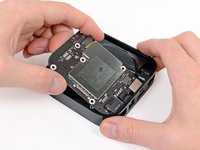
    1. Apple TV 3rd Generation Status LED Replacement, Logic Board: шаг 3, изображение 1 из 1
      • Use a philips screwdriver to remove the 5 screws securing the metal heat sink. On Rev A (A1469) you need a T7 srewdriver

      Спросите у FixBot

      Добавить комментарий

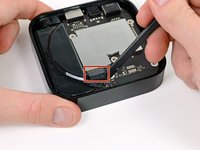
    2. Apple TV 3rd Generation Status LED Replacement: шаг 4, изображение 1 из 2 Apple TV 3rd Generation Status LED Replacement: шаг 4, изображение 2 из 2
      • Disconnect the power supply connector from the logic board with a spudger.

      Спросите у FixBot

      Добавить комментарий

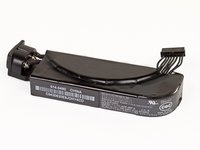
    1. Apple TV 3rd Generation Status LED Replacement, Power Supply: шаг 5, изображение 1 из 2 Apple TV 3rd Generation Status LED Replacement, Power Supply: шаг 5, изображение 2 из 2
      • Before you remove completely the power supply, unscrew the T6 screws on each side of the socket.

      • You may now be able to remove the power supply with a spudger.

      • Do not pull the wires to remove the power supply. The connector is fragile.

      • The rating of the power supply is 3.4V at 1.75A, which is identical to the 2nd Gen Apple TV's 5.95 watts.

      Спросите у FixBot

      Добавить комментарий

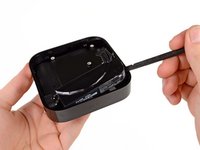
    1. Apple TV 3rd Generation Status LED Replacement, Status LED: шаг 6, изображение 1 из 2 Apple TV 3rd Generation Status LED Replacement, Status LED: шаг 6, изображение 2 из 2
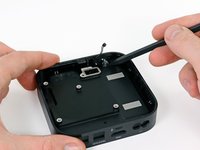
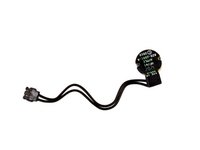
      • The last remaining part in the Apple TV is the status LED. You can remove this part with your plastic spudger.

      Спросите у FixBot

      Добавить комментарий

Заключение

To reassemble your device, follow these instructions in reverse order.

Отменить: Я не выполнил это руководство.

4 человек успешно провели ремонт по этому руководству.

Vincent Monteil

Участник с: 07/06/13

7 031 Репутация

Автор 19 руководств

1 Комментарий к руководству

Step 2: “caring not to break….”. Thanks, great guide. David

David Apimerika - Ответить Поделиться

Добавить комментарий

Статистика просмотров:

За последние 24 часов: 1

За последние 7 дней: 11

За последние 30 дней: 49

За всё время: 3,746