Перейти к основному содержанию
Присоединяйся к сообществу ремонтников - Создай аккаунт

August Smart Lock Accelerometer Replacement

Выберете то, что вам нужно

  1. August Smart Lock Accelerometer Replacement, Accelerometer: шаг 1, изображение 1 из 3 August Smart Lock Accelerometer Replacement, Accelerometer: шаг 1, изображение 2 из 3 August Smart Lock Accelerometer Replacement, Accelerometer: шаг 1, изображение 3 из 3
    • Flip device over so the black bottom is facing you.

    • Undo latches on both sides to remove the metal cover.

    • Using a Phillips #0 screwdriver, remove the black screws to release the back cover.

    • To unscrew all of the screws, you will need to close the latches again.

    • When you lift off the cover, be careful not to lift to far up. The cover contains the speaker which is connected to the motherboard.

    Спросите у FixBot

    Добавить комментарий

  2. August Smart Lock Accelerometer Replacement: шаг 2, изображение 1 из 3 August Smart Lock Accelerometer Replacement: шаг 2, изображение 2 из 3 August Smart Lock Accelerometer Replacement: шаг 2, изображение 3 из 3
    • Grab the gears and lift them up to remove from the device

    Спросите у FixBot

    Добавить комментарий

  3. August Smart Lock Accelerometer Replacement: шаг 3, изображение 1 из 3 August Smart Lock Accelerometer Replacement: шаг 3, изображение 2 из 3 August Smart Lock Accelerometer Replacement: шаг 3, изображение 3 из 3
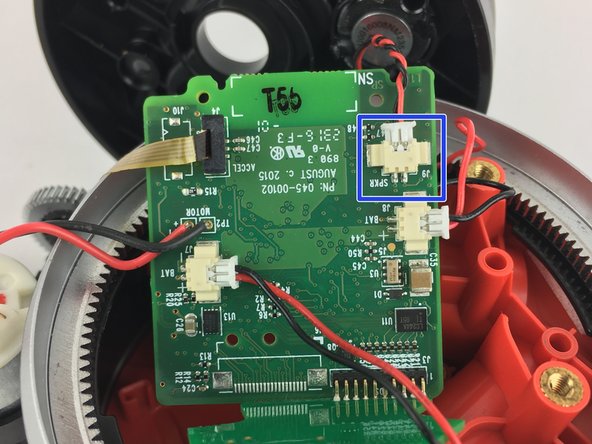
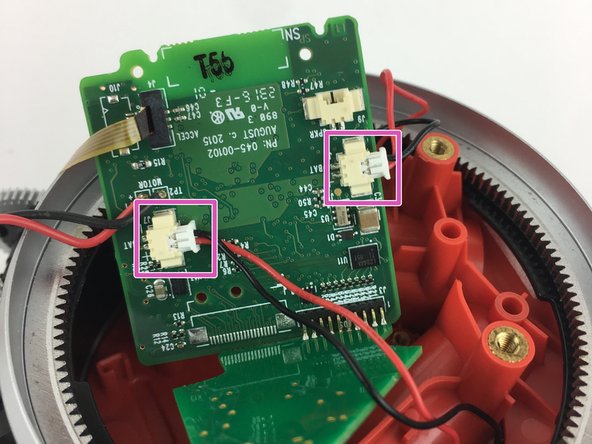
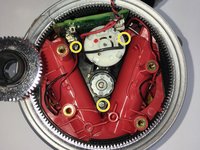
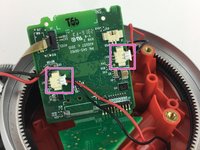
    • Remove the (3) three silver screws by the motor using a Phillips #0 screwdriver.

    • Disconnect the speaker plug from the motherboard

    • Disconnect the battery plugs from the motherboard.

    Спросите у FixBot

    Добавить комментарий

  4. August Smart Lock Accelerometer Replacement: шаг 4, изображение 1 из 1
    • Once the speaker is disconnected, remove the back cover.

    • Lift up the motherboard and motor assembly out of the device.

    Спросите у FixBot

    Добавить комментарий

  5. August Smart Lock Accelerometer Replacement: шаг 5, изображение 1 из 2 August Smart Lock Accelerometer Replacement: шаг 5, изображение 2 из 2
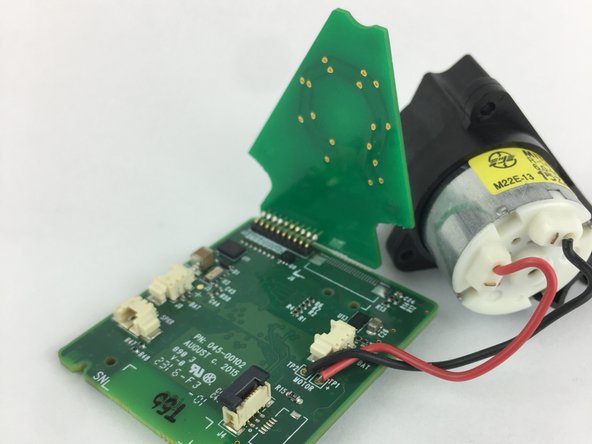
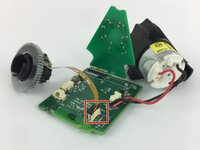
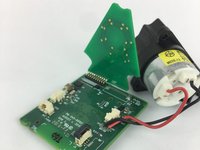
    • Locate the Accelerometer. It is attached to the motherboard by a ribbon.

    • Lift up the black tab to remove the ribbon from the motherboard.

    Спросите у FixBot

    Добавить комментарий

Заключение

To reassemble your device, follow these instructions in reverse order.

Отменить: Я не выполнил это руководство.

8 человек успешно провели ремонт по этому руководству.

William Fink

Участник с: 09/26/17

841 Репутация

Автор 3 руководств

Команда

USF Tampa, Team S11-G6, Passmore Fall 2017 Участник USF Tampa, Team S11-G6, Passmore Fall 2017

USFT-PASSMORE-F17S11G6

4 членов

Автор 3 руководств

7 Комментарии к руководству

Any idea where can I get a new accelerometer to complete this repair?

Thai Nguyen - Ответить Поделиться

Where can we get a new accelerometer. My phone was not connecting because of the ribbon was broken inside

Dinesh Sharma - Ответить Поделиться

Same as above…. where to locate an accelerometer??

osallabe - Ответить Поделиться

Did anyone find out where to buy the part?

LBurd - Ответить Поделиться

Where can I find one

Jeff Wasilewski - Ответить Поделиться

Добавить комментарий

Статистика просмотров:

За последние 24 часов: 1

За последние 7 дней: 7

За последние 30 дней: 59

За всё время: 8,773