Перейти к основному содержанию
Присоединяйся к сообществу ремонтников - Создай аккаунт

BLU Life X8 Back Camera Replacement

Выберете то, что вам нужно

    1. BLU Life X8 Back Camera Replacement, Battery: шаг 1, изображение 1 из 2 BLU Life X8 Back Camera Replacement, Battery: шаг 1, изображение 2 из 2
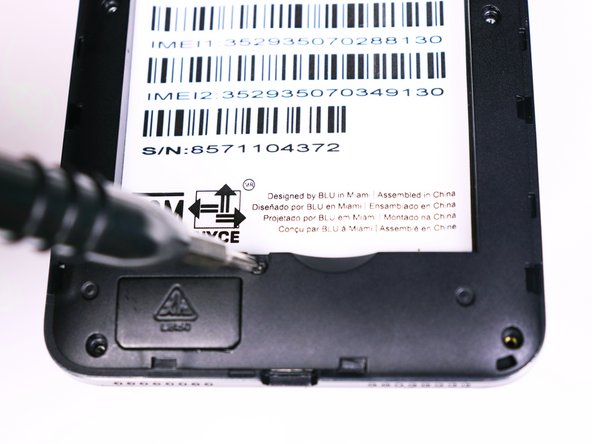
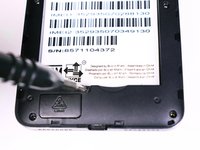
      • Flip the phone over so that the screen is facing down.

      • Slide the opening tool between the micro-USB port and the back cover.

      • Use the opening tool to create a gap.

      Спросите у FixBot

      Добавить комментарий

    2. BLU Life X8 Back Camera Replacement: шаг 2, изображение 1 из 1
      • Use your thumb to pry off the back panel once the gap is large enough.

      Спросите у FixBot

      Добавить комментарий

    3. BLU Life X8 Back Camera Replacement: шаг 3, изображение 1 из 1
      • Once the back panel is off, locate the indent at the bottom of the battery.

      • Use your thumb to slip the battery out of the case.

      Спросите у FixBot

      Добавить комментарий

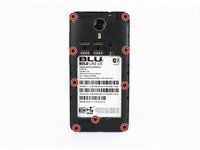
    1. BLU Life X8 Back Camera Replacement, Back Camera: шаг 4, изображение 1 из 2 BLU Life X8 Back Camera Replacement, Back Camera: шаг 4, изображение 2 из 2
      • Use the Phillips #00 (1.5mm) bit to undo the (9) screws from the back of the device.

      Спросите у FixBot

      Добавить комментарий

    2. BLU Life X8 Back Camera Replacement: шаг 5, изображение 1 из 1
      • Wedge the opening tool into the seam of between the screen and the gray frame.

      • Run the opening tool along the seam to release the clips that hold the two pieces together.

      • You may need to use the opening picks to prevent the clips from reengaging.

      Спросите у FixBot

      Добавить комментарий

    3. BLU Life X8 Back Camera Replacement: шаг 6, изображение 1 из 1
      • Once all the clips have been released, pull back the frame and set it aside.

      Спросите у FixBot

      Добавить комментарий

    4. BLU Life X8 Back Camera Replacement: шаг 7, изображение 1 из 1
      Инструмент, используемый на этом этапе:
      Tweezers
      $4.99
      • Use the tweezers to unlock the ribbon cable from the motherboard

      • The ribbon cable should be free. Pull back on the ribbons to release it from the connector

      Спросите у FixBot

      Добавить комментарий

    5. BLU Life X8 Back Camera Replacement: шаг 8, изображение 1 из 1
      • Lift the back camera from its housing

      • The back camera may be glued to the phone

      Спросите у FixBot

      Добавить комментарий

Заключение

To reassemble your device, follow these instructions in reverse order.

Отменить: Я не выполнил это руководство.

Еще один человек закончил это руководство.

Alexander Prasil

Участник с: 09/28/17

555 Репутация

Автор 5 руководств

Команда

USF Tampa, Team S1-G2, Nance Fall 2017 Участник USF Tampa, Team S1-G2, Nance Fall 2017

USFT-NANCE-F17S1G2

4 членов

Автор 54 руководств

0 Комментарии к руководству

Добавить комментарий

Статистика просмотров:

За последние 24 часов: 0

За последние 7 дней: 5

За последние 30 дней: 27

За всё время: 561