Перейти к основному содержанию
Присоединяйся к сообществу ремонтников - Создай аккаунт

Belkin NetCam HD Lens Piece Replacement

Выберете то, что вам нужно

  1. Belkin NetCam HD Lens Piece  Replacement, Case: шаг 1, изображение 1 из 1
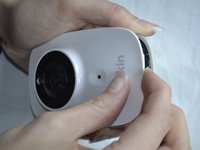
    • Use a wrench to loosen up the stand from the back in order to hold the NetCam more comfortably.

    Спросите у FixBot

    Добавить комментарий

  2. Belkin NetCam HD Lens Piece  Replacement: шаг 2, изображение 1 из 1
    • Work a plastic opening tool into the seam and pry the face plate away from the back panel.

    Спросите у FixBot

    Добавить комментарий

  3. Belkin NetCam HD Lens Piece  Replacement: шаг 3, изображение 1 из 2 Belkin NetCam HD Lens Piece  Replacement: шаг 3, изображение 2 из 2
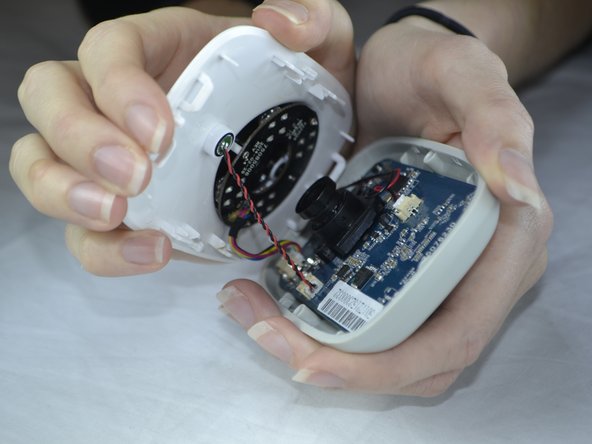
    • Use pressure to separate the covers.

    • When pulling the device apart, separate from the bottom up in order to avoid pulling the wiring at the top apart.

    Спросите у FixBot

    Добавить комментарий

  4. Belkin NetCam HD Lens Piece  Replacement, Front Casing: шаг 4, изображение 1 из 1
    • Carefully use your fingers to gently pull out the white attachment from the tan colored part.

    Спросите у FixBot

    Добавить комментарий

  5. Belkin NetCam HD Lens Piece  Replacement, Speaker: шаг 5, изображение 1 из 2 Belkin NetCam HD Lens Piece  Replacement, Speaker: шаг 5, изображение 2 из 2
    • Use a Phillips #0 screwdriver to take out the two 1.2 mm screws on the board.

    Спросите у FixBot

    Добавить комментарий

  6. Belkin NetCam HD Lens Piece  Replacement: шаг 6, изображение 1 из 3 Belkin NetCam HD Lens Piece  Replacement: шаг 6, изображение 2 из 3 Belkin NetCam HD Lens Piece  Replacement: шаг 6, изображение 3 из 3
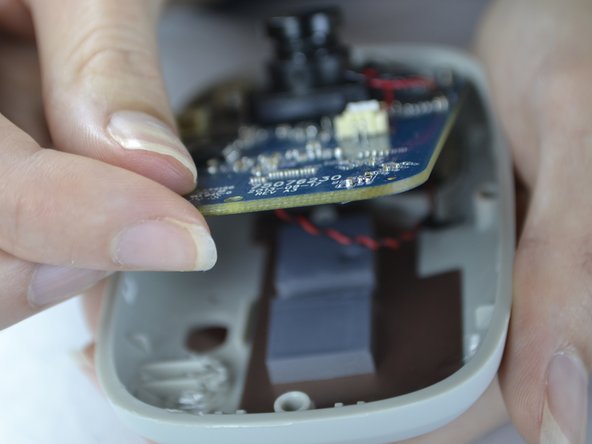
    • With your fingers, pull the circuit board out of the back casing.

    • When pulling the board up be sure to do so carefully so you do not break the cord which is attached on the back side.

    Спросите у FixBot

    Добавить комментарий

  7. Belkin NetCam HD Lens Piece  Replacement: шаг 7, изображение 1 из 2 Belkin NetCam HD Lens Piece  Replacement: шаг 7, изображение 2 из 2
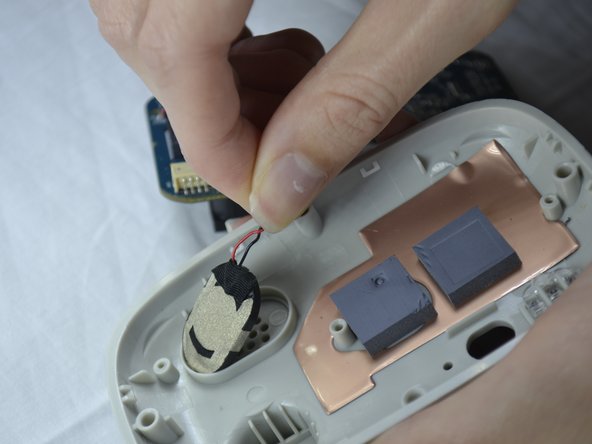
    • Gently pull the speaker out of the holder from the back of the cover.

    Спросите у FixBot

    Добавить комментарий

  8. Belkin NetCam HD Lens Piece  Replacement: шаг 8, изображение 1 из 1
    • The speaker wires are attached with the board. It can be unattached gently by pulling out the white attachment from the port.

    Спросите у FixBot

    Добавить комментарий

  9. Belkin NetCam HD Lens Piece  Replacement, Lens Piece: шаг 9, изображение 1 из 2 Belkin NetCam HD Lens Piece  Replacement, Lens Piece: шаг 9, изображение 2 из 2
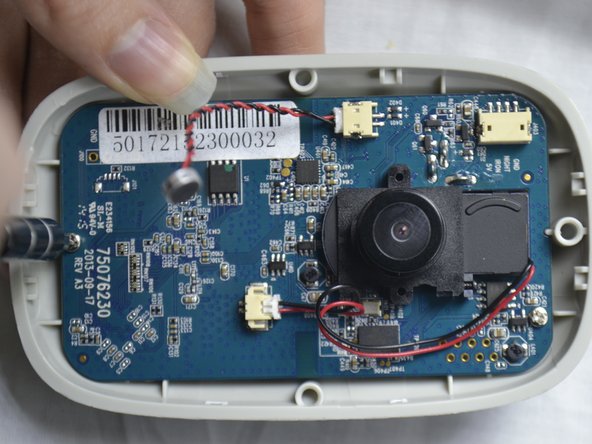
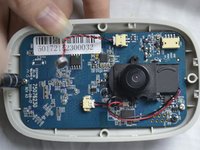
    • Flip the circuit board to the back side.

    • Fold down the tape with your finger.

    • With the Phillips #0 screwdriver, unscrew the two 1.2 mm screws.

    Спросите у FixBot

    Добавить комментарий

  10. Belkin NetCam HD Lens Piece  Replacement: шаг 10, изображение 1 из 2 Belkin NetCam HD Lens Piece  Replacement: шаг 10, изображение 2 из 2
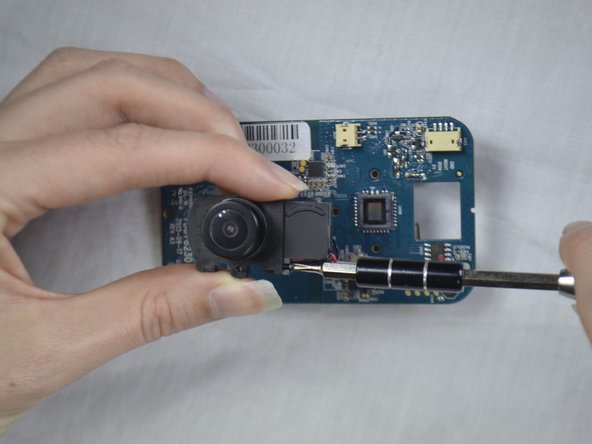
    • Flip the circuit board back to the other side.

    • Unscrew the screw with a Phillips #0 screw driver.

    Спросите у FixBot

    Добавить комментарий

  11. Belkin NetCam HD Lens Piece  Replacement: шаг 11, изображение 1 из 1
    • Slide the attached piece from the lens holder device.

    Спросите у FixBot

    Добавить комментарий

  12. Belkin NetCam HD Lens Piece  Replacement: шаг 12, изображение 1 из 2 Belkin NetCam HD Lens Piece  Replacement: шаг 12, изображение 2 из 2
    Инструмент, используемый на этом этапе:
    Tweezers
    $4.99
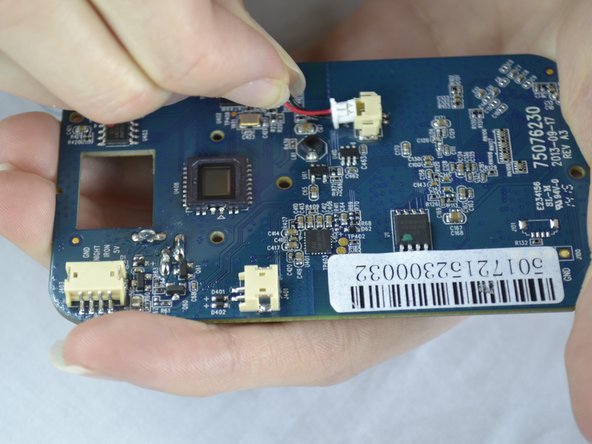
    • Use the tweezers to pull the white attachment out from the port a little.

    • Then, take your fingers and gently pull the white attachment out from the tan port.

    Спросите у FixBot

    Добавить комментарий

Заключение

To reassemble your device, follow these instructions in reverse order.

Отменить: Я не выполнил это руководство.

Destinie DiazVerdejo

Участник с: 10/04/16

805 Репутация

Автор 7 руководств

Команда

USF Tampa, Team 3-5, Sullivan Fall 2016 Участник USF Tampa, Team 3-5, Sullivan Fall 2016

USFT-SULLIVAN-F16S3G5

4 членов

Автор 14 руководств

0 Комментарии к руководству

Добавить комментарий

Статистика просмотров:

За последние 24 часов: 1

За последние 7 дней: 7

За последние 30 дней: 49

За всё время: 1,343