Перейти к основному содержанию
Присоединяйся к сообществу ремонтников - Создай аккаунт

Blackberry Curve 8330 Keyboard Replacement

Выберете то, что вам нужно

  1. Blackberry Curve 8330 Keyboard Replacement, Remove Back Cover: шаг 1, изображение 1 из 1
    • We did not have an actual back cover or battery for the phone we were given. Therefore, the first couple of steps will be without pictures.

    • Hold the phone with the back side facing you.

    • Press down on the silver tab towards the bottom end of the phone.

    • Carefully lift up the back casing to reveal the battery.

    Спросите у FixBot
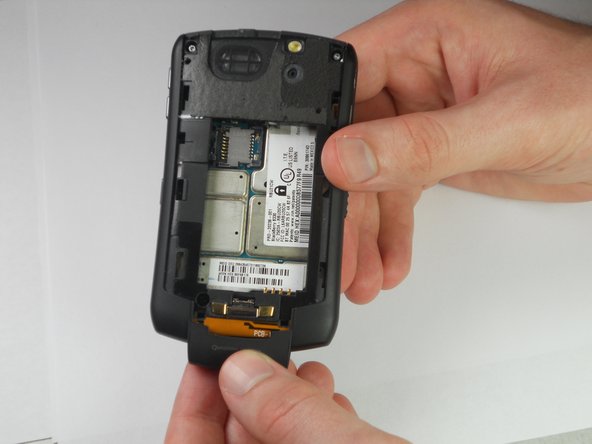
  2. Blackberry Curve 8330 Keyboard Replacement, Remove Battery: шаг 2, изображение 1 из 1
    • Put your finger on the top left corner of the battery and lift the battery up and out of its housing.

    • The phone should now look like this.

    Спросите у FixBot
  3. Blackberry Curve 8330 Keyboard Replacement, Keyboard: шаг 3, изображение 1 из 1
    • Remove the two top screws using a T5 Torx screwdriver.

    Спросите у FixBot
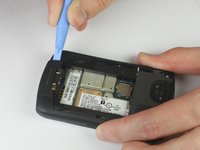
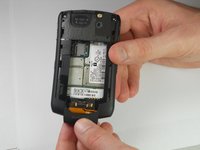
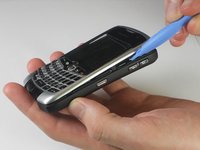
  4. Blackberry Curve 8330 Keyboard Replacement: шаг 4, изображение 1 из 2 Blackberry Curve 8330 Keyboard Replacement: шаг 4, изображение 2 из 2
    • Use a plastic opening tool to pry the edges of the bottom cover until it snaps loose.

    • The cover will now pull off easily.

    Спросите у FixBot
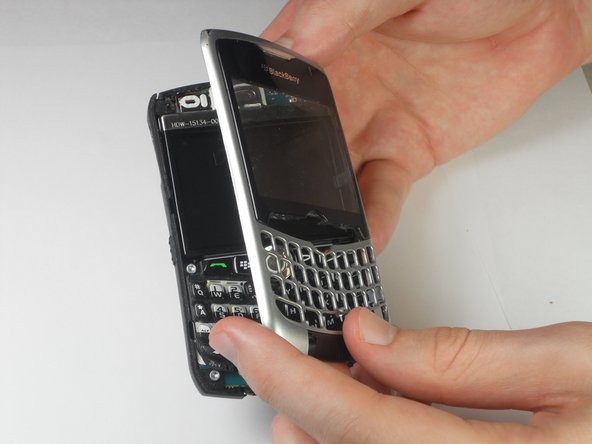
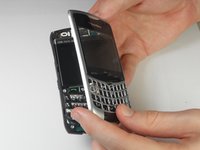
  5. Blackberry Curve 8330 Keyboard Replacement: шаг 5, изображение 1 из 2 Blackberry Curve 8330 Keyboard Replacement: шаг 5, изображение 2 из 2
    • Use a plastic opening tool to pry between the front and back cover.

    • Start prying from wherever it is easiest to separate the silver and black plastic of the covers.

    • There are 5 securing clips on the front panel to disconnect.

    • Pry gently to prevent breaking the plastic clips when removing the front panel.

    • Once all the clips have been freed, the front cover will lift away from the phone.

    Спросите у FixBot
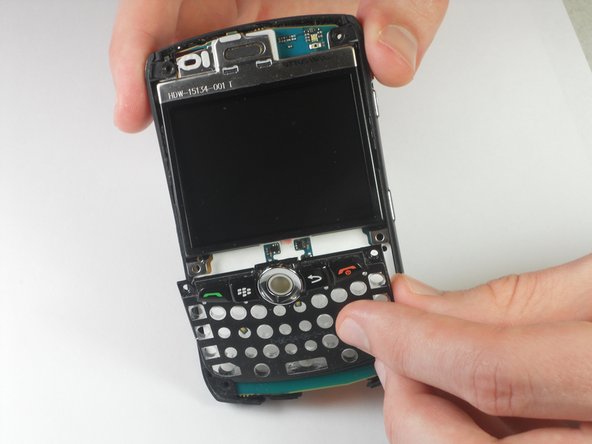
  6. Blackberry Curve 8330 Keyboard Replacement: шаг 6, изображение 1 из 1
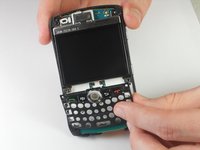
    • Lift the flexible keypad away from the device. It should come off easily.

    Спросите у FixBot
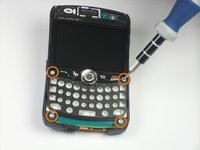
  7. Blackberry Curve 8330 Keyboard Replacement: шаг 7, изображение 1 из 2 Blackberry Curve 8330 Keyboard Replacement: шаг 7, изображение 2 из 2
    • Use a T6 Torx Screwdriver to remove the four corner screws on the keyboard's housing.

    • Lift the keyboard frame away from the device.

    • There may be a small amount of adhesive at the bottom of the frame that needs to be pulled away.

    Спросите у FixBot
Заключение

To reassemble your device, follow these instructions in reverse order.

Еще один человек закончил это руководство.

Nolan Reker

Участник с: 04/04/12

30 Репутация

1 руководство автора

Команда

Cal Poly, Team 14-11, Forte Spring 2012 Участник Cal Poly, Team 14-11, Forte Spring 2012

CPSU-FORTE-S12S14G11

5 членов

Автор 5 руководств

0 Комментарии к руководству

Добавить комментарий

Статистика просмотров:

За последние 24 часов: 1

За последние 7 дней: 6

За последние 30 дней: 55

За всё время: 2,120