Перейти к основному содержанию
Присоединяйся к сообществу ремонтников - Создай аккаунт

Blackberry Torch 9810 Cursor Key Replacement

Выберете то, что вам нужно

    1. Blackberry Torch 9810 Cursor Key Replacement, Phone cover: шаг 1, изображение 1 из 2 Blackberry Torch 9810 Cursor Key Replacement, Phone cover: шаг 1, изображение 2 из 2
      • Remove the back cover of the phone

      Спросите у FixBot
      Добавить комментарий

    2. Blackberry Torch 9810 Cursor Key Replacement, Battery: шаг 2, изображение 1 из 1
      • Remove the battery

      Спросите у FixBot
      Добавить комментарий

    3. Blackberry Torch 9810 Cursor Key Replacement, Remove screws: шаг 3, изображение 1 из 1
      • Unscrew the four screws using the T6 screw driver.

      • If you remove the screw in red, you void the warranty!

      Спросите у FixBot
      Добавить комментарий

    4. Blackberry Torch 9810 Cursor Key Replacement, Wiggle Wiggle: шаг 4, изображение 1 из 2 Blackberry Torch 9810 Cursor Key Replacement, Wiggle Wiggle: шаг 4, изображение 2 из 2
      • Slide the screen up.

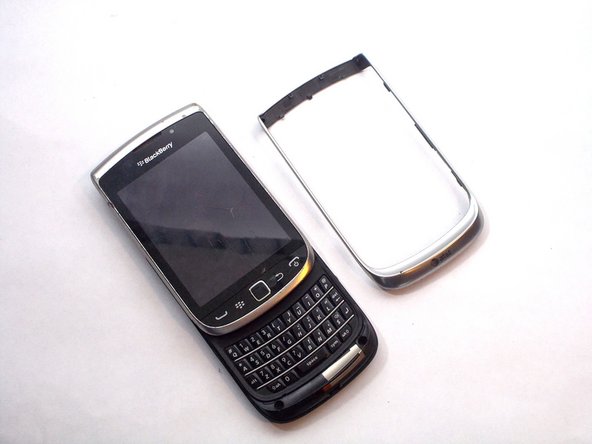
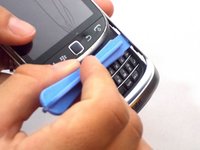
      • Remove front silver trim by using a plastic opening tools and wiggle it off.

      • This is difficult to remove, but it should come off if you do it with caution.

      Спросите у FixBot
      Добавить комментарий

    5. Blackberry Torch 9810 Cursor Key Replacement, More screws that need to go: шаг 5, изображение 1 из 1
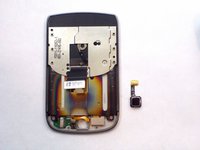
      • Once you remove the rim cover, you should find two more screws on the top. Unscrew them with a T-6 screw driver.

      Спросите у FixBot
      Добавить комментарий

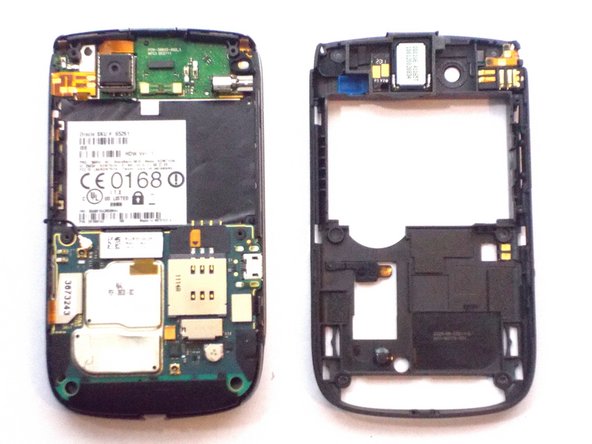
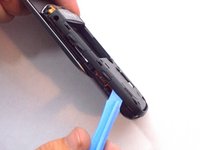
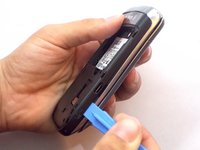
    6. Blackberry Torch 9810 Cursor Key Replacement, Remove the Back: шаг 6, изображение 1 из 3 Blackberry Torch 9810 Cursor Key Replacement, Remove the Back: шаг 6, изображение 2 из 3 Blackberry Torch 9810 Cursor Key Replacement, Remove the Back: шаг 6, изображение 3 из 3
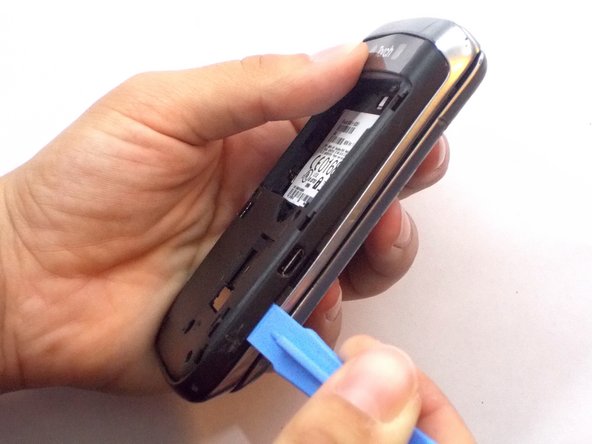
      • Use the plastic opening tools to remove the entire back off the phone.

      Спросите у FixBot

      Добавить комментарий

    7. Blackberry Torch 9810 Cursor Key Replacement, Remove Ribbon Cables: шаг 7, изображение 1 из 1
      • Remove the three ribbon cables and the antenna wire by hand.

      • The cable in red is glued to the metal cap. Peel it upwards towards the battery compartment.

      Спросите у FixBot

      Добавить комментарий

    8. Blackberry Torch 9810 Cursor Key Replacement, Remove Logic Board: шаг 8, изображение 1 из 1
      • The logic board will easily pull straight out.

      Спросите у FixBot

      Добавить комментарий

    9. Blackberry Torch 9810 Cursor Key Replacement, Remove Informational Sticker: шаг 9, изображение 1 из 1
      • Remove the black sticker located above the logic board that contains the phone's serial number

      Спросите у FixBot

      Добавить комментарий

    10. Blackberry Torch 9810 Cursor Key Replacement, Remove More Screws: шаг 10, изображение 1 из 1
      • Behind the black sticker you should find six small yellow screws. Remove them with a T4 torx screwdriver.

      Спросите у FixBot

      Добавить комментарий

    11. Blackberry Torch 9810 Cursor Key Replacement, Separate the phone: шаг 11, изображение 1 из 1
      • Carefully separate the screen from the body.

      • Make sure to be extra careful with the ribbon!

      Спросите у FixBot

      Добавить комментарий

    12. Blackberry Torch 9810 Cursor Key Replacement: шаг 12, изображение 1 из 1
      • Slide the silver plate up and you should find four more screws that need to be removed. Use a T-4 screw driver.

      • They are on a black cover located on the bottom of the phone. The black cover will come off

      Спросите у FixBot

      Добавить комментарий

    13. Blackberry Torch 9810 Cursor Key Replacement, Carefully Remove a Ribbion: шаг 13, изображение 1 из 1
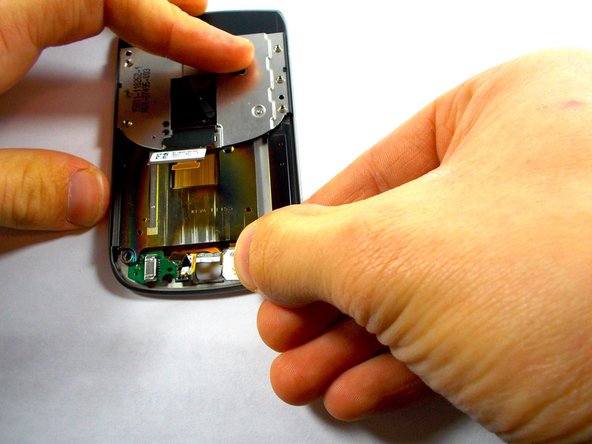
      • There is one last orange ribbon cable that needs to be pulled and behind it is the cursor

      Спросите у FixBot

      Добавить комментарий

    14. Blackberry Torch 9810 Cursor Key Replacement, Cursor Key: шаг 14, изображение 1 из 3 Blackberry Torch 9810 Cursor Key Replacement, Cursor Key: шаг 14, изображение 2 из 3 Blackberry Torch 9810 Cursor Key Replacement, Cursor Key: шаг 14, изображение 3 из 3
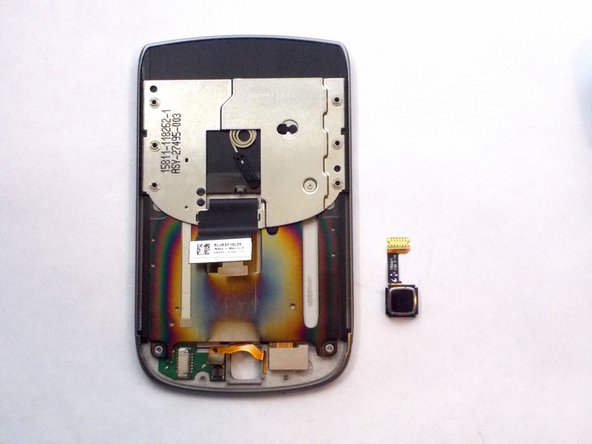
      • Push the cursor upwards and out of the socket.

      • Gently pull out the white box by pulling straight out of the socket to the right. This is your cursor

      Спросите у FixBot

      Добавить комментарий

Заключение

To reassemble your device, follow these instructions in reverse order.

Отменить: Я не выполнил это руководство.

2 человек успешно провели ремонт по этому руководству.

Jocelyn Adorno

Участник с: 10/16/14

314 Репутация

Автор 4 руководств

Команда

UMass Dartmouth, Team 6-6, Vijaybhaskar Fall 2014 Участник UMass Dartmouth, Team 6-6, Vijaybhaskar Fall 2014

UMASSD-VIJAYBHASKAR-F14S6G6

3 членов

Автор 36 руководств

0 Комментарии к руководству

Добавить комментарий

Статистика просмотров:

За последние 24 часов: 0

За последние 7 дней: 7

За последние 30 дней: 23

За всё время: 1,810