Введение
For this guide, an almost complete breakdown of the device will be required. This includes removal of the outer casing and the circuit-board, as well as a bit of soldering.
Выберете то, что вам нужно
-
-
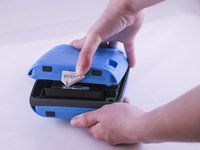
Using a metal spudger, carefully pry up the plastic covers.
 Спросите у FixBot
-
-
-
Remove the four 1.8 cm-long T15 Torx Security screws from the outer case.
-
-
-
-
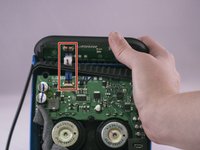
Lift up the retaining flap on the button cable ZIF connector.
-
Pull the button cable straight out of the connector.
-
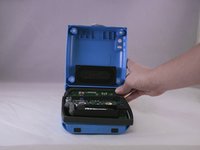
Remove the inner assembly.
-
-
-
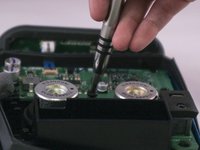
Using the Phillips head screwdriver, unscrew the four 1.3 cm screws holding the speaker that will be replaced.
-
-
-
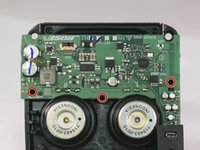
Using the Phillips head screwdriver, unscrew the three 1.2 cm screws.
-
-
-
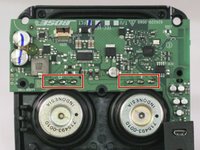
Desolder each the three pins connecting the speaker to the motherboard.
-
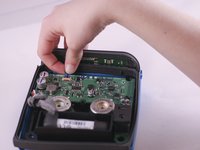
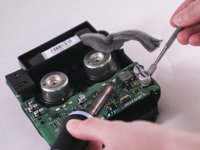
Carefully lift the motherboard with a spudger to ensure that each pin desolders.
-









To reassemble your device, follow these instructions in reverse order.
Отменить: Я не выполнил это руководство.
21 человек успешно провели ремонт по этому руководству.

Команда

Eastern Washington University, Team 1-4, Giguere Spring 2016 Участник Eastern Washington University, Team 1-4, Giguere Spring 2016
EWU-GIGUERE-S16S1G4
5 членов
Автор 15 руководств
13 Комментарии к руководству
Thanks for this tear down. Never thought that it looks like this on the inside. My battery is kind off aging, bought the unit 7 months ago. Local Bose dealer said battery cost half of this speaker. I hope there is a cheaper alternative.
You can unsolder the battery and replace with a standard unprotected 18650 cell it literally costs 7$ for a high quality sony or panasonic or samsung cell. The protection and charging circuit is included in the speaker motherboard just make sure you resolder with the proper polarity.
Como ago para traducir cada
Speaker looks like a 18650 lithium ion- from the pictures here.
Does anybody know where one could order a spare speaker for this device?
