Перейти к основному содержанию
Присоединяйся к сообществу ремонтников - Создай аккаунт

Brother PT-210 Battery Replacement

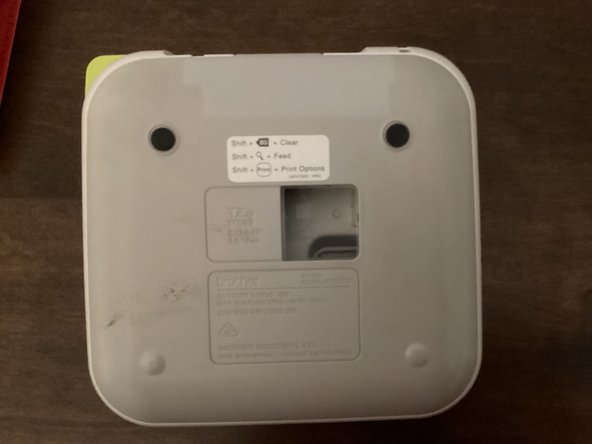
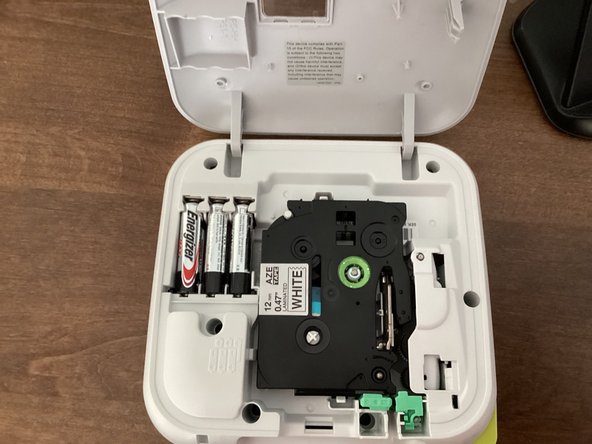
  1. Brother PT-210 Battery Replacement, Back Cover: шаг 1, изображение 1 из 3 Brother PT-210 Battery Replacement, Back Cover: шаг 1, изображение 2 из 3 Brother PT-210 Battery Replacement, Back Cover: шаг 1, изображение 3 из 3
    • Use the tab to open the back cover of your machine.

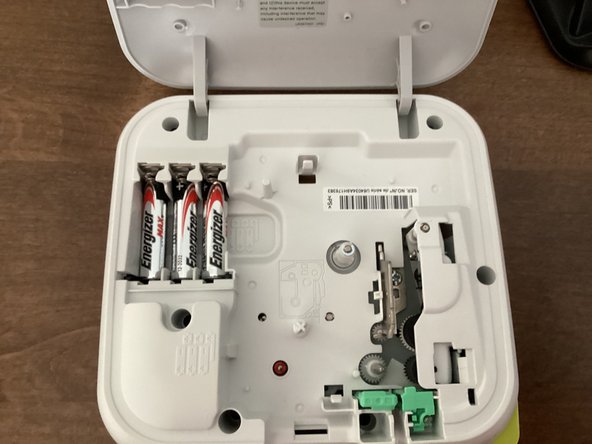
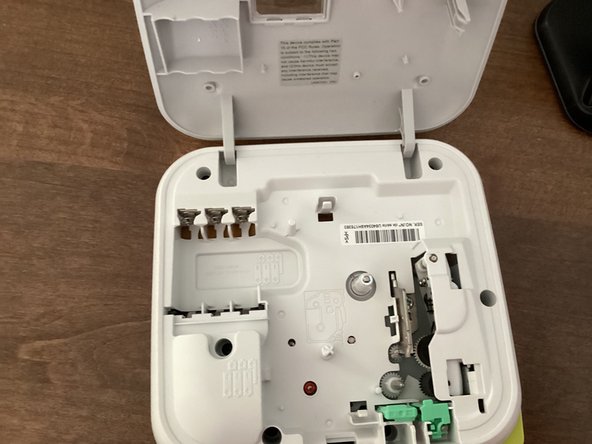
  2. Brother PT-210 Battery Replacement, Batteries: шаг 2, изображение 1 из 3 Brother PT-210 Battery Replacement, Batteries: шаг 2, изображение 2 из 3 Brother PT-210 Battery Replacement, Batteries: шаг 2, изображение 3 из 3
    • Remove all 6 batteries from your machine.

    • When you put the batteries back in, keep in mind that the polarity of them matter. Your machine won't work if the polarities of the batteries are messed up.

    • Do not mix new and old batteries!

    • It might be helpful to take the tape out of your machine. This guide shows you how to.

Заключение

To reassemble your device, follow these instructions in reverse order.

TheMasterG

Участник с: 07/19/24

1 406 Репутация

Автор 12 руководств

0 Комментарии к руководству

Добавить комментарий

Статистика просмотров:

За последние 24 часов: 0

За последние 7 дней: 3

За последние 30 дней: 14

За всё время: 257