Перейти к основному содержанию
Присоединяйся к сообществу ремонтников - Создай аккаунт

Canon PowerShot A540 LCD Screen Replacement

Выберете то, что вам нужно

    1. Canon PowerShot A540 LCD Screen Replacement, Back Cover: шаг 1, изображение 1 из 2 Canon PowerShot A540 LCD Screen Replacement, Back Cover: шаг 1, изображение 2 из 2
      • Turn off the camera.

      • Turn the camera upside-down and press the tab to release the battery cover. Remove the batteries.

      Спросите у FixBot

      Добавить комментарий

    2. Canon PowerShot A540 LCD Screen Replacement: шаг 2, изображение 1 из 1
      • Turn the camera upside down to view the "Card/Batt. Open" Cover.

      • Use a Phillips head #000 screwdriver to remove the three (3) 4.0 mm screws.

      Спросите у FixBot

      Добавить комментарий

    3. Canon PowerShot A540 LCD Screen Replacement: шаг 3, изображение 1 из 1
      • Open "Card/Batt. Open" Cover.

      • Remove the one (1) 5.0 mm screw with the Phillips head #000 screwdriver.

      Спросите у FixBot

      Добавить комментарий

    4. Canon PowerShot A540 LCD Screen Replacement: шаг 4, изображение 1 из 1
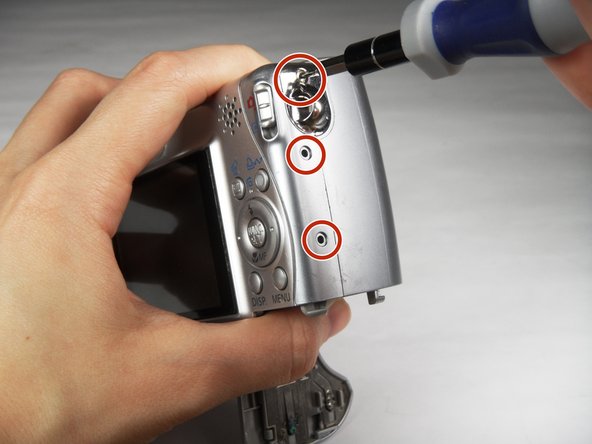
      • Turn the camera to the right side of the LCD screen.

      • Remove the three (3) 4.0 mm screws with the Phillips head #000 screwdriver.

      Спросите у FixBot

      Добавить комментарий

    5. Canon PowerShot A540 LCD Screen Replacement: шаг 5, изображение 1 из 3 Canon PowerShot A540 LCD Screen Replacement: шаг 5, изображение 2 из 3 Canon PowerShot A540 LCD Screen Replacement: шаг 5, изображение 3 из 3
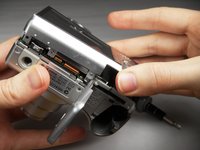
      • Gently remove the back cover.

      • Start at the bottom at the corner of the "Card/Batt. Open" Cover.

      • Then move onto the other edges and the top.

      • It may be tight at the top!

      Спросите у FixBot

      Добавить комментарий

    1. Canon PowerShot A540 LCD Screen Replacement, LCD Screen: шаг 6, изображение 1 из 2 Canon PowerShot A540 LCD Screen Replacement, LCD Screen: шаг 6, изображение 2 из 2
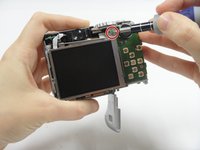
      • Turn the camera to view the back.

      • Remove the one (1) 3.0 mm screw on the top right corner of the screen.

      • There is a small metal bar that rests on this frame. Keep it with the screws that have been removed from the camera.

      Спросите у FixBot

      Добавить комментарий

    2. Canon PowerShot A540 LCD Screen Replacement: шаг 7, изображение 1 из 2 Canon PowerShot A540 LCD Screen Replacement: шаг 7, изображение 2 из 2
      Инструмент, используемый на этом этапе:
      Tweezers
      $4.99
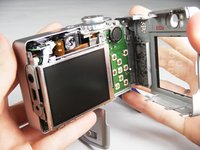
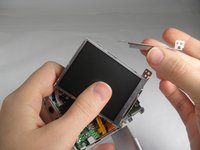
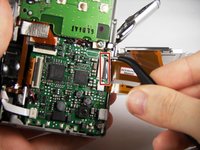
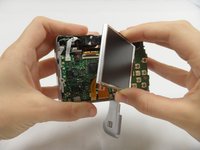
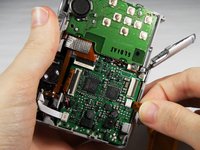
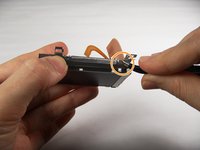
      • Lift the LCD Screen off of the back to view the attached ribbon cables.

      • Use tweezers to flip the black bar up.

      Спросите у FixBot

      Добавить комментарий

    3. Canon PowerShot A540 LCD Screen Replacement: шаг 8, изображение 1 из 3 Canon PowerShot A540 LCD Screen Replacement: шаг 8, изображение 2 из 3 Canon PowerShot A540 LCD Screen Replacement: шаг 8, изображение 3 из 3
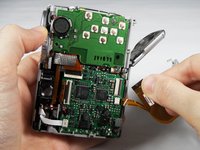
      • Gently pull the big ribbon out.

      • Gently pull the small ribbon out.

      • The small ribbon does not have a bar like the big ribbon.

      Спросите у FixBot

      Добавить комментарий

    4. Canon PowerShot A540 LCD Screen Replacement: шаг 9, изображение 1 из 2 Canon PowerShot A540 LCD Screen Replacement: шаг 9, изображение 2 из 2
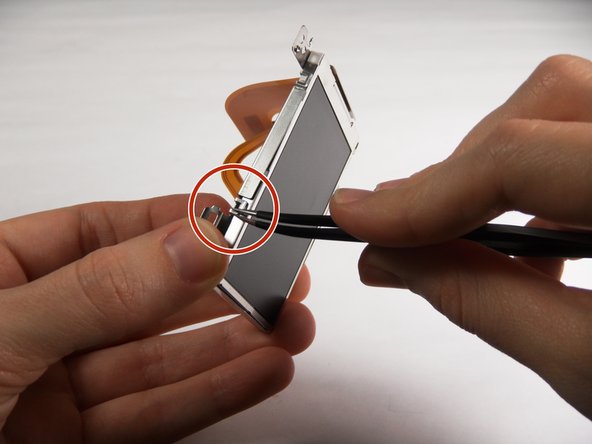
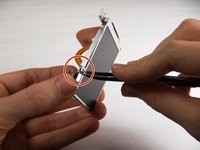
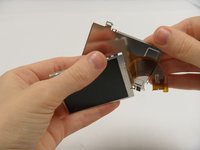
      • Use tweezers at the top left of the LCD Screen to wedge the top left of the Outer Frame loose.

      • Use your thumb to hold the Outer Frame open.

      • Use the tweezers at the top right of the LCD Screen to wedge the top right of the Outer Frame loose.

      Спросите у FixBot

      Добавить комментарий

    5. Canon PowerShot A540 LCD Screen Replacement: шаг 10, изображение 1 из 2 Canon PowerShot A540 LCD Screen Replacement: шаг 10, изображение 2 из 2
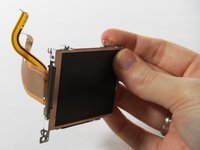
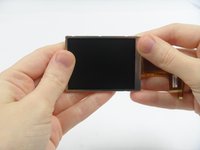
      • Slide the LCD Screen out from the Outer Frame.

      Спросите у FixBot

      Добавить комментарий

Заключение

To reassemble your device, follow these instructions in reverse order.

Отменить: Я не выполнил это руководство.

2 человек успешно провели ремонт по этому руководству.

Carley Fuller

Участник с: 03/23/15

434 Репутация

Автор 3 руководств

Команда

Baylor, Team 7-12, Williams Spring 2015 Участник Baylor, Team 7-12, Williams Spring 2015

BU-WILLIAMS-S15S7G12

3 членов

Автор 20 руководств

1 Комментарий к руководству

I wish to purchase a new screen. Where? I feel capable of repair per these instructions and a u tube video.

Geo Schou - Ответить Поделиться

Добавить комментарий

Статистика просмотров:

За последние 24 часов: 0

За последние 7 дней: 7

За последние 30 дней: 32

За всё время: 1,566