Перейти к основному содержанию
Присоединяйся к сообществу ремонтников - Создай аккаунт

Canon PowerShot A550 LCD Screen Replacement

Выберете то, что вам нужно

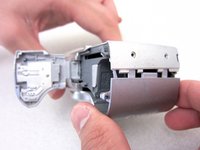
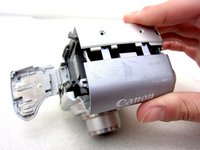
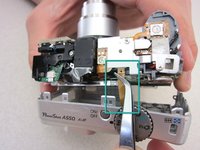
    1. Canon PowerShot A550 LCD Screen Replacement, Front and Back Covers: шаг 1, изображение 1 из 3 Canon PowerShot A550 LCD Screen Replacement, Front and Back Covers: шаг 1, изображение 2 из 3 Canon PowerShot A550 LCD Screen Replacement, Front and Back Covers: шаг 1, изображение 3 из 3
      • Unscrew a total of 6 4.45 mm phillips head screws using a #00 phillips head screwdriver.

      • There are 2 screws on the left side (when looking at the front of the camera).

      • There are 3 screws on the bottom

      • There is 1 screw on the right side

      Спросите у FixBot

      Добавить комментарий

    2. Canon PowerShot A550 LCD Screen Replacement: шаг 2, изображение 1 из 1
      • Turn to the bottom of the camera.

      • Open the memory card cover by sliding the "CARD/BATT." button up, and then pulling the cover to the left.

      Спросите у FixBot

      Добавить комментарий

    3. Canon PowerShot A550 LCD Screen Replacement: шаг 3, изображение 1 из 1
      • This is what the SD card/battery compartment looks like when opened.

      • Remove one 4.45mm phillips head screw from the SD card/battery compartment using a #00 phillips head screwdriver.

      Спросите у FixBot

      Добавить комментарий

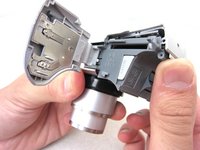
    4. Canon PowerShot A550 LCD Screen Replacement: шаг 4, изображение 1 из 2 Canon PowerShot A550 LCD Screen Replacement: шаг 4, изображение 2 из 2
      • Gently remove the front cover away from the camera body.

      • Tip: Start by loosening the teeth on the left side of the camera next to the battery compartment.

      Спросите у FixBot

      Добавить комментарий

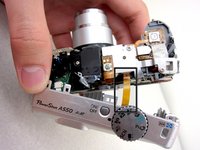
    5. Canon PowerShot A550 LCD Screen Replacement: шаг 5, изображение 1 из 1
      • The camera should look like this once the front cover is removed.

      Спросите у FixBot

      Добавить комментарий

    6. Canon PowerShot A550 LCD Screen Replacement: шаг 6, изображение 1 из 3 Canon PowerShot A550 LCD Screen Replacement: шаг 6, изображение 2 из 3 Canon PowerShot A550 LCD Screen Replacement: шаг 6, изображение 3 из 3
      Инструмент, используемый на этом этапе:
      Tweezers
      $4.99
      • Start from the battery compartment and remove the back cover.

      • Caution: Do not tug on the back cover after it is removed. This could tear the ribbon attaching the back cover to the camera body.

      • Remove the connecting ribbon from the body of the camera using a pair of tweezers.

      Спросите у FixBot

      Добавить комментарий

    7. Canon PowerShot A550 LCD Screen Replacement: шаг 7, изображение 1 из 1
      • Once the ribbon connecting the back cover is removed, the back of the camera body should look like this.

      Спросите у FixBot

      Добавить комментарий

    1. Canon PowerShot A550 LCD Screen Replacement, LCD Screen: шаг 8, изображение 1 из 1
      • Use a #00 phillips head screwdriver to remove 2 3.34mm phillips screws holding the LCD screen in place.

      Спросите у FixBot

      Добавить комментарий

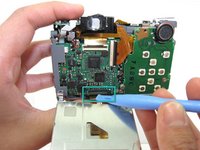
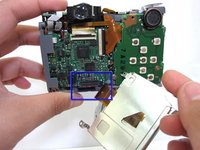
    2. Canon PowerShot A550 LCD Screen Replacement: шаг 9, изображение 1 из 2 Canon PowerShot A550 LCD Screen Replacement: шаг 9, изображение 2 из 2
      • Use an iPod Opening Tool to lift the brown portion of the connector to unlock it.

      • Slide the data cable out of the connector.

      • Caution: Do not force the data cable out of the connector. It may rip!

      Спросите у FixBot

      Добавить комментарий

    3. Canon PowerShot A550 LCD Screen Replacement: шаг 10, изображение 1 из 1
      • The LCD screen can now be be removed to be fixed/replaced.

      Спросите у FixBot

      Добавить комментарий

Заключение

To reassemble your device, follow these instructions in reverse order.

Отменить: Я не выполнил это руководство.

3 человек успешно провели ремонт по этому руководству.

Precilla Tang

Участник с: 04/19/11

207 Репутация

Автор 2 руководств

Команда

Cal Poly, Team 8-6, Regan Spring 2011 Участник Cal Poly, Team 8-6, Regan Spring 2011

CPSU-REGAN-S11S8G6

4 членов

Автор 22 руководств

0 Комментарии к руководству

Добавить комментарий

Статистика просмотров:

За последние 24 часов: 4

За последние 7 дней: 20

За последние 30 дней: 51

За всё время: 4,236