Этот перевод был сделан машиной и пока не проверен человеком. Говорите на этом языке? Просмотрите его.
Выберете то, что вам нужно
-
-
-
Открутите три винта в нижней части камеры с помощью крестовой отвертки Phillips размера 00.
 Спросите у FixBot
-
-
-
Откройте крышку порта HDMI на правой стороне камеры. Затем выкрутите винт, находящийся внутри порта HDMI.
-
-
-
Открутите винт, расположенный справа от видоискателя на задней стороне камеры.
-
-
-
-
-
-
Снимите пластиковую накладку с левой стороны внутренней части заднего корпуса.
-
-
-
Открутите четыре винта, которые стали доступны после снятия закрывающей их пластиковой крышки.
-
-
-
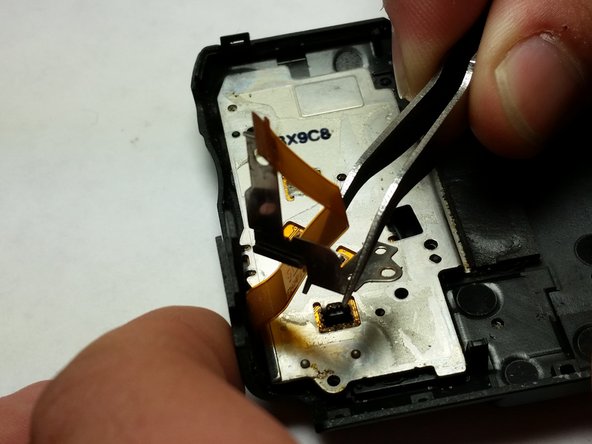
После того как винты будут выкручены, извлеките металлическую скобу из камеры.
-
-




Для обратной сборки устройства выполните эти инструкции в обратном порядке.
Отменить: Я не выполнил это руководство.
3 человек успешно провели ремонт по этому руководству.

Команда

USF Tampa, Team 5-6, Brown Winter 2015 Участник USF Tampa, Team 5-6, Brown Winter 2015
USFT-BROWN-W15S5G6
3 членов
Автор 44 руководств
