Перейти к основному содержанию
Присоединяйся к сообществу ремонтников - Создай аккаунт

Casio Exilim EX Z55 LCD Screen Replacement

Выберете то, что вам нужно

  1. Casio Exilim EX Z55 LCD Screen Replacement, Front Case: шаг 1, изображение 1 из 3 Casio Exilim EX Z55 LCD Screen Replacement, Front Case: шаг 1, изображение 2 из 3 Casio Exilim EX Z55 LCD Screen Replacement, Front Case: шаг 1, изображение 3 из 3
    • Remove eight 1.8 mm screws from the left and right sides of the camera using a Phillips #00 screwdriver

    Спросите у FixBot

    Добавить комментарий

  2. Casio Exilim EX Z55 LCD Screen Replacement: шаг 2, изображение 1 из 1
    • Remove the four 3.7 mm screws from the bottom of the camera using a Phillips #00 screwdriver.

    Спросите у FixBot

    Добавить комментарий

  3. Casio Exilim EX Z55 LCD Screen Replacement: шаг 3, изображение 1 из 1
    • Separate the front case from the body of the camera.

    Спросите у FixBot

    Добавить комментарий

  4. Casio Exilim EX Z55 LCD Screen Replacement, Back Case: шаг 4, изображение 1 из 1
    • Separate the back case from the body of the camera.

    Спросите у FixBot

    Добавить комментарий

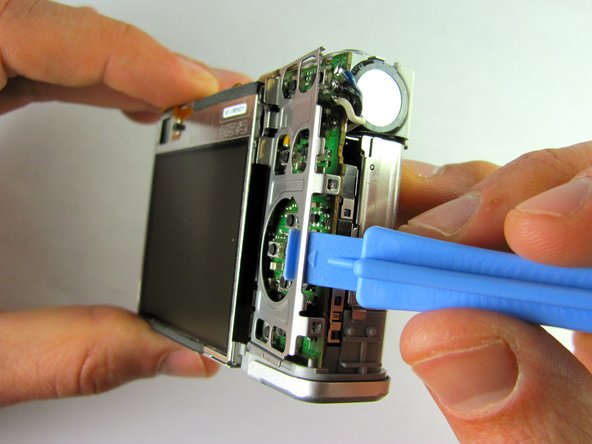
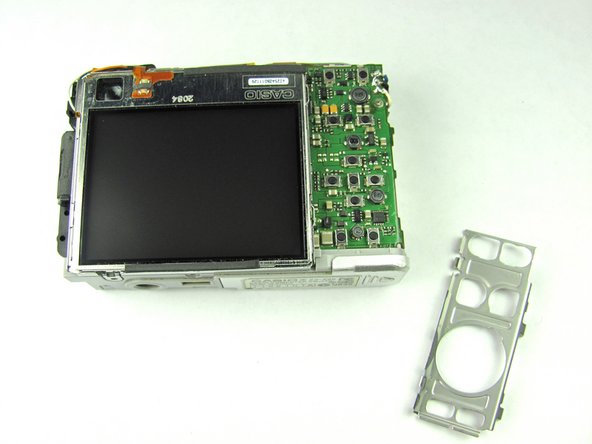
  5. Casio Exilim EX Z55 LCD Screen Replacement, LCD Screen: шаг 5, изображение 1 из 3 Casio Exilim EX Z55 LCD Screen Replacement, LCD Screen: шаг 5, изображение 2 из 3 Casio Exilim EX Z55 LCD Screen Replacement, LCD Screen: шаг 5, изображение 3 из 3
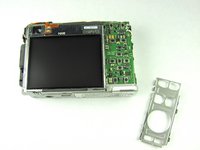
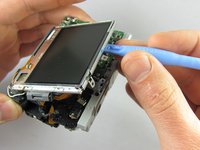
    • Remove the metal grating located to the right of the LCD screen by inserting the plastic opening tool under the grating and pulling up.

    Спросите у FixBot

    Добавить комментарий

  6. Casio Exilim EX Z55 LCD Screen Replacement: шаг 6, изображение 1 из 1
    • Before removing the side metal bracket, first remove the attached strap knob by twisting it off.

    • Then, remove the side metal bracket by inserting the plastic opening tool under the bracket and pulling up.

    Спросите у FixBot

    Добавить комментарий

  7. Casio Exilim EX Z55 LCD Screen Replacement: шаг 7, изображение 1 из 1
    • Using the plastic opening tool, pry up the LCD screen starting at one of the corners. Insert the tool under one of the corners and lift up.

    Спросите у FixBot

    Добавить комментарий

  8. Casio Exilim EX Z55 LCD Screen Replacement: шаг 8, изображение 1 из 2 Casio Exilim EX Z55 LCD Screen Replacement: шаг 8, изображение 2 из 2
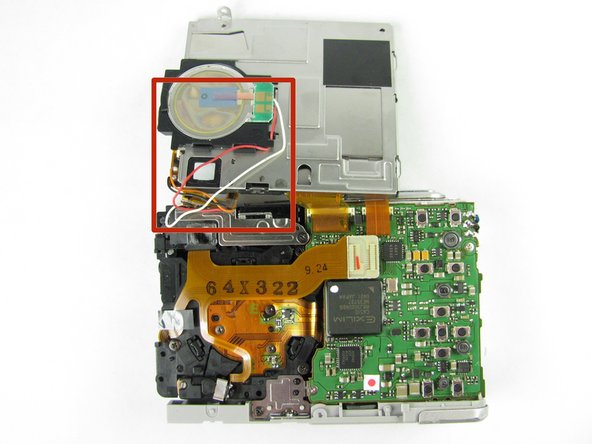
    • Continue to lift the LCD screen all the way up.

    • Be careful not to rip any wires connecting the LCD screen to the top of the camera.

    Спросите у FixBot

    Добавить комментарий

Заключение

To reassemble your device, follow these instructions in reverse order.

Отменить: Я не выполнил это руководство.

Laura

Участник с: 04/19/12

46 Репутация

Автор 2 руководств

Команда

Cal Poly, Team 9-45, Regan Spring 2012 Участник Cal Poly, Team 9-45, Regan Spring 2012

CPSU-REGAN-S12S9G45

7 членов

Автор 14 руководств

0 Комментарии к руководству

Добавить комментарий

Статистика просмотров:

За последние 24 часов: 2

За последние 7 дней: 8

За последние 30 дней: 41

За всё время: 2,537