Выберете то, что вам нужно
-
-
-
Locate the battery and the battery tabs on the bottom of the Compaq Mini.
 Спросите у FixBot
-
-
-
Push both tabs inward simultaneously and slide the battery out.
-
-
-
-
-
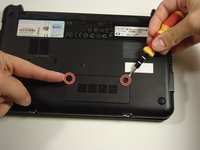
Use a Philips #0 screwdriver to unscrew the two screws covering the memory compartment on the bottom of the laptop and remove the cover.
-
-
-
Push out the side tabs simultaneously and pull out the old RAM module.
-
-
-
-
-
-
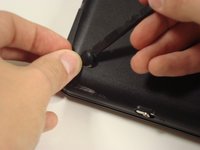
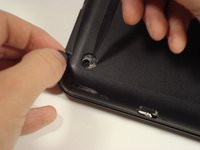
Remove the rubber pads located on the corners of your Compaq Mini.
-
-
-
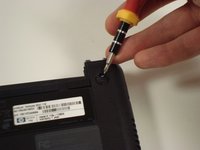
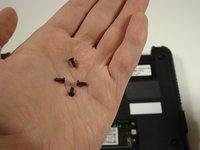
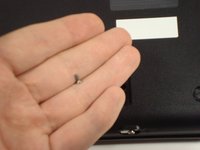
Unscrew all the corner screws. There are four total, one under each rubber pad.
-
-
-
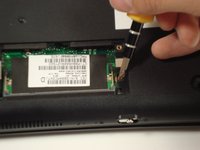
Unscrew the screw for the bottom case located in the RAM compartment.
-
-
-
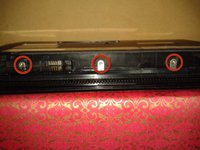
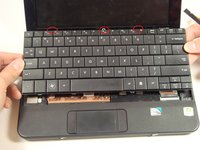
Remove the three screws in the silver tabs at the back of the keyboard.
-
Lift the keyboard away from the laptop.
-
-
-
-
-
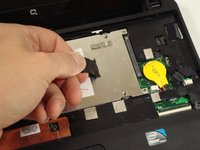
Remove the three screws holding the panel in place.
-
-












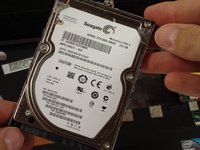
To reassemble your device, follow these instructions in reverse order.
Отменить: Я не выполнил это руководство.
16 человек успешно провели ремонт по этому руководству.

Команда

Cal Poly, Team 22-2, Maness Fall 2010 Участник Cal Poly, Team 22-2, Maness Fall 2010
CPSU-MANESS-F10S22G2
6 членов
Автор 167 руководств
2 Комментарии к руководству
still cannot remove back of my compacq mini. i have taken all screws out as told but back refuses to part.
still cannot remove back of my compact after removing all screws. are ther any more hidden clips ? mike
