Перейти к основному содержанию
Присоединяйся к сообществу ремонтников - Создай аккаунт

Creative Ziio 7" Battery Replacement

Выберете то, что вам нужно

  1. Creative Ziio 7" Battery Replacement, Back Panel: шаг 1, изображение 1 из 3 Creative Ziio 7" Battery Replacement, Back Panel: шаг 1, изображение 2 из 3 Creative Ziio 7" Battery Replacement, Back Panel: шаг 1, изображение 3 из 3
    • Remove the back panel by using the plastic opening tool to carefully pry around the panel's edges.

    • The volume control button and the top power button may fall out during this step.

    Спросите у FixBot

    Добавить комментарий

  2. Creative Ziio 7" Battery Replacement, Battery: шаг 2, изображение 1 из 3 Creative Ziio 7" Battery Replacement, Battery: шаг 2, изображение 2 из 3 Creative Ziio 7" Battery Replacement, Battery: шаг 2, изображение 3 из 3
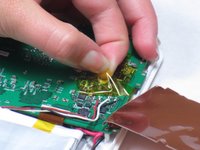
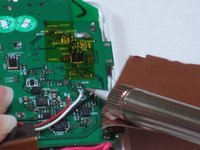
    • Remove the copper plate covering the motherboard by desoldering the ten solder points so that the copper plate is free.

    • The last point is hidden by the soldering iron.

    • Remove the copper plate once all the solder points are undone.

    Спросите у FixBot

    Добавить комментарий

  3. Creative Ziio 7" Battery Replacement: шаг 3, изображение 1 из 2 Creative Ziio 7" Battery Replacement: шаг 3, изображение 2 из 2
    • Remove adhesive tape covering the three wires connected to the motherboard.

    • Desolder the solder points connecting the wires to the mother board.

    Спросите у FixBot

    Добавить комментарий

  4. Creative Ziio 7" Battery Replacement: шаг 4, изображение 1 из 2 Creative Ziio 7" Battery Replacement: шаг 4, изображение 2 из 2
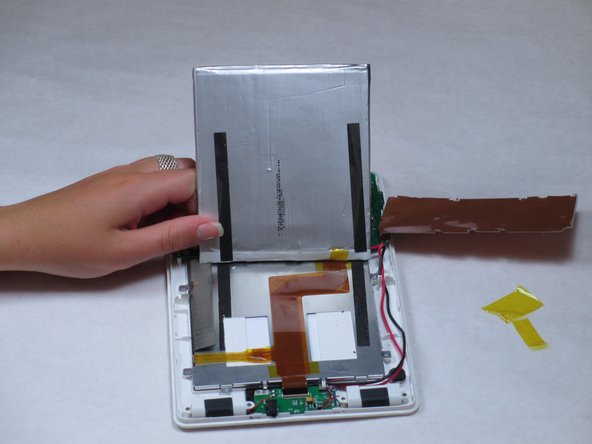
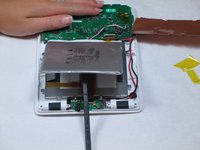
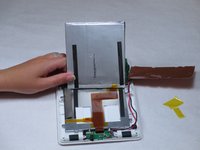
    • With a spudger, pry the battery from the back of the LCD screen.

    • The battery is attached with double sided foam tape. When prying, the tape will probably not come apart easy. This will result in the tape tearing and leaving residue.

    Спросите у FixBot

    Добавить комментарий

  5. Creative Ziio 7" Battery Replacement: шаг 5, изображение 1 из 1
    • Remove old battery and dispose of it responsibly.

    Спросите у FixBot

    Добавить комментарий

Заключение

To reassemble your device, follow these instructions in reverse order.

Отменить: Я не выполнил это руководство.

Еще один человек закончил это руководство.

Bryce Simmons

Участник с: 04/16/13

150 Репутация

Автор 2 руководств

Команда

Cal Poly, Team 14-10, Maness Spring 2013 Участник Cal Poly, Team 14-10, Maness Spring 2013

CPSU-MANESS-S13S14G10

4 членов

Автор 15 руководств

0 Комментарии к руководству

Добавить комментарий

Статистика просмотров:

За последние 24 часов: 0

За последние 7 дней: 1

За последние 30 дней: 28

За всё время: 1,254