Перейти к основному содержанию
Присоединяйся к сообществу ремонтников - Создай аккаунт

Creative Ziio 7" Left Speaker Replacement

Выберете то, что вам нужно

    1. Creative Ziio 7" Left Speaker Replacement, Back Panel: шаг 1, изображение 1 из 3 Creative Ziio 7" Left Speaker Replacement, Back Panel: шаг 1, изображение 2 из 3 Creative Ziio 7" Left Speaker Replacement, Back Panel: шаг 1, изображение 3 из 3
      • Remove the back panel by using the plastic opening tool to carefully pry around the panel's edges.

      • The volume control button and the top power button may fall out during this step.

      Спросите у FixBot

      Добавить комментарий

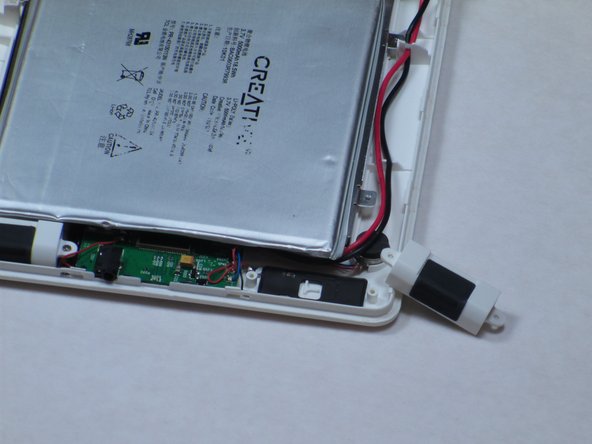
    1. Creative Ziio 7" Left Speaker Replacement, Left Speaker: шаг 2, изображение 1 из 1
      • The left speaker is directly below the battery and on the side with the main red and black wires.

      • Unscrew the two 4mm Philips #00 screws using a Philips Screwdriver.

      Спросите у FixBot

      Добавить комментарий

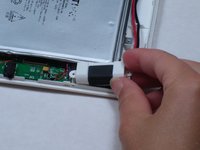
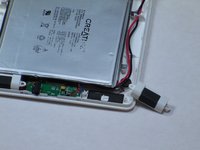
    2. Creative Ziio 7" Left Speaker Replacement: шаг 3, изображение 1 из 2 Creative Ziio 7" Left Speaker Replacement: шаг 3, изображение 2 из 2
      • Once the screws are removed, discard the broken speaker.

      • Replace the broken speaker with new left speaker.

      Спросите у FixBot

      Добавить комментарий

Заключение

To reassemble your device, follow these instructions in reverse order.

Отменить: Я не выполнил это руководство.

Еще один человек закончил это руководство.

Kyle

Участник с: 04/16/13

126 Репутация

Автор 2 руководств

Команда

Cal Poly, Team 14-10, Maness Spring 2013 Участник Cal Poly, Team 14-10, Maness Spring 2013

CPSU-MANESS-S13S14G10

4 членов

Автор 15 руководств

0 Комментарии к руководству

Добавить комментарий

Статистика просмотров:

За последние 24 часов: 3

За последние 7 дней: 6

За последние 30 дней: 24

За всё время: 608