Перейти к основному содержанию
Присоединяйся к сообществу ремонтников - Создай аккаунт

Dell Inspiron 600m Keyboard Replacement

Выберете то, что вам нужно

    1. Dell Inspiron 600m Keyboard Replacement, Battery: шаг 1, изображение 1 из 3 Dell Inspiron 600m Keyboard Replacement, Battery: шаг 1, изображение 2 из 3 Dell Inspiron 600m Keyboard Replacement, Battery: шаг 1, изображение 3 из 3
      • Flip laptop upside down and locate the battery as shown in the images.

      • Push in the tab on the battery and lift up. The battery should detach very easily.

      Спросите у FixBot

      Добавить комментарий

    1. Dell Inspiron 600m Keyboard Replacement, Keyboard: шаг 2, изображение 1 из 1
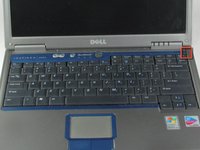
      • Orient laptop with the keyboard facing upward and the lid open.

      Спросите у FixBot

      Добавить комментарий

    2. Dell Inspiron 600m Keyboard Replacement: шаг 3, изображение 1 из 3 Dell Inspiron 600m Keyboard Replacement: шаг 3, изображение 2 из 3 Dell Inspiron 600m Keyboard Replacement: шаг 3, изображение 3 из 3
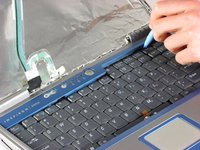
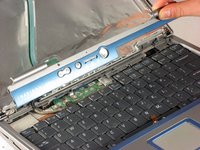
      • Caution the face plate is a fragile piece of plastic. Handle carefully.

      • Start in the upper right corner and work to the left when removing the face plate (includes power button and volume controls).

      • Use a flathead screwdriver (or anything flat and strong) to wedge underneath the face plate.

      • Carefully lift the screwdriver to remove the face plate.

      Спросите у FixBot

      Добавить комментарий

    3. Dell Inspiron 600m Keyboard Replacement: шаг 4, изображение 1 из 3 Dell Inspiron 600m Keyboard Replacement: шаг 4, изображение 2 из 3 Dell Inspiron 600m Keyboard Replacement: шаг 4, изображение 3 из 3
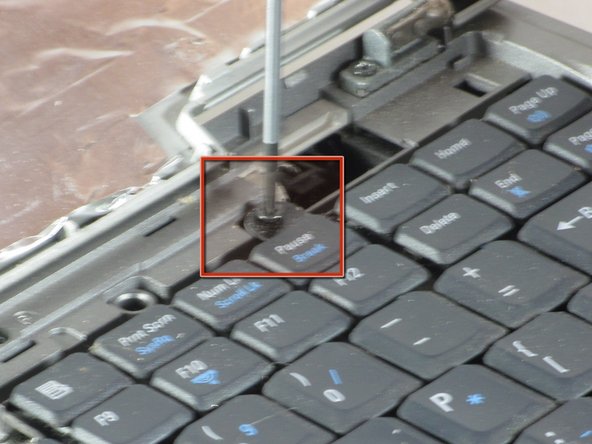
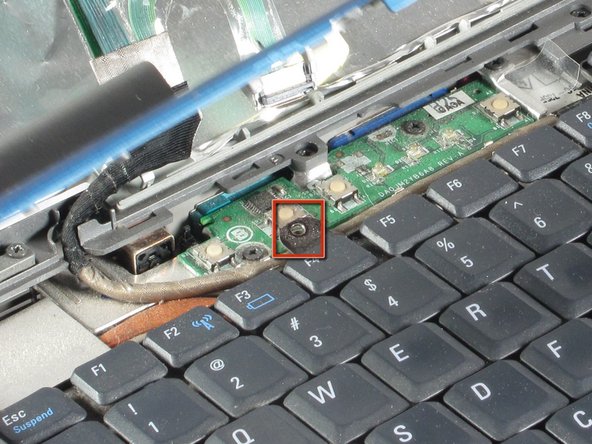
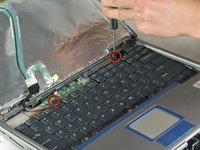
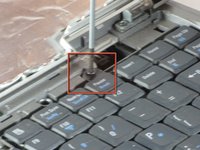
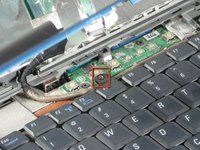
      • Use a the Phillips screwdriver to remove the two screws.

      Спросите у FixBot

      Добавить комментарий

    4. Dell Inspiron 600m Keyboard Replacement: шаг 5, изображение 1 из 1
      • Gently slide keyboard toward screen.

      • Lift keyboard carefully. It is attached by a ribbon cable.

      Спросите у FixBot

      Добавить комментарий

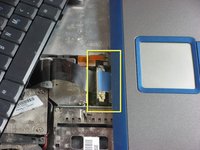
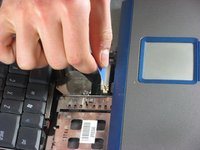
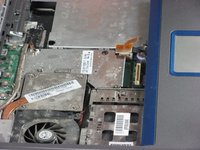
    5. Dell Inspiron 600m Keyboard Replacement: шаг 6, изображение 1 из 3 Dell Inspiron 600m Keyboard Replacement: шаг 6, изображение 2 из 3 Dell Inspiron 600m Keyboard Replacement: шаг 6, изображение 3 из 3
      • Pull upward on blue tab to disconnect keyboard.

      Спросите у FixBot

      Добавить комментарий

Заключение

To reassemble your device, follow these instructions in reverse order.

Отменить: Я не выполнил это руководство.

3 человек успешно провели ремонт по этому руководству.

Peter Hallsten

Участник с: 04/01/11

148 Репутация

1 руководство автора

Команда

Cal Poly, Team 10-40, Forte Spring 2011 Участник Cal Poly, Team 10-40, Forte Spring 2011

CPSU-FORTE-S11S10G40

5 членов

Автор 14 руководств

0 Комментарии к руководству

Добавить комментарий

Статистика просмотров:

За последние 24 часов: 1

За последние 7 дней: 7

За последние 30 дней: 27

За всё время: 3,895