Введение
The display module is an essential piece of the Dell Inspiron 8600. If it malfunctions or the screen breaks, its removal from the base may be needed for inspection or/and replacement purposes.
Follow this guide to remove the display module of your Dell Inspiron 8600.
Выберете то, что вам нужно
-
-
-
Remove the battery from the bottom left of the laptop as shown.
 Спросите у FixBot
-
-
-
-
-
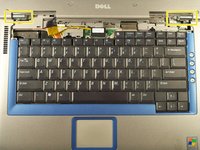
Insert a spudger into the notch at the far left side of the top blue panel and pry the hinge cover off.
-
You may need to pry the other side off as well. You can do this by inserting the spudger between the hinge and the top cover.
-
-
-
Pull the small black tab on the right hand side of the laptop.
-
You have now removed the hinge cover.
-
-
-
-
-
-
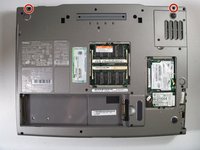
Flip the laptop over and remove the indicated screws.
-
Flip the laptop back over.
-
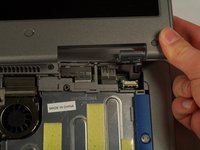
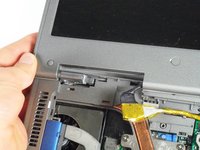
Find the two places where the display module is attached to the base of the computer.
-
-
-
Disconnect the video card from the display module by gently lifting upwards on the black tab.
-
-
-
Lift the display module directly upwards from the base of the computer.
-
-





To reassemble your device, follow these instructions in reverse order.
Отменить: Я не выполнил это руководство.
2 человек успешно провели ремонт по этому руководству.

Команда

Cal Poly, Team 18-22, Garner Spring 2011 Участник Cal Poly, Team 18-22, Garner Spring 2011
CPSU-GARNER-S11S18G22
4 членов
Автор 135 руководств
