Введение
If the keys on the keyboard of your Dell Latitude 3380 laptop are no longer responsive, it may be because the keyboard has been damaged and will need to be replaced.
Check to make sure you have shut down the device properly and have drained all power. Make sure you also have the correct tools and the replacement keyboard before starting.
Выберете то, что вам нужно
-
-
-
Turn the laptop over so that the back is facing up.
-
Remove the nine 3 mm screws with a Phillips #0 screwdriver.
 Спросите у FixBot
-
-
-
Use an opening tool to pry the back cover away from the laptop.
-
-
-
-
-
-
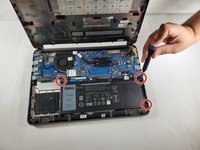
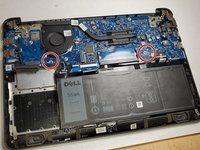
Remove the three 3 mm screws using a Phillips #0 screwdriver
-
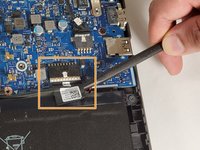
Disconnect the the cable connected to the battery using a spudger.
-
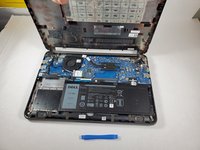
Lift up on the outer edges of the battery to remove it from the laptop.
-
-
-
-
-
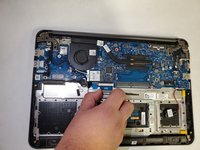
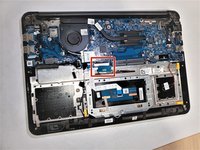
Disconnect the blue ribbon cable with the letters "MB" on it from the motherboard.
-
-
-
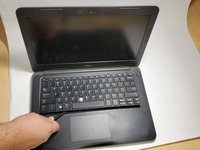
Flip the laptop over and open the lid.
-
Use a spudger to push the bezel of the keyboard towards the display.
-
On the back of laptop, you can use the two holes marked with "KB" to help pop out the keyboard by using the pointed edge of the spudger.
-
-
-
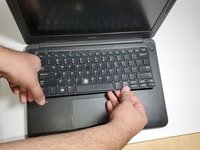
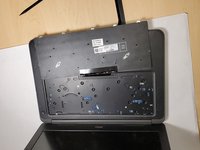
Once the keyboard is loose, pull the disconnected MB cable through the slot and remove the keyboard from the laptop.
-
-








To reassemble your device, follow these instructions in reverse order.
Отменить: Я не выполнил это руководство.
2 человек успешно провели ремонт по этому руководству.

Команда

Gateway, Team 1-3, Pee Fall 2021 Участник Gateway, Team 1-3, Pee Fall 2021
GCC-PEE-F21S1G3
3 членов
Автор 54 руководств
