Перейти к основному содержанию
Присоединяйся к сообществу ремонтников - Создай аккаунт

Disassembling Casio CZ-1000 Backplate

Выберете то, что вам нужно

    1. Disassembling Casio CZ-1000 Backplate, Backplate: шаг 1, изображение 1 из 2 Disassembling Casio CZ-1000 Backplate, Backplate: шаг 1, изображение 2 из 2
      • Use a Phillips #1 screwdriver to remove the eleven 7.5 mm screws securing the back plate.

      Спросите у FixBot

      Добавить комментарий

    2. Disassembling Casio CZ-1000 Backplate: шаг 2, изображение 1 из 3 Disassembling Casio CZ-1000 Backplate: шаг 2, изображение 2 из 3 Disassembling Casio CZ-1000 Backplate: шаг 2, изображение 3 из 3
      • Using a Phillips #1 screwdriver, remove all 14 5.5 mm screws from the two motherboards.

      • These screws secure the motherboards to the keyboard assembly and the dial on the right side.

      Спросите у FixBot

      Добавить комментарий

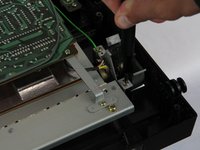
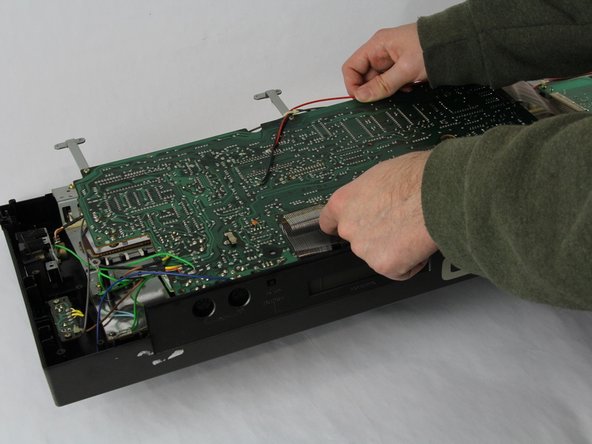
    3. Disassembling Casio CZ-1000 Backplate: шаг 3, изображение 1 из 3 Disassembling Casio CZ-1000 Backplate: шаг 3, изображение 2 из 3 Disassembling Casio CZ-1000 Backplate: шаг 3, изображение 3 из 3
      • Carefully cut the zip tie located in the right-hand corner using a pair of scissors or wire cutters.

      • Be sure to avoid cutting any nearby wires or components.

      • Gently slide all the plugs out of their sockets.

      • This will prevent them from catching on anything or damaging the connectors as you lift.

      Спросите у FixBot

      Добавить комментарий

Заключение

To reassemble your device, follow these instructions in reverse order.

Отменить: Я не выполнил это руководство.

Jace Alexander

Участник с: 10/24/24

181 Репутация

Автор 2 руководств

Команда

Cuesta, Team 60-3, Krynen Fall 2024 Участник Cuesta, Team 60-3, Krynen Fall 2024

CUESTA-KRYNEN-F24S60G3

4 членов

Автор 5 руководств

0 Комментарии к руководству

Добавить комментарий

Статистика просмотров:

За последние 24 часов: 0

За последние 7 дней: 3

За последние 30 дней: 17

За всё время: 300