Введение
This guide will show you an easy, no skill required method of replacing your Dremel's speed selector switch. If your device will not change head speed when you move the switch then this guide is for you! Using only one tool your device will be working in just a few minutes.
Выберете то, что вам нужно
-
-
-
Locate the battery at the back of your Dremel. Firmly grasp the battery on both sides and pull. It should easily come out of the battery well.
 Спросите у FixBot
-
-
-
Remove the ring located around the speed selector switch by pulling apart on either side. This should require very minimal force.
-
-
-
-
Remove the collar wrench by pushing the gear lock button. Continue to hold this button as you rotate the wrench counter-clockwise until it is removed.
-
-
-
Remove the metal clasp from the battery well. This piece helps hold the plastic shell of the device together. Pry it out by gently applying some force with a screwdriver.
-
-
-
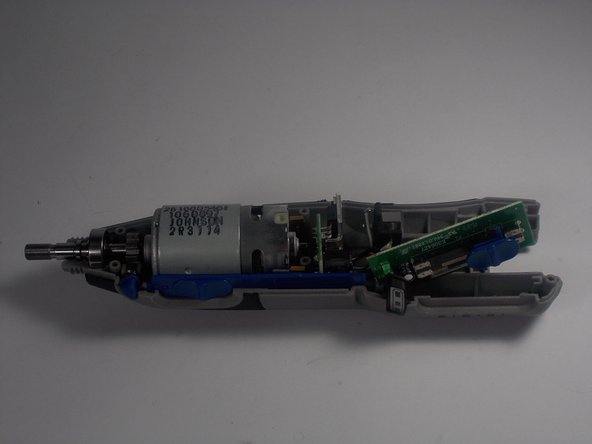
The speed selector switch is now easily accessible. Grab the switch and lift it out of the circuit board.
-
-



To reassemble your device, follow these instructions in reverse order.

Команда

UMass Dartmouth, Team 2-8, Isaacson Spring 2016 Участник UMass Dartmouth, Team 2-8, Isaacson Spring 2016
UMASSD-ISAACSON-S16S2G8
3 членов
Автор 5 руководств
