Этот перевод был сделан машиной и пока не проверен человеком. Говорите на этом языке? Просмотрите его.
Введение
Крестовина (D-Pad) играет центральную роль во многих играх, и со временем из-за частого использования она может начать выходить из строя. Это руководство поможет вам заменить крестовину в геймпаде EasySMX-15.
Выберете то, что вам нужно
-
-
-
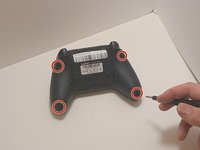
С помощью отвертки Phillips #00 открутите четыре винта длиной 9 мм с нижней части EasySMX X15.
-
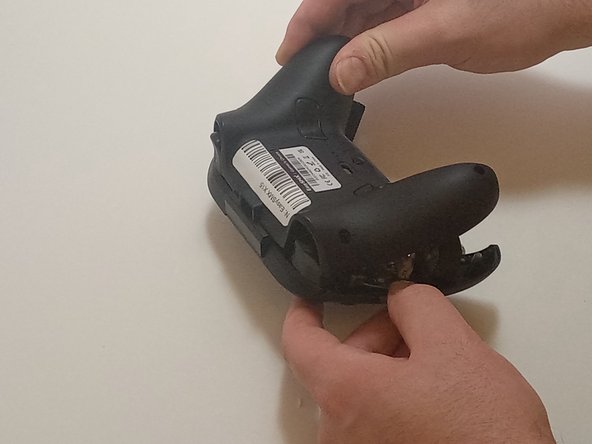
Аккуратно подденьте швы контроллера с помощью пластикового медиатора (opening tool), чтобы разделить нижнюю и верхнюю части корпуса.
 Спросите у FixBot
-
-
-
-
-
Отсоедините кабели вибромотора от разъемов на печатной плате.
-
С помощью отвертки Phillips #00 открутите шесть винтов длиной 6 мм с платы.
-
-
-
-
Аккуратно приподнимите плату, отводя ее от верхней части корпуса; маневрируя вокруг триггеров, приподнимите ее снизу, отводя от верхней части корпуса.
-
-
-
-
-
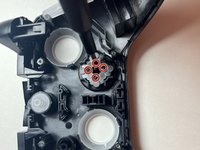
С помощью отвертки Phillips #00 открутите четыре винта длиной 4 мм, крепящие крестовину (D-pad) к корпусу контроллера.
-
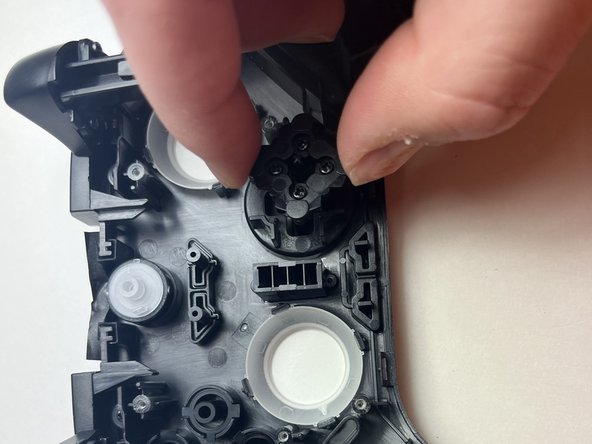
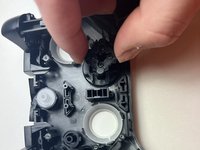
Приподнимите заднюю часть крестовины вместе с мембраной и извлеките их из контроллера.
-
Приподнимите корпус, чтобы крестовина отсоединилась от верхней части корпуса.
-
-



Для сборки устройства выполните эти инструкции в обратном порядке.

Команда

Austin Community College, Team 7-3, Watkins Fall 2024 Участник Austin Community College, Team 7-3, Watkins Fall 2024
AUSTINCC-WATKINS-F24S7G3
3 членов
Автор 84 руководств
