Перейти к основному содержанию
Присоединяйся к сообществу ремонтников - Создай аккаунт

Eightarc Fusion USB Cable Replacement

Выберете то, что вам нужно

  1. Eightarc Fusion USB Cable Replacement, USB Cable: шаг 1, изображение 1 из 2 Eightarc Fusion USB Cable Replacement, USB Cable: шаг 1, изображение 2 из 2
    • Because of the protruding joystick on the top of the controller, make sure to work on a soft surface or prop the controller up to avoid stress on the joystick.

    • Place the controller face down (buttons and joystick down).

    • Use a Phillips Head #1 screwdriver to remove the eight 9.65 mm screws located on the felt and metal backplate.

    • Do not confuse the four screws in the rubber feet with the eight screws in the felt. The screws in the feet do not need to be removed.

    Спросите у FixBot

    Добавить комментарий

  2. Eightarc Fusion USB Cable Replacement: шаг 2, изображение 1 из 1
    • Open the door for the cord storage compartment on the right side of the device.

    • Reach under the panel and push upwards on the back panel. Lift it up and remove it from the device.

    Спросите у FixBot

    Добавить комментарий

  3. Eightarc Fusion USB Cable Replacement: шаг 3, изображение 1 из 1
    • With flap unlatched, gently bend the flap and pull slightly to get the pegs out of the socket

    • Be sure to be gentle and not snap the plastic flap in half.

    Спросите у FixBot

    Добавить комментарий

  4. Eightarc Fusion USB Cable Replacement: шаг 4, изображение 1 из 1
    • Slide USB cable up from the plastic barrier casing.

    Спросите у FixBot

    Добавить комментарий

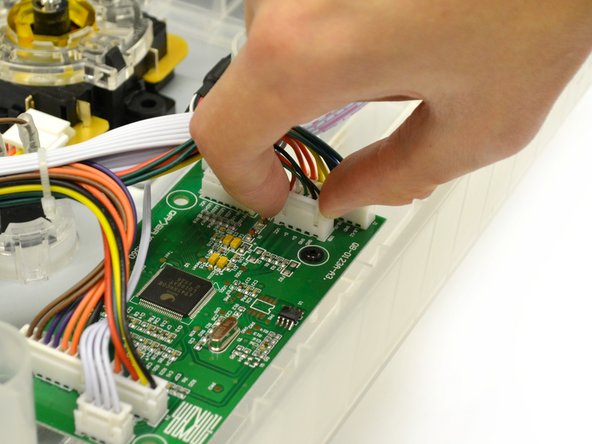
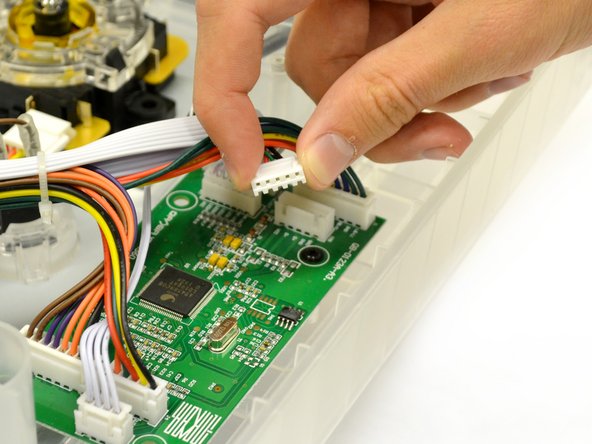
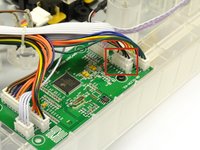
  5. Eightarc Fusion USB Cable Replacement: шаг 5, изображение 1 из 3 Eightarc Fusion USB Cable Replacement: шаг 5, изображение 2 из 3 Eightarc Fusion USB Cable Replacement: шаг 5, изображение 3 из 3
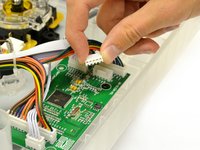
    • The USB cord is connected to the logic board by a plastic plug with five wires.

    • Gently pull up and wiggle the white plastic end attached to the wires out of the mother board.

    • The white casing on top pulls off from its counterpart on the logic board. Do not take off the bottom part of the white fixture from the logic board.

    • Remove USB cable from device.

    Спросите у FixBot

    Добавить комментарий

Заключение

To reassemble your device, follow these instructions in reverse order.

Отменить: Я не выполнил это руководство.

Dana

Участник с: 02/01/15

141 Репутация

1 руководство автора

Команда

Cal Poly, Team 17-35, Amido Winter 2015 Участник Cal Poly, Team 17-35, Amido Winter 2015

CPSU-AMIDO-W15S17G35

4 членов

Автор 5 руководств

1 Комментарий к руководству

Where do I get the USB wire?

desmond.bouey1 - Ответить Поделиться

Добавить комментарий

Статистика просмотров:

За последние 24 часов: 0

За последние 7 дней: 7

За последние 30 дней: 47

За всё время: 1,190